Matching Pajamas Mirror Selfie
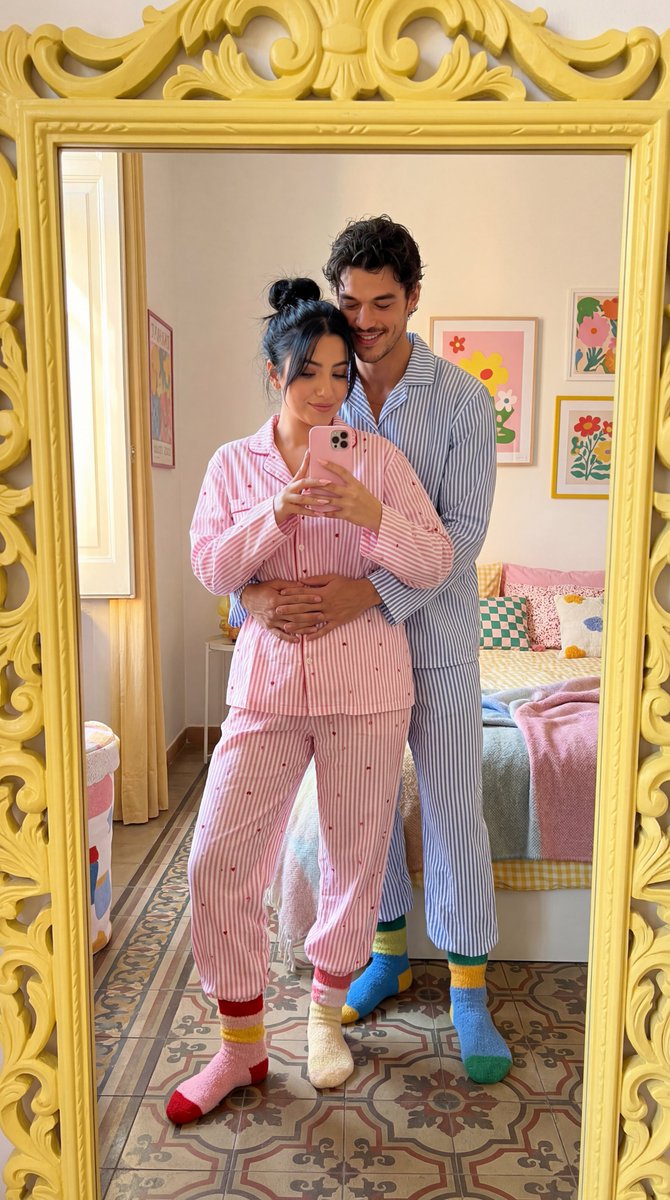
Ultra-photorealistic cozy couple mirror selfie, romantic matching pajama lifestyle photo, real photograph, not illustration. Create a full-body candid mirror selfie of a young couple standing close together in a bright, stylish, dopamine-decor bedroom inside an elegant European-style apartment. The mood is intimate, playful, soft, romantic, cozy, and natural, like a real Instagram story memory captured on a quiet morning at home. If reference images are provided, the woman and the man must match the uploaded female and male references with extremely high identity accuracy, as close to 100% facial likeness as possible. Preserve their exact facial structure, facial proportions, natural expression style, skin tone, and recognizable identity. Do not turn them into generic AI faces. The couple stands in front of a tall ornate yellow mirror with carved vintage details. The mirror should be large enough to show their full bodies clearly, from head to colorful socks, with a realistic mirror reflection and natural smartphone perspective. The framing should feel slightly imperfect and candid, like a real mirror selfie, but still beautiful and editorial. The woman stands in front of the man, petite and feminine, holding a pink smartphone in front of her face to take the selfie. The phone partially covers her face in a natural way. She has dark hair tied in a casual messy bun, soft natural skin, relaxed shy body language, and a warm cozy presence. She wears a loose pink-and-white striped pajama set with tiny red heart details on the fabric. The pajama set includes a long-sleeve button-up shirt and matching relaxed pajama pants, made from soft cotton with realistic folds, wrinkles, seams, and gentle fabric texture. She wears cute colorful socks in soft pink, red, yellow, and cream tones, matching the dopamine bedroom palette. The man stands closely behind her, tall, handsome, warm olive/tan skin, dark slightly messy hair, light stubble, broad shoulders, and a relaxed affectionate smile. He leans down toward her in a sweet protective way, hugging her gently around the waist from behind. His posture should feel romantic, natural, playful, and comfortable, not stiff or overly posed. He wears a loose blue-and-white striped pajama set with a long-sleeve button-up shirt and matching relaxed pajama pants, soft cotton texture, cozy oversized fit, and realistic fabric folds. He wears colorful cozy socks in blue, yellow, green, and cream tones, coordinated with his pajamas and the colorful bedroom decor. Both pajamas should look coordinated but not identical: the man in blue-and-white stripes, the woman in pink-and-white stripes with small red hearts. Their socks should also feel coordinated but playful: colorful, cozy, soft cotton, slightly mismatched in a charming at-home way, with realistic ribbed knit texture and natural fabric folds. The styling should feel cute, soft, romantic, and cozy, like matching sick-day pajamas at home. Setting: a colorful dopamine-style bedroom with cheerful but tasteful decor, bright bedding, playful pillows, soft blankets, warm pastel accents, colorful wall art, cozy textures, and a lived-in romantic atmosphere. The apartment has elegant European details: high ceiling, soft beige or warm cream walls, white wall molding, tall windows, patterned vintage tile floor, and refined old-apartment charm. The room should feel stylish, warm, personal, and beautiful, never messy or cheap. Lighting: soft natural morning daylight coming from the left window, gentle shadows, realistic highlights on skin and hair, soft reflections on the yellow mirror frame and pink phone. No harsh flash, no overexposed windows, no artificial studio look. Preserve realistic detail in skin texture, hair strands, pajama fabric, sock knit texture, mirror carving, vintage floor tiles, bedding, and bedroom decor. Camera: realistic smartphone mirror selfie, vertical 9:16 composition, full-body reflection, slight wide-angle phone perspective but no distortion. The phone should look realistic in size and placement. Hands and fingers must be anatomically correct. The hug should feel physically believable and natural, with correct arm placement around the woman’s waist. Mood: cozy couple love, matching pajamas, colorful socks, colorful bedroom morning, playful affection, soft romance, intimate home memory, warm Instagram story aesthetic, relaxed and tasteful. Negative prompt: low quality, cartoon, illustration, anime, painting, 3D render, CGI, plastic skin, waxy faces, generic AI faces, distorted mirror reflection, warped bodies, extra arms, extra fingers, missing fingers, bad hands, fake phone, unrealistic phone size, bad phone anatomy, stiff pose, unrealistic hug, distorted legs, bad feet, mismatched pajama texture, bad sock anatomy, ugly room, messy background, dull decor, harsh lighting, overexposed window, blurry faces, bad anatomy, bad proportions, text, watermark, logo.










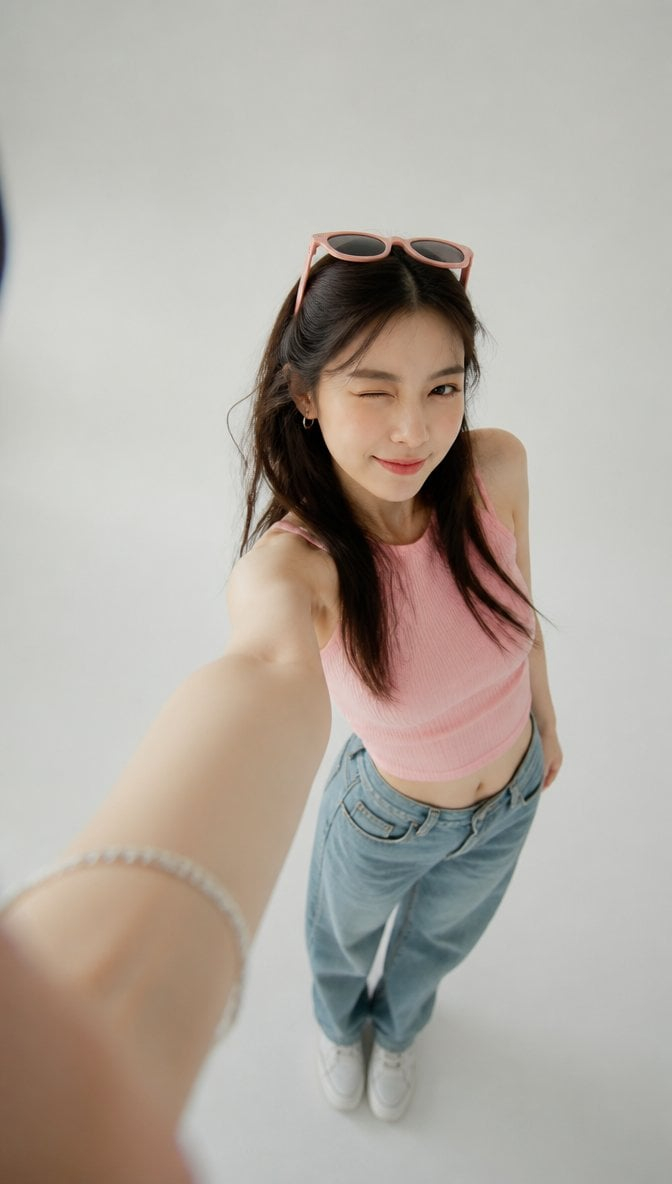



![nano-banana-grwm-mirror-selfie-pink — Nano Banana 2
Prompt (JSON):
{
"type": "image_prompt",
"description": {
"subject": {
"main": "[NAME] com o](/_next/image?url=https%3A%2F%2Fcdn.picxstudio.com%2Fuploads%2Ftweet_img_10a_612da6f9-cf6d-417e-bdd5-cc1300d1d830.jpg&w=828&q=100)


![Naive doodle-style subject illustration — A doodle-style {argument name="subject" default="[subject]"}, naive lines, humorous shape exaggeration](https://pbs.twimg.com/media/G6Wl2YxbsAARB2b.jpg)

















![Ethereal Digital Painting Portrait — A highly detailed 4K digital painting of a young woman [Use the uploaded image as reference] with li…](https://pbs.twimg.com/media/HCSHYEHXgAEVMcl.jpg)
![Sequential Motion Sports Poster — sports poster [16:9] capturing a {argument name="equipment" default="sport equipment"} shattering through sequential time-free](https://cms-assets.youmind.com/media/1780307040388_g9clwj_HJZYWgwXUAYrHF2.jpg)







![Fisheye Perspective of a Fish and Seagull — Fisheye lens photo captured from the perspective of the fish that's about to be eaten by a [seagull] (varies seegull](https://pbs.twimg.com/media/HC5kXVbbsAI7dOZ.png)


![Photorealistic Omikuji (Fortune Slip) Design — [Purpose]
Based on the attached image, generate a completely original visual of a Japanese “omikuji” fortune slip](https://pbs.twimg.com/media/G-NGPIhawAAkAtw.jpg)