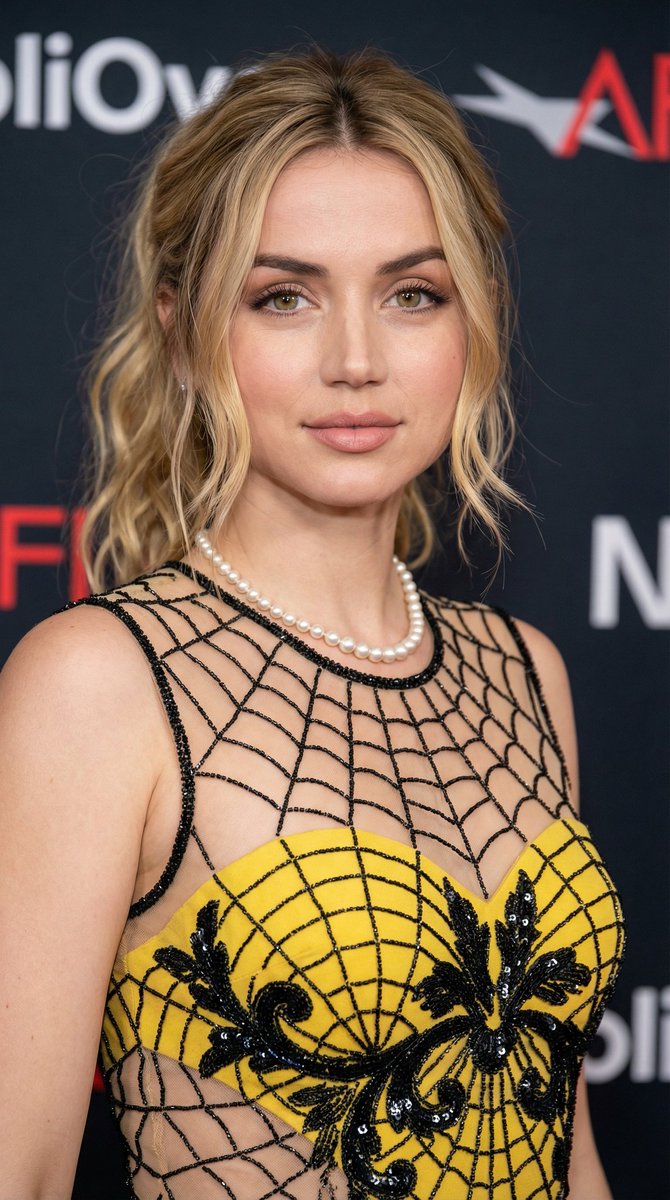
How do I use the Ana de Armas Red Carpet Glamour Portrait template?
Choose the primary action to open PicX Studio with the available template settings. Review the model and format, personalize the creative direction, and generate when ready.
A structured prompt for generating a portrait of Ana de Armas on a red carpet, focusing on her appearance in a jet-black, sequined lace column gown. Change the subject, setting, or lighting one variable at a time.

{ "subject": { "identity": "Ana de Armas", "features": { "eyes": "Light green-hazel", "skin_tone": "Fair, porcelain with a dewy finish", "makeup": "Soft glamour; dusty rose lipstick, neutral eye shadow, structured natural eyebrows, and subtle peach blush" }, "hair": { "color": "Deep chestnut brunette", "style": "Long, voluminous Hollywood waves, deep side part, cascading over one shoulder" } }, "attire": { "gown": { "style": "Column-style floor-length evening gown", "color": "Jet black", "texture": "Intricate sequin embellishments, shimmering lace overlay", "details": { "neckline": "Sweetheart neckline with scalloped lace trim", "straps": "Thin spaghetti straps", "features":
Choose the primary action to open PicX Studio with the available template settings. Review the model and format, personalize the creative direction, and generate when ready.
Yes. You can change the subject, setting, lighting, mood, format, and available model controls before creating your image.
This template is free to open and customize. Generation usage is shown in PicX Studio before you create.
Start with Nano Banana 2, which is the model associated with this template. You can compare another compatible model for a different finish.
© 2026 PicX Studio. All rights reserved.

Follow a topic to a crawlable collection of related PicX Studio templates.
43,474 public templates available. Verified via the PicX Studio public templates API; refreshed hourly.









![118-google-nano-banana-pro-skincare-product- — A professional skincare shot of a [product container] with [cap/lid], labeled [brand, product, descriptor, volume](/_next/image?url=https%3A%2F%2Fcdn.picxstudio.com%2Fuploads%2Fpost118_img0_332898b8-29ea-42a9-87ab-9ed746a3f944.jpg&w=828&q=100)









![Naive doodle-style subject illustration — A doodle-style {argument name="subject" default="[subject]"}, naive lines, humorous shape exaggeration](https://pbs.twimg.com/media/G6Wl2YxbsAARB2b.jpg)