How do I use the Seedance 2.5 - @AIwithkhan - 801709 template?
Edit the prompt in the box under the preview — the template's model and format are already selected — and press Generate. Your version appears right on this page.
Seedance 2.5 video template .
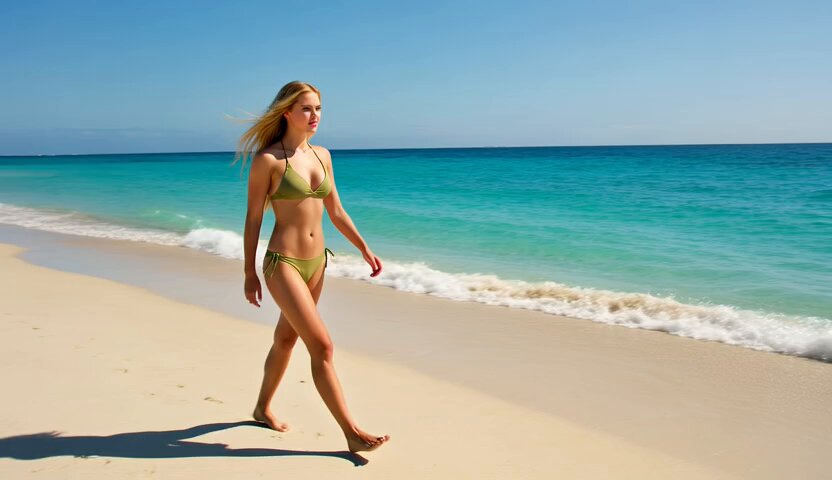
Seedance 2.5 is changing what's possible with AI video. Up to 30-second generations, support for 50 multimodal references, timestamp-based prompt editing, and much finer camera control make complex storytelling far more achievable. And the best part? @lovart_ai is the exclusive first-access platform to experience it. Prompt : A stylish young woman finishes her workday in a modern corporate office. She closes her laptop, gathers her belongings, and walks confidently through the open workspace as coworkers wave goodbye. She exits a sleek glass office building during golden hour, slipping on sunglasses as warm sunlight reflects off the skyscrapers. A cinematic tracking shot follows her crossing a busy city intersection before she steps into a premium café. She orders an iced latte, waits while the barista prepares it, then enjoys the first sip by a large window overlooking the bustling streets. As dusk falls, she strolls through an illuminated shopping district, browsing boutique storefronts and stopping to admire a luxury window display. She continues through a vibrant pedestrian street filled with lights, live music, and evening energy before arriving at a rooftop terrace. The final sequence captures her relaxing with the city skyline glowing behind her as she smiles at the camera, ending with a wide aerial shot of the city at night. #Seedance #BuiltWithLovart #AIVideo
Seedance 2.5 is changing what's possible with AI video. Up to 30-second generations, support for 50 multimodal references, timestamp-based prompt editing, and much finer camera control make complex storytelling far more achievable. And the best part? @lovart_ai is the exclusive first-access platform to experience it. Prompt : A stylish young woman finishes her workday in a modern corporate office. She closes her laptop, gathers her belongings, and walks confidently through the open workspace as coworkers wave goodbye. She exits a sleek glass office building during golden hour, slipping on sunglasses as warm sunlight reflects off the skyscrapers. A cinematic tracking shot follows her crossing a busy city intersection before she steps into a premium café. She orders an iced latte, waits while the barista prepares it, then enjoys the first sip by a large window overlooking the bustling streets. As dusk falls, she strolls through an illuminated shopping district, browsing boutique storefronts and stopping to admire a luxury window display. She continues through a vibrant pedestrian street filled with lights, live music, and evening energy before arriving at a rooftop terrace. The final sequence captures her relaxing with the city skyline glowing behind her as she smiles at the camera, ending with a wide aerial shot of the city at night. #Seedance #BuiltWithLovart #AIVideo
Edit the prompt in the box under the preview — the template's model and format are already selected — and press Generate. Your version appears right on this page.
Yes. You can change the subject, setting, lighting, mood, format, and available model controls before creating your video.
Opening and editing this template is free. Generating uses credits, shown on the Generate button when you are signed in.
Start with seedance-2.5, which is the model associated with this template. You can compare another compatible model for a different finish.
Follow a topic to a crawlable collection of related PicX Studio templates.