How do I use the Horror Mystery Animated Short Film template?
Edit the prompt in the box under the preview — the template's model and format are already selected — and press Generate. Your version appears right on this page.
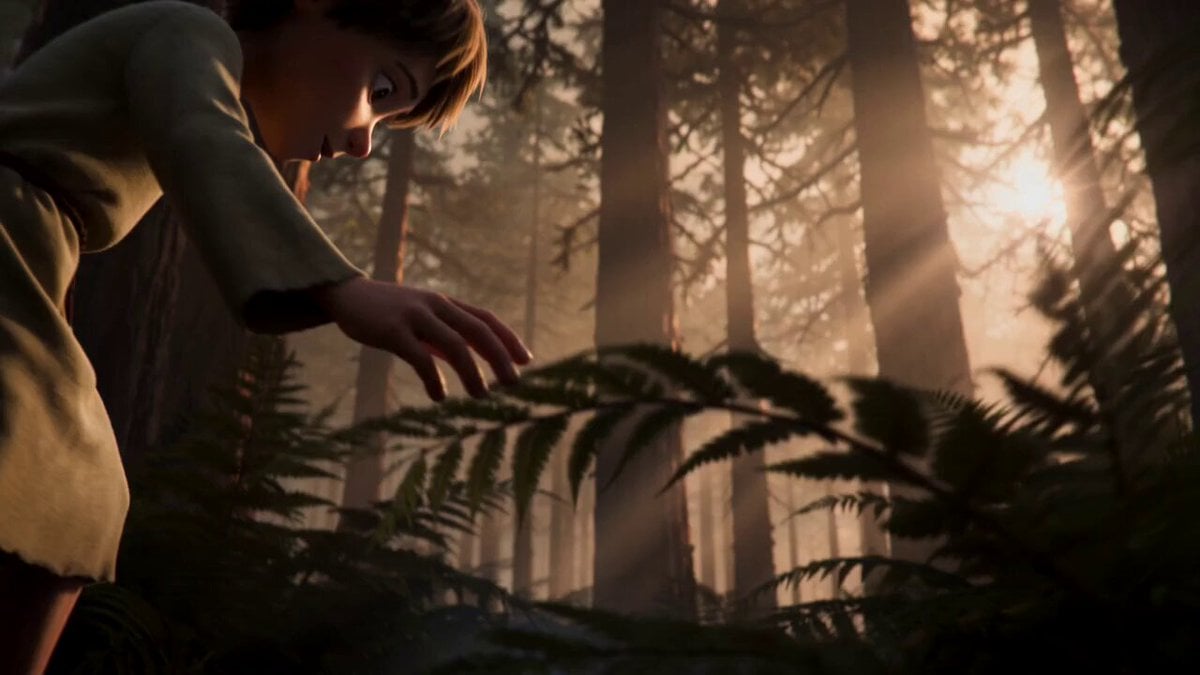
A two-part narrative video prompt for an animated horror short film about a young boy and a mysterious hand in a dark bedroom.
A cinematic animated short film with feature-film-quality 3D animation, expressive stylized characters, a dimly lit child's bedroom at night, moonlight streaming through a half-open window, soft volumetric shadows, a single nightlight glowing faintly in the corner, smooth cinematic camera movement, suspenseful ambient score with quiet tension, polished CGI animated feature film quality rendering, NOT photorealistic, expressive facial animation. Boy remains fixed near the closet door area throughout. Closet door is slightly ajar on the left side of frame, gap visible underneath. A 9-year-old boy in White and black tiger-print pajamas plays with a small red flashlight, making shapes on the ceiling, cheerful and carefree. He accidentally drops it. The flashlight rolls across the floor and disappears through the gap under a slightly-open closet door. Boy (gasping): "Oh no" He crawls over and kneels in front of the closet door, reaching his hand into the dark gap underneath, feeling around blindly. He stretches his arm further into the darkness, still can't find it. Continue seamlessly from the previous scene. Maintain the exact same character, clothing, facial features, lighting, bedroom environment, and CGI animated feature film quality 3D animation style, NOT photorealistic. Boy remains fixed kneeling at the closet door. The clawed hand emerges from the same fixed gap beneath the door. Without him noticing, a long clawed shadowy hand slowly emerges from the pitch-black gap beneath the door, quietly placing the flashlight into his open palm. Still focused on the floor, he closes his hand around it and pulls it out. Boy (relieved smile): "Thanks, Mom." He stands up, dusts off his pajamas, turns toward his bedroom door — closed, room empty. He freezes. Dramatic close-up on his face. His smile fades, eyes go wide. Behind him, the closet door creaks open another inch. Boy (exaggerated scream): "AAAAH!" He sprints out of the room, slamming the door behind him. The clawed hand slowly withdraws into the closet, door creaking shut on its own. Fade to black.
A cinematic animated short film with feature-film-quality 3D animation, expressive stylized characters, a dimly lit child's bedroom at night, moonlight streaming through a half-open window, soft volumetric shadows, a single nightlight glowing faintly in the corner, smooth cinematic camera movement, suspenseful ambient score with quiet tension, polished CGI animated feature film quality rendering, NOT photorealistic, expressive facial animation. Boy remains fixed near the closet door area throughout. Closet door is slightly ajar on the left side of frame, gap visible underneath. A 9-year-old boy in White and black tiger-print pajamas plays with a small red flashlight, making shapes on the ceiling, cheerful and carefree. He accidentally drops it. The flashlight rolls across the floor and disappears through the gap under a slightly-open closet door. Boy (gasping): "Oh no" He crawls over and kneels in front of the closet door, reaching his hand into the dark gap underneath, feeling around blindly. He stretches his arm further into the darkness, still can't find it. Continue seamlessly from the previous scene. Maintain the exact same character, clothing, facial features, lighting, bedroom environment, and CGI animated feature film quality 3D animation style, NOT photorealistic. Boy remains fixed kneeling at the closet door. The clawed hand emerges from the same fixed gap beneath the door. Without him noticing, a long clawed shadowy hand slowly emerges from the pitch-black gap beneath the door, quietly placing the flashlight into his open palm. Still focused on the floor, he closes his hand around it and pulls it out. Boy (relieved smile): "Thanks, Mom." He stands up, dusts off his pajamas, turns toward his bedroom door — closed, room empty. He freezes. Dramatic close-up on his face. His smile fades, eyes go wide. Behind him, the closet door creaks open another inch. Boy (exaggerated scream): "AAAAH!" He sprints out of the room, slamming the door behind him. The clawed hand slowly withdraws into the closet, door creaking shut on its own. Fade to black.
Edit the prompt in the box under the preview — the template's model and format are already selected — and press Generate. Your version appears right on this page.
Yes. You can change the subject, setting, lighting, mood, format, and available model controls before creating your video.
Opening and editing this template is free. Generating uses credits, shown on the Generate button when you are signed in.
Start with Seedance 2.0, which is the model associated with this template. You can compare another compatible model for a different finish.
Follow a topic to a crawlable collection of related PicX Studio templates.