How do I use the Macro Guitar Fret Dressing template?
Choose the primary action to open PicX Studio with the available template settings. Review the model and format, personalize the creative direction, and generate when ready.
A macro shot of a guitar fret during the dressing process.
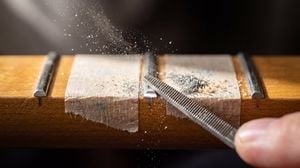
the middle fret mid-dressing, bright {argument name="fret material" default="raw nickel silver"} where the file has cut, the neighboring fret ends still square and unfinished for contrast
Choose the primary action to open PicX Studio with the available template settings. Review the model and format, personalize the creative direction, and generate when ready.
Yes. You can change the subject, setting, lighting, mood, format, and available model controls before creating your image.
This template is free to open and customize. Generation usage is shown in PicX Studio before you create.
Start with gemini-3-pro-image-preview, which is the model associated with this template. You can compare another compatible model for a different finish.
Follow a topic to a crawlable collection of related PicX Studio templates.