How do I use the Coastal Jet Ski Portrait template?
Choose the primary action to open PicX Studio with the available template settings. Review the model and format, personalize the creative direction, and generate when ready.
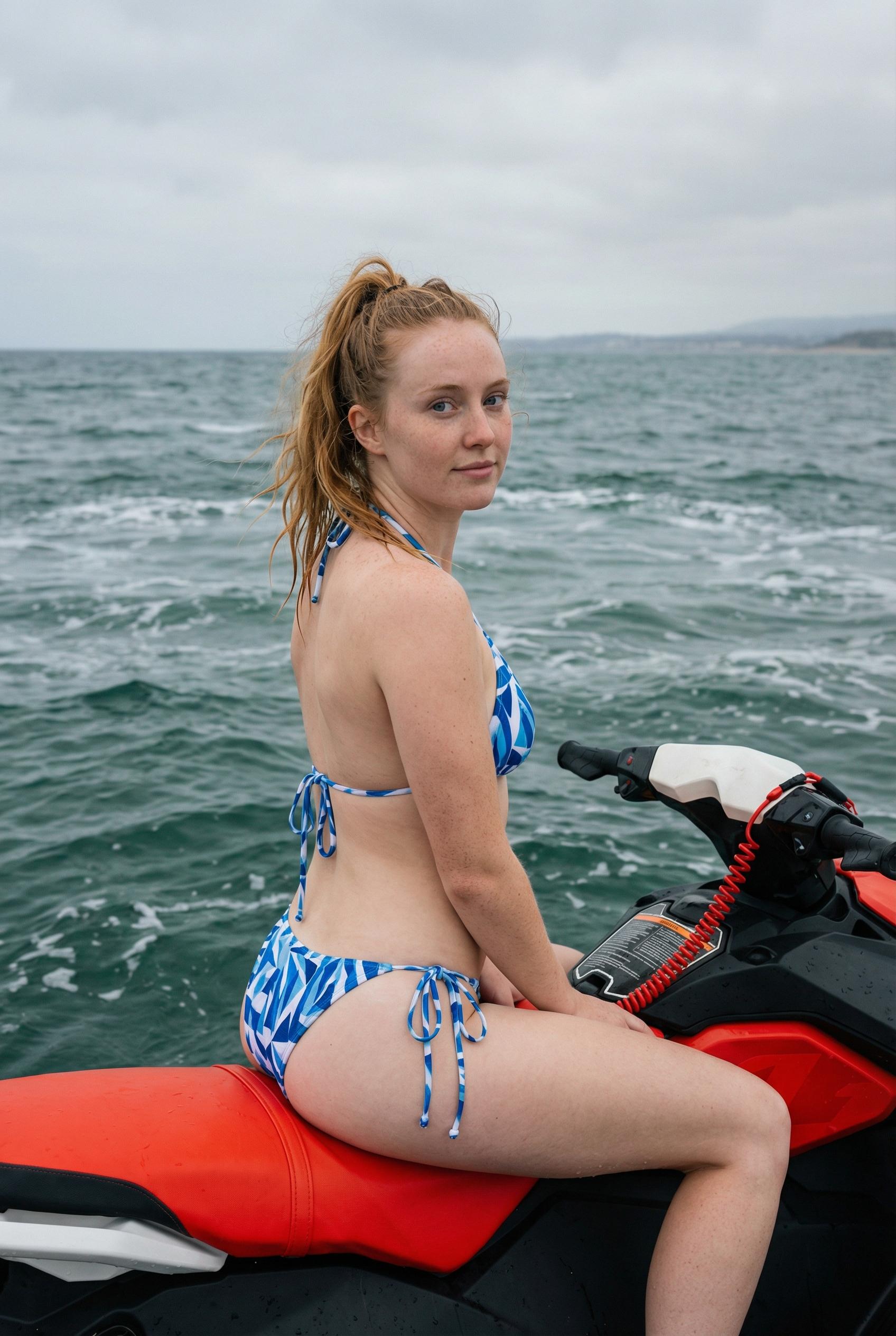
Use the Coastal Jet Ski Portrait AI image template on PicX Studio. Free template, no signup required.
{ "image_prompt": { "subject": { "description": "Young woman", "physical_features": [ "pale skin with freckles", "long red hair styled in a wet, messy high ponytail", "light eyes", "neutral, relaxed expression" ], "pose": "Sitting sideways, looking back over her left shoulder directly at the camera" }, "apparel": "Two-piece string bikini with a blue and white abstract geometric pattern", "props": "Red and black personal watercraft (jet ski) with a red coiled safety lanyard attached", "environment": { "setting": "Open ocean water", "water_conditions": "Choppy, dark greenish-blue water with small whitecaps", "weather": "Overcast, cloudy grey sky", "background": "Very faint, hazy coastline in the far distance" }, "composition": { "camera_angle": "Medium shot from slightly behind and to the side, at eye level with the subject", "lighting": "Soft, diffused natural daylight typical of an overcast day, providing even illumination on the skin", "style": "Photorealistic, candid lifestyle photography, high resolution snapshot" } } }
Treat Coastal Jet Ski Portrait as a focused AI image concept rather than a finished brief. Read the preview for composition, choose the intended destination, and then personalize one creative variable at a time.
Use the primary action to load the template settings in PicX Studio.
Adjust the subject and creative details for your destination.
Create the image, compare the result with the preview, and refine one variable at a time.
A continuous mix — similar concepts first, woven with same-model prompts and fresh picks from the catalog.
Choose the primary action to open PicX Studio with the available template settings. Review the model and format, personalize the creative direction, and generate when ready.
Yes. You can change the subject, setting, lighting, mood, format, and available model controls before creating your image.
This template is free to open and customize. Generation usage is shown in PicX Studio before you create.
Choose a compatible model in PicX Studio based on the style, speed, and output controls your project needs.
Follow a topic to a crawlable collection of related PicX Studio templates.
39,155 public templates available. Verified via the PicX Studio public templates API; refreshed hourly.
A continuous mix — similar concepts first, woven with same-model prompts and fresh picks from the catalog.