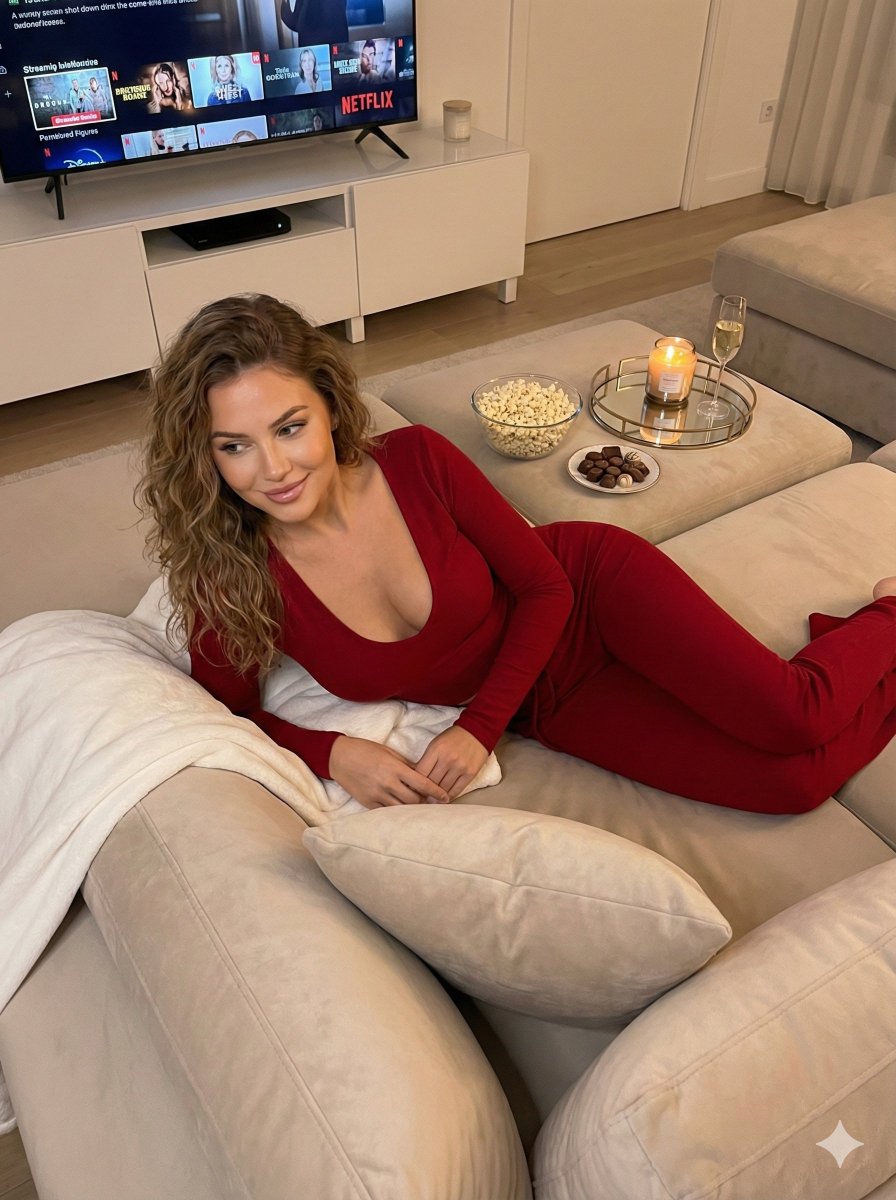
How do I use the Cozy Loungewear Portrait on a Sofa template?
Choose the primary action to open PicX Studio with the available template settings. Review the model and format, personalize the creative direction, and generate when ready.
A detailed JSON prompt for generating an ultra-photorealistic portrait of a woman (styled like Sadie Sink) in cozy loungewear. Change the subject, setting, or lighting one variable at a time.

{ "subject": { "appearance": { "hair": "Long, chestnut brown layered hair with subtle honey highlights, styled in loose, gentle waves falling over the shoulders. Center-parted.", "skin": "Fair complexion with a smooth texture, natural finish makeup, slight rosy blush, and defined eyebrows.", "gaze": "Looking off-camera to the right side of the frame, expression is contemplative and serene.", "distinctive_features": "Small, delicate tattoo visible on the left collarbone area." }, "clothing": { "inner_layer": "White ribbed cropped tank top with a scoop neckline, form-fitting.", "outer_layer": "Pastel {argument name="hoodie color" default="lavender/lilac"} plush fleece zip-up hoodie, worn unzipped and draped loosely off the shoulders, exposing the tank top straps.", "bottoms": "Matching pastel {argument name="sweatpants color" default="lavender/lilac"} plush fleece sweatpants with a drawstring waist, loose and comfortable fit.", "accessories": "Thin silver chain necklace with a small pendant." }, "pose": "Seated cross-legged on a plush sofa. Body is angled slightly to the left, while the head is turned to the right profile. Shoulders are relaxed, creating a slouchy, comfortable silhouette. Hands are resting casually in the lap/thigh area." }, "environment": { "setting": "Minimalist interior, likely a living room.", "props": "Cream-colored textured sofa (bouclé or similar fabric). To the left, a white faux-fur or textured throw pillow is visible.", "background": "Plain, light neutral (off-white or pale beige) wall, ensuring focus remains on the subject." }, "lighting": { "type": "Soft, diffused natural light (window light).", "direction": "Side-lit from the left, illuminating the face and creating soft, flattering gradients.", "shadows": "Subtle shadows on the right side of the face and neck, adding depth without harsh contrast." }, "styling": { "vibe": "Cozy, loungewear chic, 'off-duty' celebrity style, relaxed luxury.", "color_palette": "Soft pastels (lavender, white, cream) contrasted with warm hair tones." }, "mood": "Intimate, peaceful, candid, comfortable, effortless.", "camera_details": { "type": "Ultra Photorealistic Portrait.", "lens": "85mm prime lens for flattering facial compression.", "aperture": "f/2.8 to create a soft separation from the background while keeping facial features sharp.", "focus": "Sharp focus on the eyes and face.", "quality": "8K resolution, highly detailed textures (emphasizing the fuzziness of the fleece and smoothness of the skin)." } }
Choose the primary action to open PicX Studio with the available template settings. Review the model and format, personalize the creative direction, and generate when ready.
Yes. You can change the subject, setting, lighting, mood, format, and available model controls before creating your image.
This template is free to open and customize. Generation usage is shown in PicX Studio before you create.
Start with Nano Banana 2, which is the model associated with this template. You can compare another compatible model for a different finish.
© 2026 PicX Studio. All rights reserved.

Follow a topic to a crawlable collection of related PicX Studio templates.
43,474 public templates available. Verified via the PicX Studio public templates API; refreshed hourly.











![118-google-nano-banana-pro-skincare-product- — A professional skincare shot of a [product container] with [cap/lid], labeled [brand, product, descriptor, volume](/_next/image?url=https%3A%2F%2Fcdn.picxstudio.com%2Fuploads%2Fpost118_img0_332898b8-29ea-42a9-87ab-9ed746a3f944.jpg&w=828&q=100)



![69-untitled — FORMAT: 15s / 145 BPM / 14 SHOTS
SUBJECT: @[image1]
WARDROBE: Clean modern outfit
ENVIRONMENT: Street / indoor transitions
MOOD: Discovery → contr](/_next/image?url=https%3A%2F%2Fcdn.picxstudio.com%2Fuploads%2Fpost69_img0_d45faecf-38c3-4bcb-81a4-f6eb1cf42bb2.jpg&w=828&q=100)



![Naive doodle-style subject illustration — A doodle-style {argument name="subject" default="[subject]"}, naive lines, humorous shape exaggeration](https://pbs.twimg.com/media/G6Wl2YxbsAARB2b.jpg)














![Ultra-Wide Candid Mirror Documentation Portrait Prompt — (Vertical 9:16 smartphone aspect ratio). A raw, high-contrast [Candid Mirror Documentation] captured wi](https://pbs.twimg.com/media/G-ti4QmbQAAc5E7.jpg)