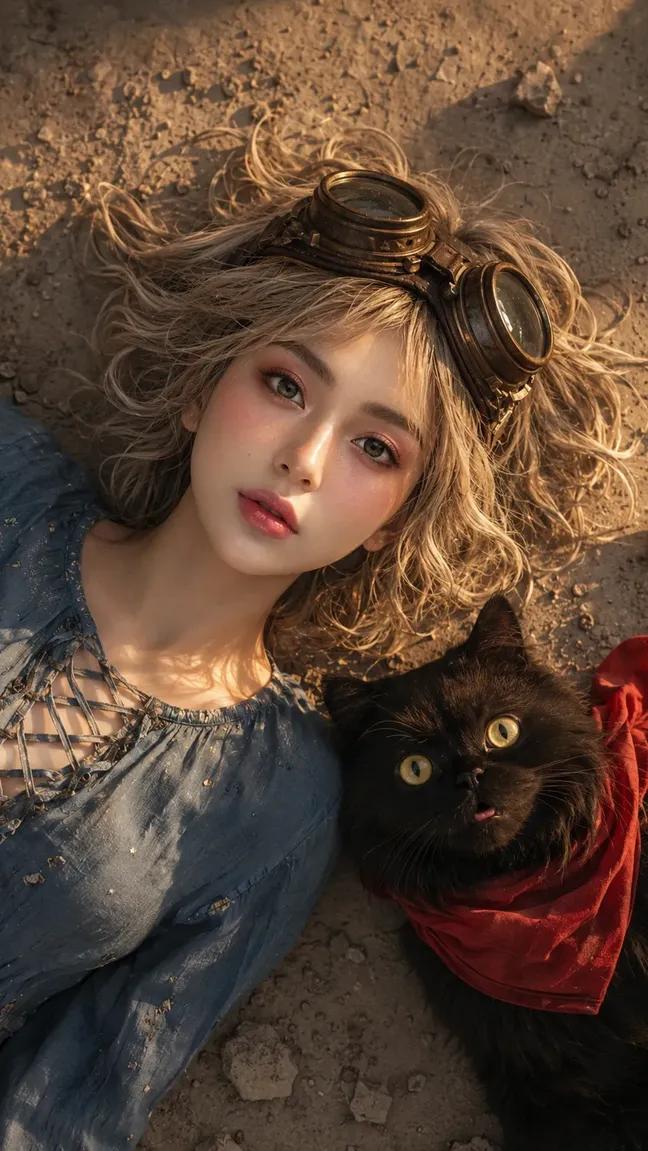
How do I use the Coquette Aesthetic Portrait with Cat template?
Choose the primary action to open PicX Studio with the available template settings. Review the model and format, personalize the creative direction, and generate when ready.
A highly structured, ultra-photorealistic image generation prompt for Nano Banana Pro detailing a young woman in cherry-print coquette-style pajamas kissing a large, grumpy ginger tabby cat. Change the subject, setting, or lighting one variable at a time.

{ "prompt_data": { "subject": { "description": "Young woman with fair skin tone", "hair": "Long, dark brunet hair with a distinct crimped or mermaid-wave texture, parted in the middle, cascading down the back", "facial_features": "Soft profile view, closed eyes with defined lashes, rosy cheeks with prominent blush, natural pink lips", "expression": "Affectionate, gentle, kissing the cat's cheek", "pose": "Sitting, holding a large cat securely with both hands against her chest, leaning in to kiss the animal" }, "apparel": { "type": "Matching pajama/loungewear set", "style": "Coquette / Soft Girl aesthetic", "top": "Cream-colored ribbed camisole with thin red spaghetti straps and a small red bow detail at the neckline", "bottoms": "Matching cream shorts", "pattern": "All-over small red cherry print", "accessories": "Simple, thin silver rings on fingers" }, "animal_companion": { "species": "Cat", "breed": "British Shorthair or similar exotic shorthair mix", "color": "Orange/Ginger tabby", "features": "Round face, plush dense fur, golden eyes, pink nose", "expression": "Stoic, neutral, slightly grumpy 'squished' face contrast to the girl's affection", "size": "Large, fluffy, and chunky" }, "environment": { "location": "Indoor living space", "background": "Wall featuring vintage-style wallpaper with an ornate, monochromatic floral/damask pattern in beige and greige tones", "furniture": "Partial view of a beige or tan leather sofa/couch with throw pillows", "lighting_mood": "Cozy, domestic, afternoon vibes" }, "lighting": { "source": "Natural sunlight (Golden Hour)", "direction": "Side lighting coming from the left", "quality": "Warm, direct sun hitting the subject's face and the cat's fur, creating high-contrast highlights and soft shadows behind them" }, "camera_settings": { "type": "Digital Portrait Photography", "lens": "85mm prime lens (flattering portrait focal length)", "aperture": "f/2.8 to f/4 (sharp focus on subjects, slight depth of field separation from wallpaper)", "shutter_speed": "1/250s", "iso": "100", "color_grading": "Warm tones, slightly desaturated background, vibrant skin tones and orange fur" }, "technical_modifiers": { "quality": "Ultra Photorealistic, 8k resolution, Masterpiece", "texture_details": [ "Individual strands of crimped hair", "Soft plush texture of cat fur", "Ribbed fabric texture of the pajamas", "Subtle skin texture and pores", "Paper texture of the wallpaper" ], "rendering": "Unreal Engine 5 style, ray-traced lighting, hyper-detailed" } } }
Choose the primary action to open PicX Studio with the available template settings. Review the model and format, personalize the creative direction, and generate when ready.
Yes. You can change the subject, setting, lighting, mood, format, and available model controls before creating your image.
This template is free to open and customize. Generation usage is shown in PicX Studio before you create.
Start with Nano Banana 2, which is the model associated with this template. You can compare another compatible model for a different finish.
© 2026 PicX Studio. All rights reserved.

Follow a topic to a crawlable collection of related PicX Studio templates.
43,474 public templates available. Verified via the PicX Studio public templates API; refreshed hourly.


![69-untitled — FORMAT: 15s / 145 BPM / 14 SHOTS
SUBJECT: @[image1]
WARDROBE: Clean modern outfit
ENVIRONMENT: Street / indoor transitions
MOOD: Discovery → contr](/_next/image?url=https%3A%2F%2Fcdn.picxstudio.com%2Fuploads%2Fpost69_img0_d45faecf-38c3-4bcb-81a4-f6eb1cf42bb2.jpg&w=828&q=100)
















![118-google-nano-banana-pro-skincare-product- — A professional skincare shot of a [product container] with [cap/lid], labeled [brand, product, descriptor, volume](/_next/image?url=https%3A%2F%2Fcdn.picxstudio.com%2Fuploads%2Fpost118_img0_332898b8-29ea-42a9-87ab-9ed746a3f944.jpg&w=828&q=100)



![Naive doodle-style subject illustration — A doodle-style {argument name="subject" default="[subject]"}, naive lines, humorous shape exaggeration](https://pbs.twimg.com/media/G6Wl2YxbsAARB2b.jpg)











![Giant Animal in City Scene Prompt (Fox + West Lake) — 请生成一张图片。场景为 [{argument name="城市或地点" default="📍城市/地点"}] ,一只超级巨大、可爱的 [{argument name=…](https://pbs.twimg.com/media/G7-yxuKa0AAkpfU.jpg)

![3D Neon Caricature of a Celebrity — A cute, highly stylized 3D caricature of {argument name="celebrity" default="[celebrity]"} standing in a neon-lit city stree](https://pbs.twimg.com/media/G7tnnKdb0AAMbYw.jpg)