How do I use the Monochromatic Winter Mountain Portrait template?
Choose the primary action to open PicX Studio with the available template settings. Review the model and format, personalize the creative direction, and generate when ready.
A prompt for generating an outdoor portrait of a young woman in a snowy, mountainous setting, dressed entirely in black technical wear, holding snow, under a cl
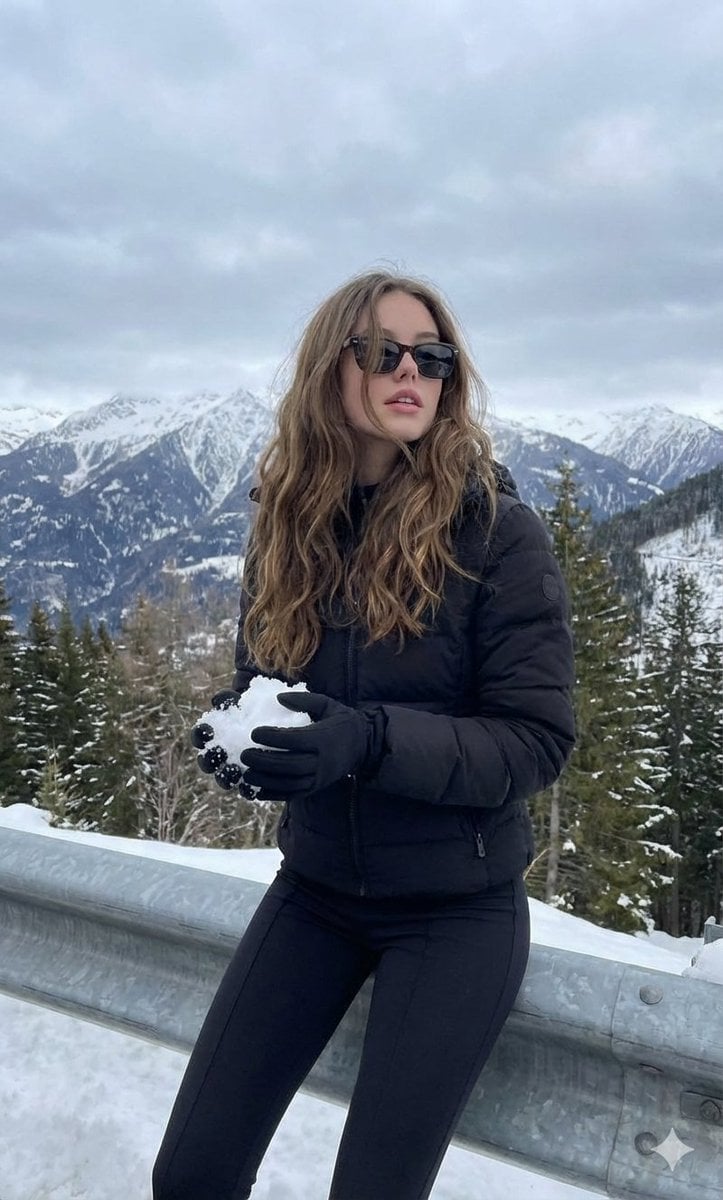
A young woman with long, wavy hair is posing outdoors in a snowy, mountainous setting. She is dressed entirely in black: a padded jacket, tight pants, gloves, and dark sunglasses. She is looking slightly up and to the right, holding a handful of snow in her gloved hands. Behind her, a winter landscape with snow-covered trees on the hills is visible under a cloudy, gray sky. She appears to be sitting or leaning against a barrier or guardrail at the side of a road or lookout point. The overall atmosphere is that of a cold, snowy day.
Choose the primary action to open PicX Studio with the available template settings. Review the model and format, personalize the creative direction, and generate when ready.
Yes. You can change the subject, setting, lighting, mood, format, and available model controls before creating your image.
This template is free to open and customize. Generation usage is shown in PicX Studio before you create.
Start with Nano Banana 2, which is the model associated with this template. You can compare another compatible model for a different finish.
Follow a topic to a crawlable collection of related PicX Studio templates.