How do I use the High-Fidelity Portrait in Red Halter Dress template?
Choose the primary action to open PicX Studio with the available template settings. Review the model and format, personalize the creative direction, and generate when ready.
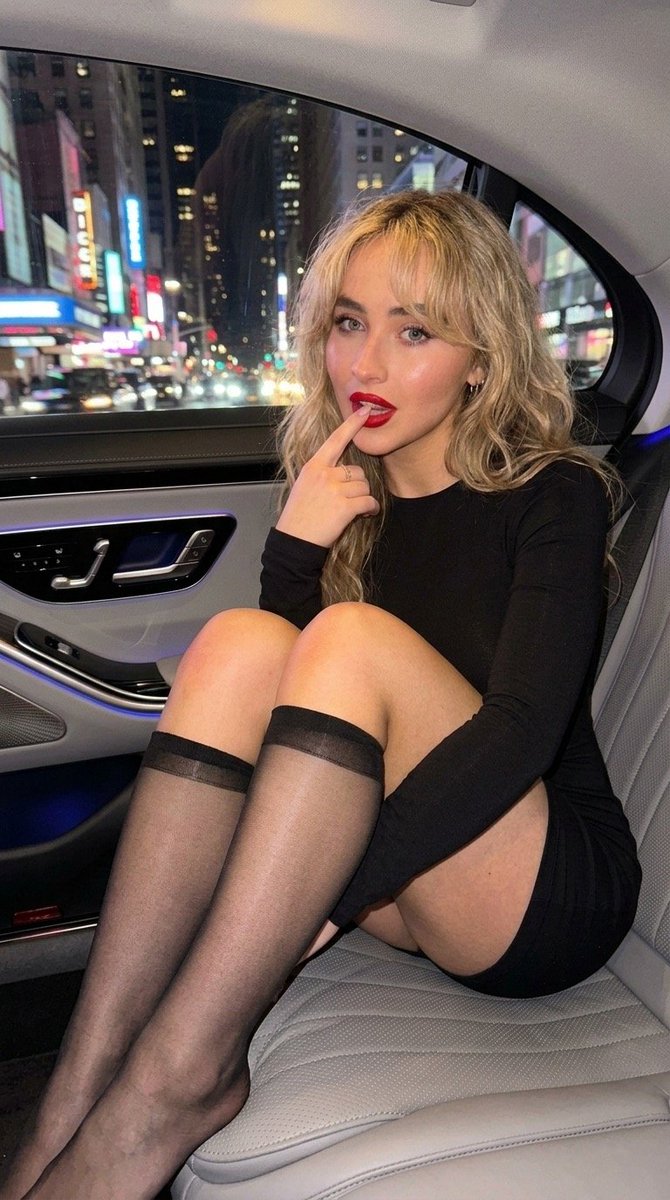
A structured JSON prompt for generating an ultra-high-resolution, photorealistic image of a subject (Sadie Sink reference) in a form-fitting red halter-neck mini dress. The prompt emphasizes sharp focus on the face, a seductive pose, and elegant lighting within a luxury modern interior at night. (free to use) — Free AI image template on PicX Studio.
{ "request": { "image_properties": { "dimensions": { "aspect_ratio": { "width": 9, "height": 16 }, "resolution": "8k" }, "quality": { "type": "ultra-high-resolution", "focus": { "sharpness": "extremely sharp focus on the subject's face", "depth_of_field": "shallow depth of field with blurred foreground hand" }, "details": "ultra-realistic, photorealistic image" } }, "subject_details": { "reference_person": { "name": "{argument name="subject name" default="Sadie sink"}", "physical_changes": { "body_ratio": "3.4", "hair_color": "blonde" }, "image_reference": "uploaded_image" }, "appearance": { "hair": { "length": "long", "texture": "voluminous waves", "color": "blonde", "finish": "smooth and shiny" }, "makeup": { "style": "soft-glam", "features": [ "winged eyeliner", "matte mauve lips" ] }, "outfit": { "type": "dress", "style": "halter-neck", "fit": "form-fitting", "neckline": "v-neck", "length": "mini", "color": "{argument name="dress color" default="red"}" } } }, "pose_details": { "style": "sexier", "gesture": { "action": "gesture toward the camera", "details": "seductive yet classy" }, "body_position": { "angle": "slightly angled to accentuate curves", "expression": "confident, alluring" } }, "background_and_effects": { "background": "none", "focus_effects": { "depth_of_field": "shallow", "foreground_hand": "blurred" } }, "environment": { "location": "luxury modern interior", "time_of_day": "night", "lighting": { "overhead": { "type": "circular recessed ceiling light", "details": "crystal chandelier" }, "accent": { "type": "vertical warm golden wall slats", "effect": "ambient, soft glow" } }, "aesthetic": { "mood": "elegant", "atmosphere": "chic, sophisticated, with a touch of opulence", "visual_effects": [ "soft bokeh", "highlighted features" ] } }, "photography_style": { "focus_type": "sharp focus on face and outfit", "lighting_effects": [ "face and dress illuminated with soft shadows", "background softly blurred for focus on subject" ], "visual_style": "photorealistic, high-fidelity details" } } }
Use High-Fidelity Portrait in Red Halter Dress to plan an AI image around nano-banana-2 generation. Match the preview's composition first, then personalize the subject, setting, and mood for your own project.
Use the primary action to load the template settings in PicX Studio.
Adjust the subject and creative details for your destination.
Create the image, compare the result with the preview, and refine one variable at a time.
A continuous mix — similar concepts first, woven with same-model prompts and fresh picks from the catalog.
Choose the primary action to open PicX Studio with the available template settings. Review the model and format, personalize the creative direction, and generate when ready.
Yes. You can change the subject, setting, lighting, mood, format, and available model controls before creating your image.
This template is free to open and customize. Generation usage is shown in PicX Studio before you create.
Start with nano-banana-2, which is the model associated with this template. You can compare another compatible model for a different finish.
Follow a topic to a crawlable collection of related PicX Studio templates.
39,155 public templates available. Verified via the PicX Studio public templates API; refreshed hourly.
A continuous mix — similar concepts first, woven with same-model prompts and fresh picks from the catalog.