
Extreme Close-Up Winter Portrait with Snow
A highly structured prompt for an extreme close-up, cinematic portrait of a young woman in a winter setting.
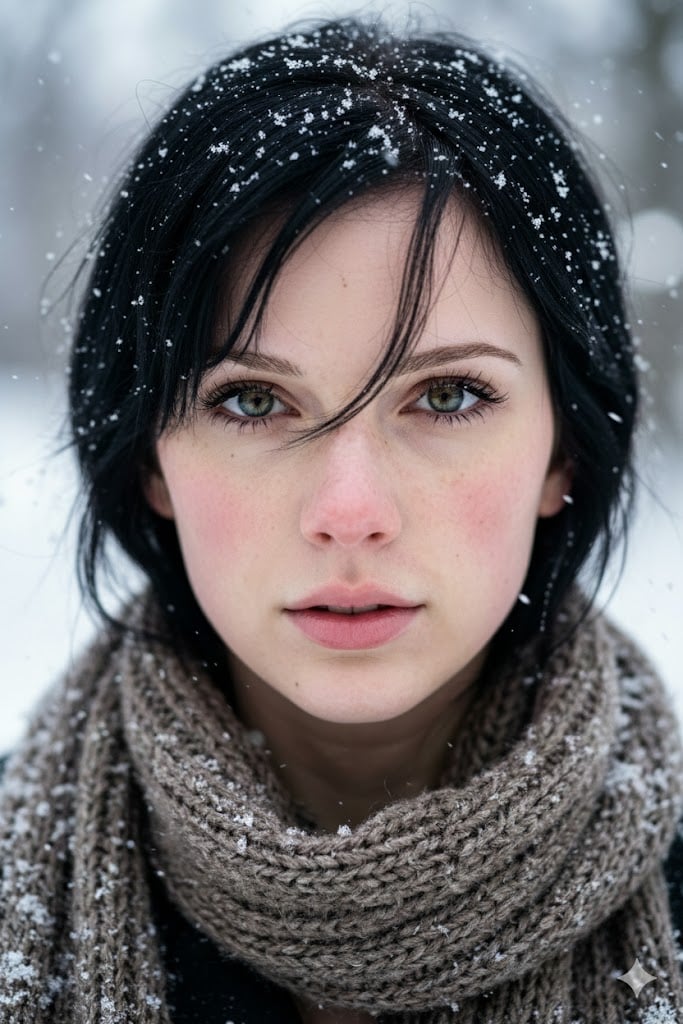
- Prompt included
- Model and format preset
- Free template
The prompt behind this image
Copy the exact prompt behind Extreme Close-Up Winter Portrait with Snow, or open it in the studio and make it yours.
- Prompt Structure › Subject › Demographics
- Young woman, mid-20s
- Prompt Structure › Subject › Facial Features › Skin
- Pale porcelain skin with visible natural texture, pores, and light freckles. Rosy flushed cheeks and nose indicating cold temperature. Hyper-realistic skin details.
- Prompt Structure › Subject › Facial Features › Eyes
- Striking hazel-green irises, sharp focus, direct eye contact. Long eyelashes catching tiny white snowflakes and frost particles.
- Prompt Structure › Subject › Facial Features › Hair
- Jet black, straight hair, slightly windblown with loose strands crossing the face. Sprinkled with fresh white snowflakes.
- Prompt Structure › Subject › Facial Features › Expression
- Neutral to soft allure, lips slightly parted, serene and intimate.
- Prompt Structure › Attire And Styling › Clothing
- Chunky, coarse-knit wool scarf or high-collar sweater in brownish-grey earth tones.
- Prompt Structure › Attire And Styling › Texture Details
- Fabric fibers visible, accumulation of fresh, fluffy snow on the knitwear.
- Prompt Structure › Attire And Styling › Makeup
- Minimalistic 'no-makeup' look, natural lip color, emphasis on natural flush.
- Prompt Structure › Environment › Setting
- Outdoor winter scene, snowy day.
- Prompt Structure › Environment › Atmosphere
- Falling snow, cold air, ethereal winter vibe.
- Prompt Structure › Environment › Foreground Elements
- Large, out-of-focus snowflakes (bokeh) floating close to the lens.
- Prompt Structure › Lighting › Type
- Soft, diffuse natural overcast light.
- Prompt Structure › Lighting › Quality
- Even illumination, no harsh shadows, soft catchlights in eyes.
- Prompt Structure › Lighting › Color Tone
- Cool tones with contrasting warm skin flush.
- Prompt Structure › Camera Settings › Shot Type
- Extreme close-up portrait (macro focus on eyes).
- Prompt Structure › Camera Settings › Lens
- 85mm or 105mm portrait lens.
- Prompt Structure › Camera Settings › Aperture
- f/1.8 to f/2.8 (shallow depth of field).
- Prompt Structure › Camera Settings › Focus
- Razor-sharp focus on irises and eyelashes, blurred foreground snow and background.
- Prompt Structure › Camera Settings › Style
- Cinematic photography, high resolution, 8k.
- Prompt Structure › Technical Modifiers
- Ultra Photorealistic, Unreal Engine 5 render style, Subsurface scattering, Volumetric lighting, Ray tracing, Fine art portrait, Detailed texture, Raw photo
- Prompt Structure › Mood
- Intimate, serene, chilly, ethereal, captivating.
Raw JSON
{
  "prompt_structure": {
    "subject": {
      "demographics": "Young  woman, mid-20s",
      "facial_features": {
        "skin": "Pale porcelain skin with visible natural texture, pores, and light freckles. Rosy flushed cheeks and nose indicating cold temperature. Hyper-realistic skin details.",
        "eyes": "Striking hazel-green irises, sharp focus, direct eye contact. Long eyelashes catching tiny white snowflakes and frost particles.",
        "hair": "Jet black, straight hair, slightly windblown with loose strands crossing the face. Sprinkled with fresh white snowflakes.",
        "expression": "Neutral to soft allure, lips slightly parted, serene and intimate."
      }
    },
    "attire_and_styling": {
      "clothing": "Chunky, coarse-knit wool scarf or high-collar sweater in brownish-grey earth tones.",
      "texture_details": "Fabric fibers visible, accumulation of fresh, fluffy snow on the knitwear.",
      "makeup": "Minimalistic 'no-makeup' look, natural lip color, emphasis on natural flush."
    },
    "environment": {
      "setting": "Outdoor winter scene, snowy day.",
      "atmosphere": "Falling snow, cold air, ethereal winter vibe.",
      "foreground_elements": "Large, out-of-focus snowflakes (bokeh) floating close to the lens."
    },
    "lighting": {
      "type": "Soft, diffuse natural overcast light.",
      "quality": "Even illumination, no harsh shadows, soft catchlights in eyes.",
      "color_tone": "Cool tones with contrasting warm skin flush."
    },
    "camera_settings": {
      "shot_type": "Extreme close-up portrait (macro focus on eyes).",
      "lens": "85mm or 105mm portrait lens.",
      "aperture": "f/1.8 to f/2.8 (shallow depth of field).",
      "focus": "Razor-sharp focus on irises and eyelashes, blurred foreground snow and background.",
      "style": "Cinematic photography, high resolution, 8k."
    },
    "technical_modifiers": [
      "Ultra Photorealistic",
      "Unreal Engine 5 render style",
      "Subsurface scattering",
      "Volumetric lighting",
      "Ray tracing",
      "Fine art portrait",
      "Detailed texture",
      "Raw photo"
    ],
    "mood": "Intimate, serene, chilly, ethereal, captivating."
  }
}How to use Extreme Close-Up Winter Portrait with Snow in 3 steps
- 1
Open
The prompt is already in the box next to the preview, with the template's model and format selected.
- 2…a portrait of your subject in softgolden-hour light, 85mm…
Personalize
Edit the subject and creative details for your destination.
- 3Generate
Generate
Press Generate — your image is created in PicX Studio, so you can compare it with the original and refine one variable at a time.
More like this
Templates with the same subject, style or setup. Open one to see its prompt.
Snowy Locations Views Winter Special
Extreme Close-Up Laughing Couple Portrait
Ultra-Realistic Winter Snow Blowing Portrait Prompt
Extreme Close-Up High-Contrast Portrait Prompt
Extreme Close-Up Cinematic Portrait with Tattoos and Red Eye
Extreme Close-Up Portrait Prompt (Focus on Texture)
Extreme Close-Up Fashion Beauty Portrait

Found Photograph: Us, 1970

80s Couple Studio Portrait

80s Bollywood Star

80s Golden Hour Cinema

Me in 1985
Make it yours
Extreme Close-Up Winter Portrait with Snow works as-is. These are the safest ways to change it without losing the look.
Swap the setting
Keep the rest of the prompt and replace the location block. The current setting is “Outdoor winter scene, snowy day.”.
Swap the light
One lighting change is enough to compare takes. Current light: “Soft, diffuse natural overcast light.”.
Change one field
Copy a single group, rewrite it, and generate again so you can see what that field is doing.
| If the result… | Why | Fix |
|---|---|---|
| The result drifts from the preview | Too many fields changed at once. | Reuse Extreme Close-Up Winter Portrait with Snow as-is first, then change one group — subject, light, or setting. |
| Nano Banana 2 ignores part of the JSON | Some models flatten or skip nested keys. | Keep the same values and paste them as a short paragraph instead. |
More Nano Banana 2 templates
Other prompts made for Nano Banana 2.

Photorealistic Leaf Shaped Like a Dragon

K-Pop Idol Portrait Grid for Rapid Selection

Poetic Rain Forest Portrait During Golden Hour

Urban Street Portrait with Cartoon Inner Self Duo

Candid Nighttime Photo with Cat Prompt

High-Concept 3D Diorama Generation Prompt

Cinematic Futuristic Studio Portrait Template

Skincare Editorial Photography Collage Prompt

Hyper-Realistic Commercial Product Photography (Splash Effect)

Hyper-Realistic Nightclub Portrait Prompt
More image prompts
Fresh picks from across the catalog.
Aerial Lagoon Scenery with Geese
Image-to-Image View Generation Prompt
High-End Studio Fashion Editorial of Crouching Woman
3D Pixar Style Bakery Infographic
Fox-Eared Streetwear Boy in Steampunk City
Four-Angle Cinematic Panel Composition
Luxury Coffee Tasting Menu Layout Prompt
Nano Banana Pro 3D Digital Signage Prompt (Shinjuku)
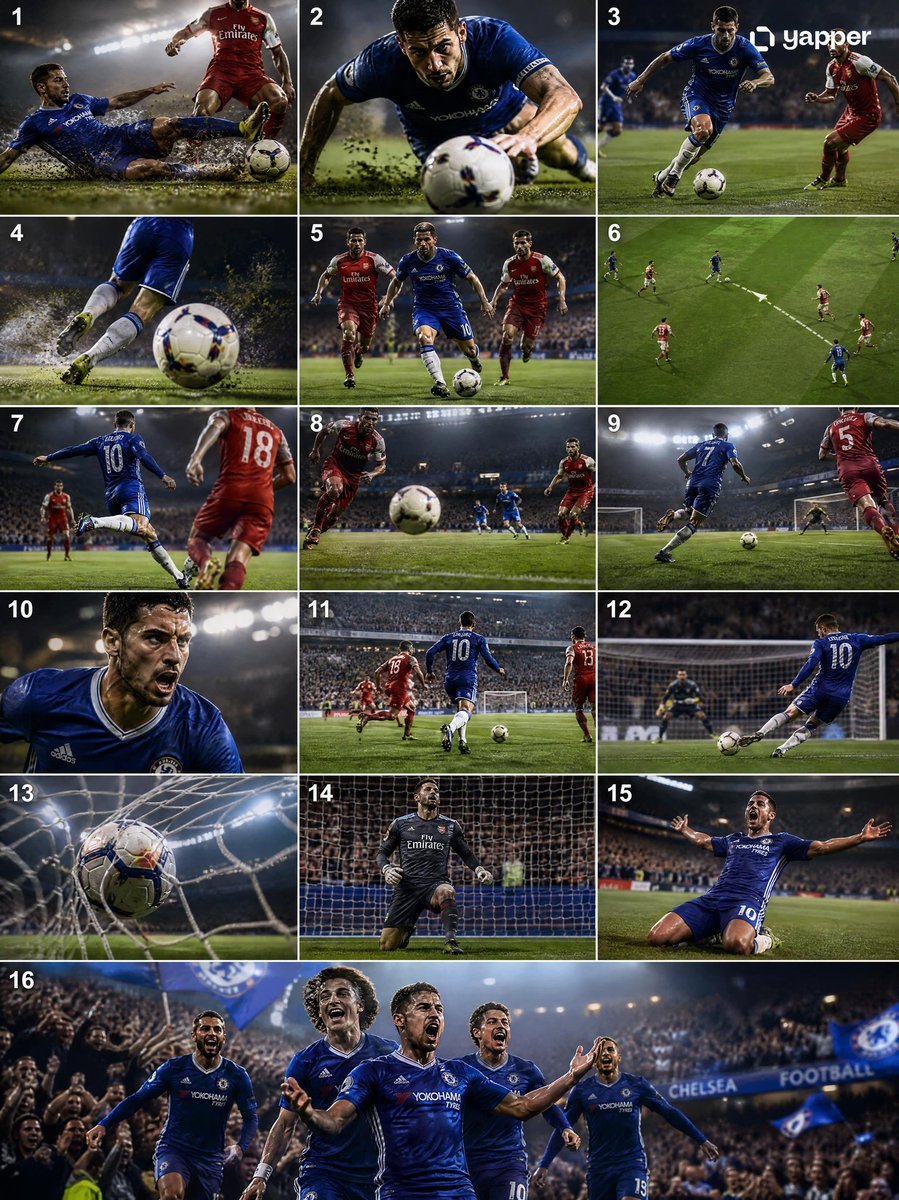
Cinematic Soccer Storyboard

Cat Maid Treasure Box Reference Sheet
Browse template categories
Extreme Close-Up Winter Portrait with Snow questions
How do I use the Extreme Close-Up Winter Portrait with Snow template?
Add your photo if the template asks for one, edit the prompt if you like — the template's model and format are already selected — and press Generate. Your version opens in PicX Studio.
Can I customize the Extreme Close-Up Winter Portrait with Snow template?
Yes. You can change the subject, setting, lighting, mood, format, and available model controls before creating your image.
Is the Extreme Close-Up Winter Portrait with Snow template free?
Opening and editing this template is free. Generating uses credits, shown on the Generate button when you are signed in.
Which AI model should I use?
Start with Nano Banana 2, which is the model associated with this template. You can compare another compatible model for a different finish.
Looking for something else? Browse all templates.

Your photo, any look
Thousands of ready templates for every top image and video model, from one credit balance.