How do I use the Elegant Urban Street Style Full-Body Portrait template?
Choose the primary action to open PicX Studio with the available template settings. Review the model and format, personalize the creative direction, and generate when ready.
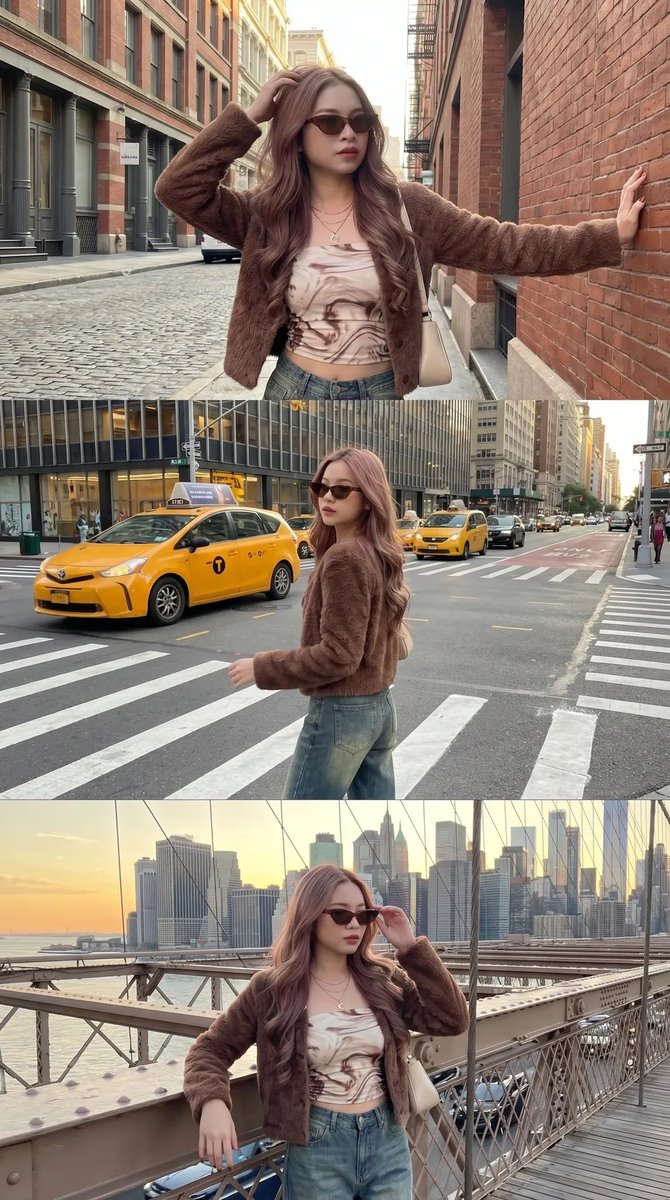
A detailed JSON prompt for generating a full-body, photorealistic portrait of a woman walking on an elegant European-style urban street, focusing on her modern, chic outfit, soft daylight, and shallow depth of field. (free to use) — Free AI image template on PicX Studio.
{ "prompt": { "subject": { "type": "human", "gender_presentation": "female", "age_range": "early to mid 20s", "pose": "standing, walking forward, centered in frame", "expression": "neutral, calm, confident", "gaze": "looking directly at camera" }, "appearance": { "skin_tone": "fair", "hair": { "color": "dark brown", "length": "long", "style": "loose, softly wavy, center-parted" }, "facial_features": { "face_shape": "oval", "eyebrows": "dark, well-defined", "eyes": "light-colored (green/hazel appearance)", "makeup": "minimal, natural look" } }, "outfit": { "top": { "type": "strapless tube top", "color": "off-white / cream", "fit": "form-fitting" }, "bottom": { "type": "high-waisted wide-leg jeans", "color": "{argument name="denim color" default="dark indigo denim"}", "fit": "relaxed, straight wide-leg" }, "shoes": { "type": "open-toe heeled sandals", "color": "beige / nude", "heel_height": "low to medium" }, "accessories": { "bag": { "type": "structured handbag", "color": "cream", "material": "quilted leather", "carry_style": "handheld" }, "jewelry": [ { "type": "necklace", "style": "delicate chain", "pendant": "{argument name="pendant detail" default="small red gemstone"}" }, { "type": "watch", "color": "gold", "wrist": "left" } ] } }, "environment": { "setting": "urban residential street", "architecture": "European-style brick townhouses", "background_elements": [ "flower boxes", "climbing plants", "colorful flowers along buildings" ], "ground": "stone sidewalk pavement" }, "lighting": { "type": "natural daylight", "quality": "soft, diffused", "shadows": "gentle, minimal contrast" }, "camera": { "shot_type": "full-body portrait", "angle": "eye-level", "lens_style": "portrait lens", "depth_of_field": "shallow, softly blurred background" }, "style": { "aesthetic": "modern, elegant, casual chic", "color_palette": [ "cream", "dark blue", "green", "warm floral tones" ], "photorealism": "high", "detail_level": "high" }, "mood": "calm, refined, fashionable" } }
Use Elegant Urban Street Style Full-Body Portrait to plan an AI image around nano-banana-2 generation. Match the preview's composition first, then personalize the subject, setting, and mood for your own project.
Use the primary action to load the template settings in PicX Studio.
Adjust the subject and creative details for your destination.
Create the image, compare the result with the preview, and refine one variable at a time.
A continuous mix — similar concepts first, woven with same-model prompts and fresh picks from the catalog.
Choose the primary action to open PicX Studio with the available template settings. Review the model and format, personalize the creative direction, and generate when ready.
Yes. You can change the subject, setting, lighting, mood, format, and available model controls before creating your image.
This template is free to open and customize. Generation usage is shown in PicX Studio before you create.
Start with nano-banana-2, which is the model associated with this template. You can compare another compatible model for a different finish.
Follow a topic to a crawlable collection of related PicX Studio templates.
39,155 public templates available. Verified via the PicX Studio public templates API; refreshed hourly.
A continuous mix — similar concepts first, woven with same-model prompts and fresh picks from the catalog.