How do I use the Anime Promotion Video Ad Prompt template?
Edit the prompt in the box under the preview — the template's model and format are already selected — and press Generate. Your version appears right on this page.
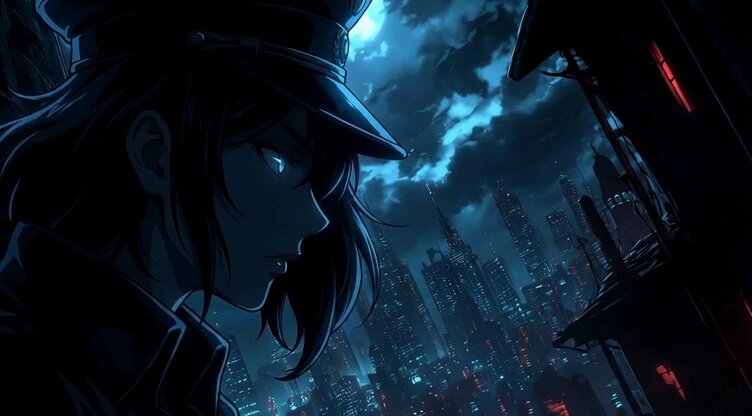
A comprehensive prompt for creating a 15-second anime-style commercial with multi-cut editing, emotional character expressions, and synchronized Japanese dialogue.
Create a 15-second anime advertisement video referencing this image. All dialogue throughout is accurate Japanese performed by professional voice actors. Using a multi-cut structure with varied scenes in increments of 0.5 to 3 seconds (the character's emotional expressions, immersive standout moments from adventure and daily life, beautiful background scenery, etc.), depict them at a good tempo, finishing with an undulating composition that catches the viewer's eye. At the end, clearly display the anime's title logo with a dynamic animation featuring rotation, embossing, and light effects. The entire video should be in high-definition, anime-style visual quality, with a professional finish where the BGM and dialogue volume are well balanced.
Create a 15-second anime advertisement video referencing this image. All dialogue throughout is accurate Japanese performed by professional voice actors. Using a multi-cut structure with varied scenes in increments of 0.5 to 3 seconds (the character's emotional expressions, immersive standout moments from adventure and daily life, beautiful background scenery, etc.), depict them at a good tempo, finishing with an undulating composition that catches the viewer's eye. At the end, clearly display the anime's title logo with a dynamic animation featuring rotation, embossing, and light effects. The entire video should be in high-definition, anime-style visual quality, with a professional finish where the BGM and dialogue volume are well balanced.
Edit the prompt in the box under the preview — the template's model and format are already selected — and press Generate. Your version appears right on this page.
Yes. You can change the subject, setting, lighting, mood, format, and available model controls before creating your video.
Opening and editing this template is free. Generating uses credits, shown on the Generate button when you are signed in.
Start with Seedance 2.0, which is the model associated with this template. You can compare another compatible model for a different finish.
Follow a topic to a crawlable collection of related PicX Studio templates.