How do I use the Seedance 2.0 Tsui Hark Style Wuxia Film Prompt template?
Edit the prompt in the box under the preview — the template's model and format are already selected — and press Generate. Your version appears right on this page.
A highly detailed, multi-shot prompt for generating a Wuxia (martial arts) film sequence in the style of director Tsui Hark, set in Zhangjiajie's Tianmen Mountain, emphasizing dynamic camera work and specific action…
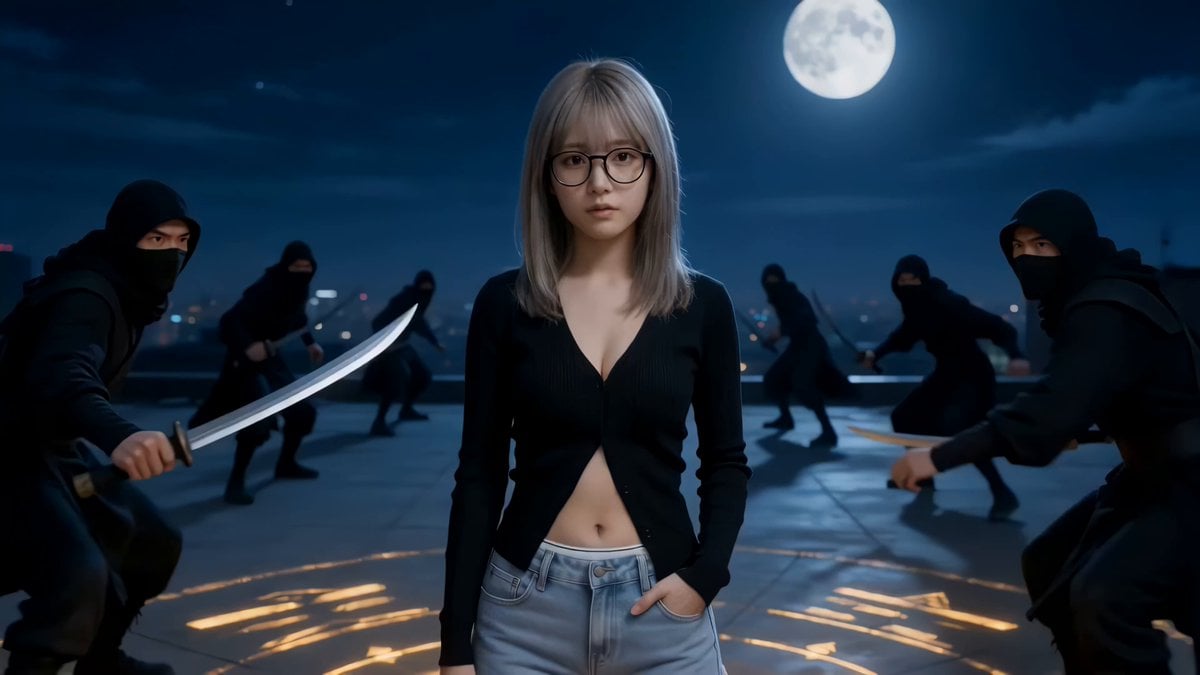
【云窟剑影·天门血战】 ——张家界天门山一镜到底 核心风格: 徐克新式武侠大片、一镜到底、高帧率、4K超清。 色调: 徐克亮调,“冷玉青墨 + 琥珀流光”。高对比、山岚自带柔光滤镜,锐化人物轮廓,达芬奇工业级调色。 场景: 张家界天门山(湘西诡谲地貌。天门洞开,吞云吐雾;999级天梯垂直挂于绝壁,如通天之路;石林石柱如利剑攒蹙,云海翻腾间栈道若隐若现,飞鸟不渡)。 运镜轨迹: 低角度仰拍(强调天险) → 急速推向洞口 → 180°横向平移(展现栈道激斗) → 俯冲下坠 → 缓拉回正 → 逆光特写。 镜头脚本: 0-4秒【起势·天门云涌】: 运镜: 极低角度仰拍,镜头从天梯底部向上急速俯冲掠过。 画面: 人物面部参考@【@图1】武侠侠客装扮(白衣胜雪,斗笠压低,手持长剑) 孤身立于999级天梯中央。 动作: 狂风卷起周遭云雾,【@图1】右手扶剑柄,左手捏剑指划过鼻梁。镜头拉远,展现其背后的天门洞,宛如一只巨大的苍天之眼。 4-8秒【激斗·悬梯截杀】: 运镜: 180°环绕平移。 画面: 十余名劲装死士从两侧如猿猴般贴着绝壁荡下。 动作: 【@图1】足尖点梯,身形倒挂旋转。(徐克式慢动量感) 剑不出鞘,以鞘代棍点、拨、挑,气浪将台阶上的雨水震成水雾。镜头急速环绕,捕捉残影与金属撞击的火花。 8-11秒【破阵·纵横石林】: 运镜: 镜头跟随人物俯冲,穿过石拱门进入悬崖栈道。 画面: 刺客布下钢丝阵。 动作: 【@图1】长剑终于出鞘(剑身映射琥珀色日光),一记横扫千军。剑气化作青墨弧光,斩断钢丝,钢丝崩断回弹击碎崖石。他在仅容一人的栈道上闪转腾挪,身影与石柱交错,虚实结合。 11-15秒【收势·雾散孤峰】: 运镜: 镜头从洞口向外缓拉,由窄变宽,展现万丈深渊。 画面: 漫天符纸(或枯叶)随风飞舞,【@图1】立于天门洞边缘,脚下即是云海。 动作: 挽剑花归鞘,反手背剑。阳光从天门洞背后透射过来,形成巨大的丁达尔效应。 定格: 镜头推进至极度特写,斗笠边缘滴下一滴血,划过下颌。眼神凌厉如电,背景是无尽的山河大观。
【云窟剑影·天门血战】 ——张家界天门山一镜到底 核心风格: 徐克新式武侠大片、一镜到底、高帧率、4K超清。 色调: 徐克亮调,“冷玉青墨 + 琥珀流光”。高对比、山岚自带柔光滤镜,锐化人物轮廓,达芬奇工业级调色。 场景: 张家界天门山(湘西诡谲地貌。天门洞开,吞云吐雾;999级天梯垂直挂于绝壁,如通天之路;石林石柱如利剑攒蹙,云海翻腾间栈道若隐若现,飞鸟不渡)。 运镜轨迹: 低角度仰拍(强调天险) → 急速推向洞口 → 180°横向平移(展现栈道激斗) → 俯冲下坠 → 缓拉回正 → 逆光特写。 镜头脚本: 0-4秒【起势·天门云涌】: 运镜: 极低角度仰拍,镜头从天梯底部向上急速俯冲掠过。 画面: 人物面部参考@【@图1】武侠侠客装扮(白衣胜雪,斗笠压低,手持长剑) 孤身立于999级天梯中央。 动作: 狂风卷起周遭云雾,【@图1】右手扶剑柄,左手捏剑指划过鼻梁。镜头拉远,展现其背后的天门洞,宛如一只巨大的苍天之眼。 4-8秒【激斗·悬梯截杀】: 运镜: 180°环绕平移。 画面: 十余名劲装死士从两侧如猿猴般贴着绝壁荡下。 动作: 【@图1】足尖点梯,身形倒挂旋转。(徐克式慢动量感) 剑不出鞘,以鞘代棍点、拨、挑,气浪将台阶上的雨水震成水雾。镜头急速环绕,捕捉残影与金属撞击的火花。 8-11秒【破阵·纵横石林】: 运镜: 镜头跟随人物俯冲,穿过石拱门进入悬崖栈道。 画面: 刺客布下钢丝阵。 动作: 【@图1】长剑终于出鞘(剑身映射琥珀色日光),一记横扫千军。剑气化作青墨弧光,斩断钢丝,钢丝崩断回弹击碎崖石。他在仅容一人的栈道上闪转腾挪,身影与石柱交错,虚实结合。 11-15秒【收势·雾散孤峰】: 运镜: 镜头从洞口向外缓拉,由窄变宽,展现万丈深渊。 画面: 漫天符纸(或枯叶)随风飞舞,【@图1】立于天门洞边缘,脚下即是云海。 动作: 挽剑花归鞘,反手背剑。阳光从天门洞背后透射过来,形成巨大的丁达尔效应。 定格: 镜头推进至极度特写,斗笠边缘滴下一滴血,划过下颌。眼神凌厉如电,背景是无尽的山河大观。
Edit the prompt in the box under the preview — the template's model and format are already selected — and press Generate. Your version appears right on this page.
Yes. You can change the subject, setting, lighting, mood, format, and available model controls before creating your video.
Opening and editing this template is free. Generating uses credits, shown on the Generate button when you are signed in.
Start with Seedance 2.0, which is the model associated with this template. You can compare another compatible model for a different finish.
Follow a topic to a crawlable collection of related PicX Studio templates.