How do I use the Expressionist Sketch Art Poster template?
Edit the prompt in the box under the preview — the template's model and format are already selected — and press Generate. Your version appears right on this page.
An art poster prompt in the style of Egon Schiele, using monochromatic ink and charcoal textures to create an emotional, gestural portrait.

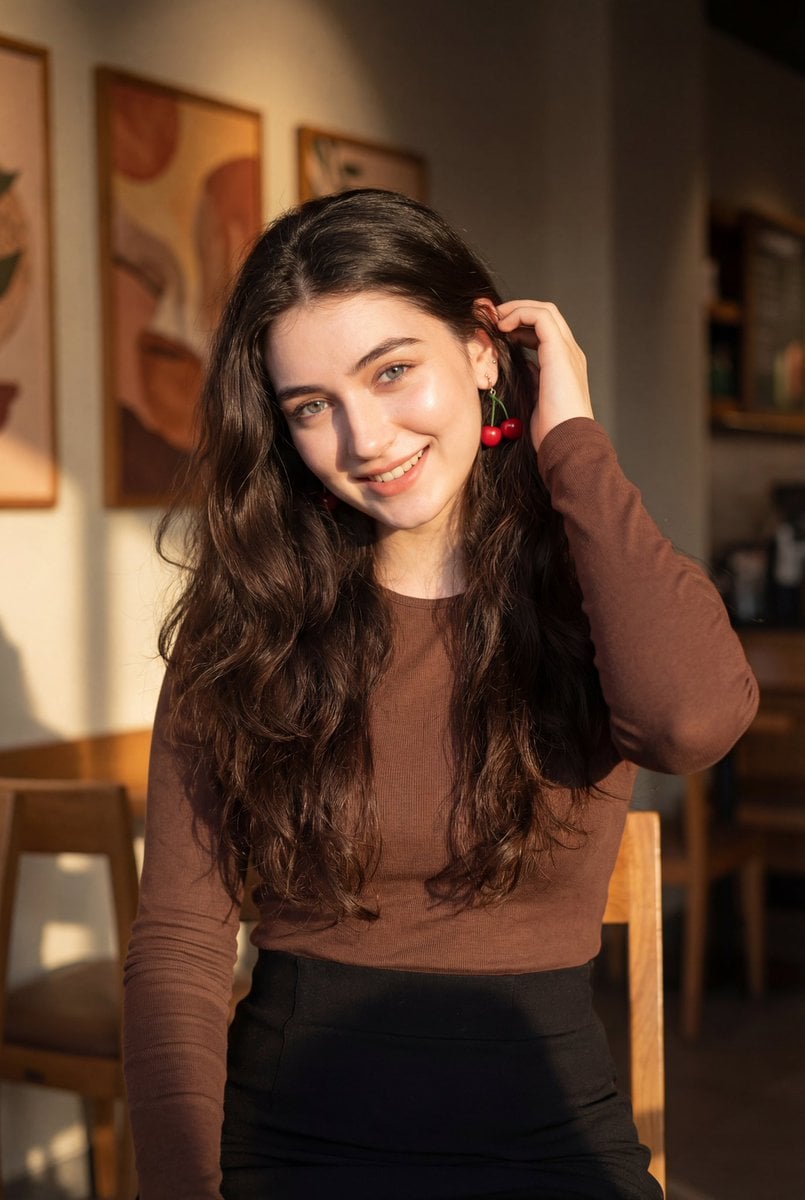
This template uses your photo — add one with the + button.
EXPRESSIONIST SKETCH PORTRAIT Subject name: {argument name="subject name" default="[Enter Name Here]"} Create a 4:5 vertical portrait art poster in the style of {argument name="art style" default="Expressionist drawing, inspired by Egon Schiele"}. The medium should evoke rough white sketch paper texture, using a high contrast monochromatic palette of deep black ink, charcoal grey, and raw white with raw emotional energy and a bold, gallery-quality feel. Based on the uploaded reference photo, faithfully preserve the subject’s facial features, hairstyle, and personal aura in a half-body portrait composition. The rendering style is expressionist ink and charcoal portraiture, not photography, not cartoon, not anime. Facial details should be rendered with loose gestural lines, visible sketch marks, deliberate smudges, and intentionally unfinished areas that give the subject life and emotional intensity. On the left side of the composition, write the subject’s full name in large bold expressive brushstroke lettering as a vertical column, with raw ink energy, line variation, and deliberate imperfection that matches the gestural drawing style. The name strokes should feel like they are drawn with the same hand and the same urgency as the portrait itself. Based on the subject’s name, overall mood, and personal aura, automatically generate one elegant poetic English phrase of 8 to 12 words. The phrase should feel emotionally resonant and not modern colloquial, raw and honest and not overly obscure or kitschy, and deeply evocative of the subject’s inner spirit and temperament. Only this one generated phrase should appear in the composition with no repetition and no full-page text coverage. This poetic phrase must be rendered in bold expressive brushstroke script and organically compose the contours of the figure, with the gestural letterforms bleeding directly into and tracing the subject’s head silhouette, hair flow, facial outline, neck, shoulder, and upper body lines. The viewer should feel as if the written words and the drawn figure share the same raw ink energy, as if the act of writing the phrase was the same act as drawing the person into existence. Preserve large areas of raw open white space. In the lower left add loose gestural sketch marks suggesting ground or shadow. In the upper right add sparse expressive mark-making that suggests space and atmosphere without forming a clear image. These background elements must be raw and minimal and must never compete with the portrait. Style keywords: Expressionist sketch portrait, Schiele-inspired drawing, gestural brushstroke lettering figure construction, high contrast ink and charcoal, figure outline formed by expressive letterforms, raw energy, emotional, bold, gallery-quality art poster. Avoid: any Chinese characters or Asian script, cartoon or anime style, vivid colors, clean modern fonts, repetitive or excessive text, cluttered composition, overly refined digital art feel, commercial poster kitsch.
EXPRESSIONIST SKETCH PORTRAIT Subject name: {argument name="subject name" default="[Enter Name Here]"} Create a 4:5 vertical portrait art poster in the style of {argument name="art style" default="Expressionist drawing, inspired by Egon Schiele"}. The medium should evoke rough white sketch paper texture, using a high contrast monochromatic palette of deep black ink, charcoal grey, and raw white with raw emotional energy and a bold, gallery-quality feel. Based on the uploaded reference photo, faithfully preserve the subject’s facial features, hairstyle, and personal aura in a half-body portrait composition. The rendering style is expressionist ink and charcoal portraiture, not photography, not cartoon, not anime. Facial details should be rendered with loose gestural lines, visible sketch marks, deliberate smudges, and intentionally unfinished areas that give the subject life and emotional intensity. On the left side of the composition, write the subject’s full name in large bold expressive brushstroke lettering as a vertical column, with raw ink energy, line variation, and deliberate imperfection that matches the gestural drawing style. The name strokes should feel like they are drawn with the same hand and the same urgency as the portrait itself. Based on the subject’s name, overall mood, and personal aura, automatically generate one elegant poetic English phrase of 8 to 12 words. The phrase should feel emotionally resonant and not modern colloquial, raw and honest and not overly obscure or kitschy, and deeply evocative of the subject’s inner spirit and temperament. Only this one generated phrase should appear in the composition with no repetition and no full-page text coverage. This poetic phrase must be rendered in bold expressive brushstroke script and organically compose the contours of the figure, with the gestural letterforms bleeding directly into and tracing the subject’s head silhouette, hair flow, facial outline, neck, shoulder, and upper body lines. The viewer should feel as if the written words and the drawn figure share the same raw ink energy, as if the act of writing the phrase was the same act as drawing the person into existence. Preserve large areas of raw open white space. In the lower left add loose gestural sketch marks suggesting ground or shadow. In the upper right add sparse expressive mark-making that suggests space and atmosphere without forming a clear image. These background elements must be raw and minimal and must never compete with the portrait. Style keywords: Expressionist sketch portrait, Schiele-inspired drawing, gestural brushstroke lettering figure construction, high contrast ink and charcoal, figure outline formed by expressive letterforms, raw energy, emotional, bold, gallery-quality art poster. Avoid: any Chinese characters or Asian script, cartoon or anime style, vivid colors, clean modern fonts, repetitive or excessive text, cluttered composition, overly refined digital art feel, commercial poster kitsch.
Edit the prompt in the box under the preview — the template's model and format are already selected — and press Generate. Your version appears right on this page.
Yes. You can change the subject, setting, lighting, mood, format, and available model controls before creating your image.
Opening and editing this template is free. Generating uses credits, shown on the Generate button when you are signed in.
Start with GPT Image 2, which is the model associated with this template. You can compare another compatible model for a different finish.
Follow a topic to a crawlable collection of related PicX Studio templates.