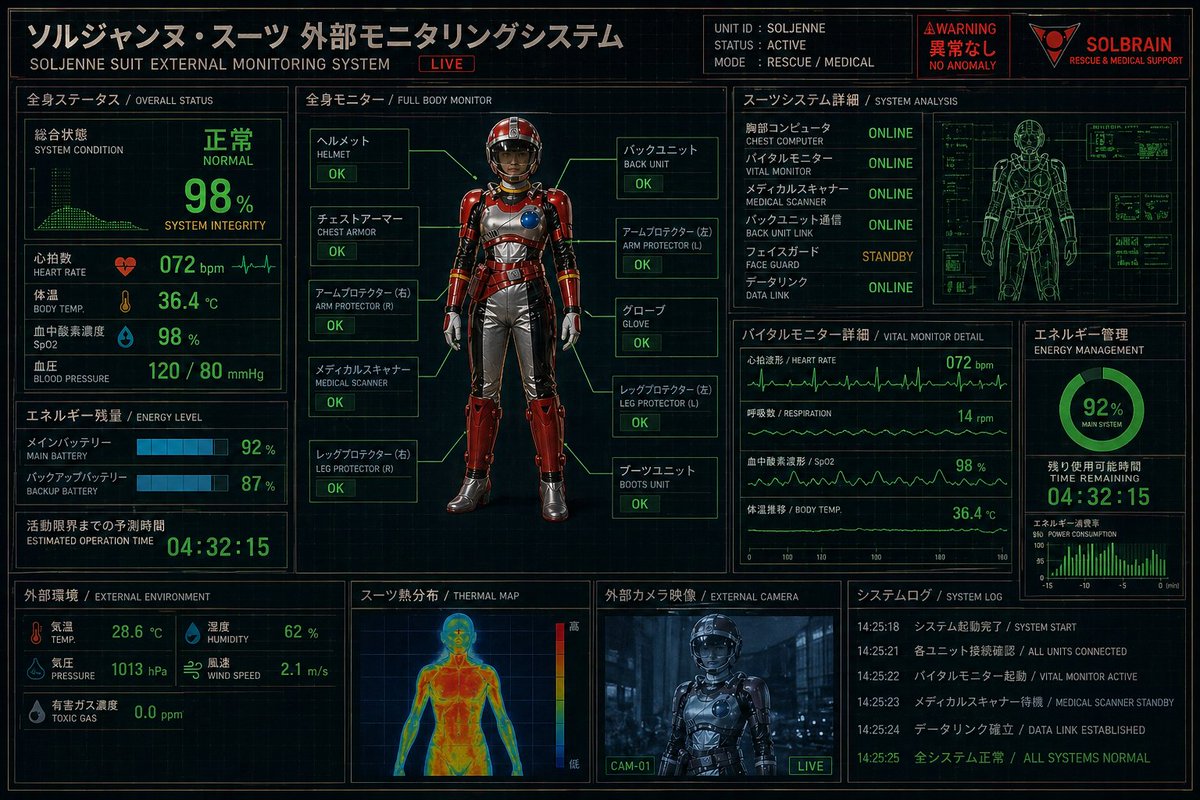
Futuristic Rescue Suit Monitoring HUD
futuristic bilingual HUD control panel poster · Japanese sci-fi rescue and medical monitoring interface · 3:2 landscape · high-detail cyberpunk dashboard, dark navy-black background with faint grid lines, neon green telemetry, amber-gold headers, red warning accents, technical blueprint overlays, subtle screen glow, crisp UI lines · clean infographic interface mixed with realistic 3D character render · black, deep navy, neon green, amber-gold, warning red, steel gray · ソルジャンヌ・スーツ 外部モニタリングシステム · SOLJENNE SUIT EXTERNAL MONITORING SYSTEM · LIVE · SOLJENNE · ACTIVE · RESCUE / MEDICAL · WARNING · 異常なし · NO ANOMALY · {argument name="brand name" default="SOLBRAIN"} · RESCUE & MEDICAL SUPPORT · 全身ステータス · OVERALL STATUS · left upper · 10 · 総合状態, SYSTEM CONDITION, 心拍数, HEART RATE, 体温, BODY TEMP., 血中酸素濃度, SpO2, 血圧, BLOOD PRESSURE · エネルギー残量 · ENERGY LEVEL · left middle · 5 · メインバッテリー, MAIN BATTERY, バックアップバッテリー, BACKUP BATTERY, 活動限界までの予測時間 · 外部環境 · EXTERNAL ENVIRONMENT · left lower · 8 · 気温, TEMP., 湿度, HUMIDITY, 気圧, PRESSURE, 風速, WIND SPEED · 全身モニター · FULL BODY MONITOR · center · 10 · ヘルメット, チェストアーマー, アームプロテクター (右), メディカルスキャナー, レッグプロテクター (右), バックユニット, アームプロテクター (左), グローブ, レッグプロテクター (左), ブーツユニット · スーツシステム詳細 · SYSTEM ANALYSIS · right upper · 6 · 胸部コンピュータ, バイタルモニター, メディカルスキャナー, バックユニット通信, フェイスガード, データリンク · バイタルモニター 詳細 · VITAL MONITOR DETAIL · right middle left · 4 · 心拍波形, 呼吸数, 血中酸素濃度, 体温推移 · エネルギー管理 · ENERGY MANAGEMENT · right middle right · 4 · MAIN SYSTEM, TIME REMAINING, POWER CONSUMPTION, 92% · スーツ熱分布 · THERMAL MAP · bottom center left · 3 · 高, 低, thermal color scale · 外部カメラ映像 · EXTERNAL CAMERA · bottom center right · 2 · CAM-01, LIVE · システムログ · SYSTEM LOG · bottom right · 5 · SYSTEM START, ALL UNITS CONNECTED, VITAL MONITOR ACTIVE, MEDICAL SCANNER STANDBY, ALL SYSTEMS NORMAL · full-body front-facing armored rescue suit standing upright in a diagnostic display frame · anonymous faceless humanoid mannequin in a high-tech powered rescue suit · {argument name="armor color" default="metallic red"} · silver gray · glossy segmented hard armor over flexible undersuit · smooth enclosed helmet with dark opaque visor and no visible face, rounded chest armor with a circular blue module on the right chest, ribbed metallic abdomen panels, red shoulder plates, red forearm guards, silver gloves, silver pants with red thigh and shin armor, heavy armored boots, small mechanical details and gold trim · 10 · OK, OK, OK, OK, OK, OK, OK, OK, OK, OK · NORMAL · 98% · 072 bpm · 36.4 °C · 98 % · 120 / 80 mmHg · 92 % · 87 % · 04:32:15 · 28.6 °C · 62 % · 1013 hPa · 2.1 m/s · 0.0 ppm · ONLINE · ONLINE · ONLINE · ONLINE · STANDBY · ONLINE · 072 bpm · 14 rpm · 98 % · 36.4 °C · 92% · 04:32:15 · green wireframe human body technical scan with small side diagnostic boxes · front human heatmap silhouette in blue-green-yellow-red gradient · dark bluish live camera view of the suit in an industrial corridor · multiple ECG-like line graphs, bar meters, circular battery gauge, small monitor grids · all major headings bilingual Japanese and English, with Japanese larger and more prominent · ultra-detailed, sharp, polished, cinematic screen interface, poster-like composition













![118-google-nano-banana-pro-skincare-product- — A professional skincare shot of a [product container] with [cap/lid], labeled [brand, product, descriptor, volume](/_next/image?url=https%3A%2F%2Fcdn.picxstudio.com%2Fuploads%2Fpost118_img0_332898b8-29ea-42a9-87ab-9ed746a3f944.jpg&w=828&q=100)




![69-untitled — FORMAT: 15s / 145 BPM / 14 SHOTS
SUBJECT: @[image1]
WARDROBE: Clean modern outfit
ENVIRONMENT: Street / indoor transitions
MOOD: Discovery → contr](/_next/image?url=https%3A%2F%2Fcdn.picxstudio.com%2Fuploads%2Fpost69_img0_d45faecf-38c3-4bcb-81a4-f6eb1cf42bb2.jpg&w=828&q=100)







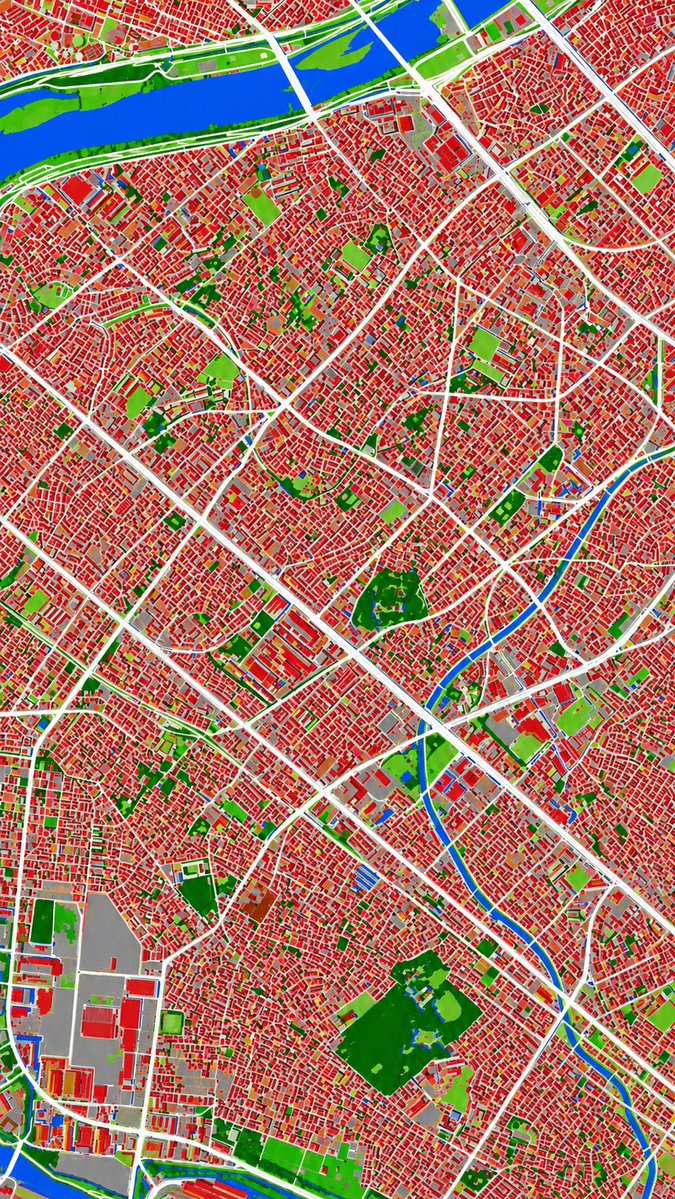
![Minimalist Flat Vector Travel Poster — Premium minimalist flat-vector travel poster for {argument name="city name" default="[CITY_NAME]"}, 3:4 vertical format.](https://cms-assets.youmind.com/media/1787917359711_3ug846_HQX205cbMAA6F6S-300x400.jpg)