
Live Sumo Broadcast Collage
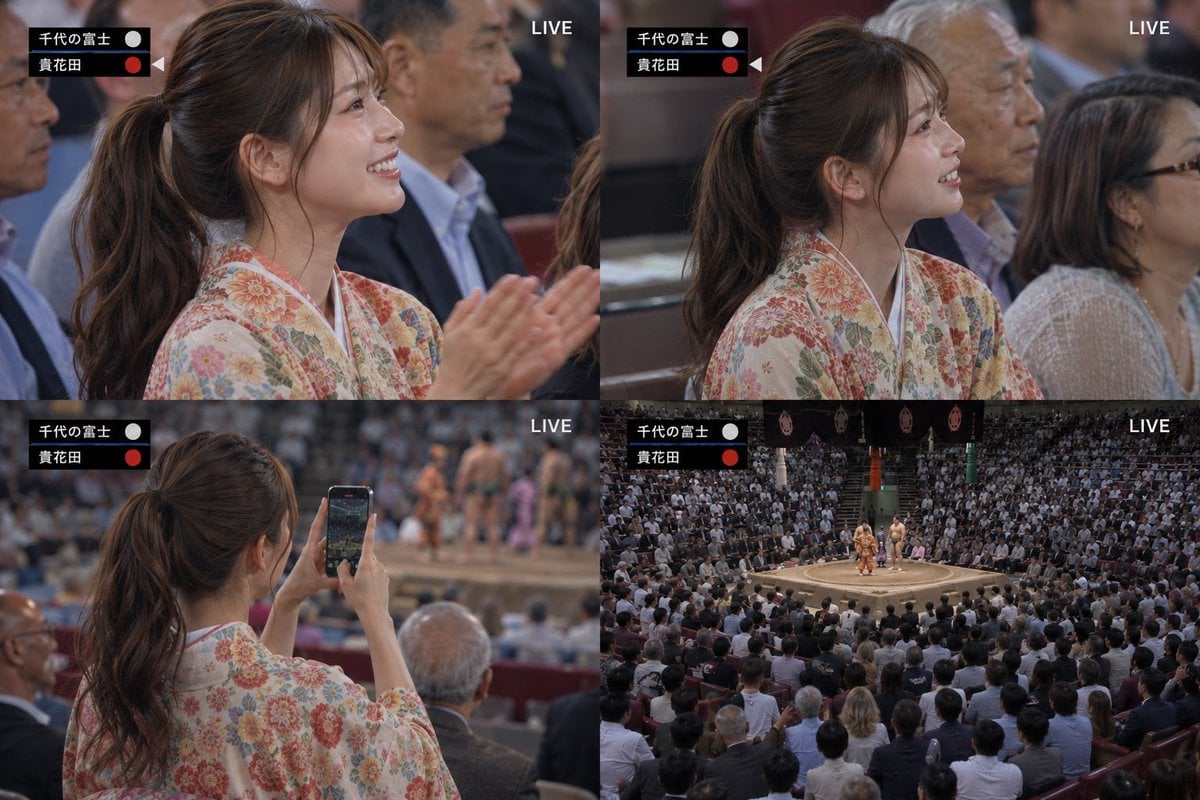
Generates a realistic four-panel Japanese TV broadcast collage of a kimono-clad woman enjoying a live sumo tournament.
- Prompt included
- Model and format preset
- Premium template
The prompt behind this image
Copy the exact prompt behind Live Sumo Broadcast Collage, or open it in the studio and make it yours.
- Type
- realistic live TV broadcast collage
- Format
- 2x2 split-screen montage
- Overall Style
- photorealistic Japanese sports broadcast stills, shallow depth of field in close shots, natural arena lighting, documentary camera feel, 16:9 collage canvas
- Main Subject › Description
- a young Japanese woman watching a sumo match from the audience
- Main Subject › Outfit
- pale cream floral kimono with dense pink, orange, green, and gold chrysanthemum-like pattern
- Main Subject › Hair
- {argument name="hair style" default="long dark brown hair tied in a high ponytail"}
- Main Subject › Pose Variation
- shown from side and rear angles, engaged and enjoying the match
- Setting › Event
- {argument name="sport event" default="professional sumo tournament"}
- Setting › Location
- crowded indoor sumo arena with red spectator seats, circular dohyo ring, wrestlers and officials visible in the distance
- Setting › Atmosphere
- packed audience, live broadcast excitement, spectators seated close together
- Broadcast Graphics › Count
- 2
- Broadcast Graphics › Elements › 0 › Description
- black two-row scoreboard at upper left of each panel
- Broadcast Graphics › Elements › 0 › Visible Text
- 千代の富士, 貴花田
- Broadcast Graphics › Elements › 0 › Details
- white Japanese names, small white circle beside the top name, red circle and tiny triangular marker beside the bottom name
- Broadcast Graphics › Elements › 1 › Description
- LIVE label at upper right of each panel
- Broadcast Graphics › Elements › 1 › Visible Text
- LIVE
- Broadcast Graphics › Elements › 1 › Details
- white uppercase sans-serif text
- Layout › Panel Count
- 4
- Layout › Panels › 0 › Position
- top left
- Layout › Panels › 0 › Shot Type
- medium close-up side profile
- Layout › Panels › 0 › Content
- woman in floral kimono seated in audience, facing right toward the ring, hands raised and clapping; older spectators blurred behind her; broadcast scoreboard at top left and LIVE at top right
- Layout › Panels › 1 › Position
- top right
- Layout › Panels › 1 › Shot Type
- medium close-up side profile
- Layout › Panels › 1 › Content
- same woman seated and watching intently, profile facing right, another woman with glasses beside her; crowded audience background; scoreboard at top left and LIVE at top right
Raw JSON
{"type":"realistic live TV broadcast collage","format":"2x2 split-screen montage","overall_style":"photorealistic Japanese sports broadcast stills, shallow depth of field in close shots, natural arena lighting, documentary camera feel, 16:9 collage canvas","main_subject":{"description":"a young Japanese woman watching a sumo match from the audience","outfit":"pale cream floral kimono with dense pink, orange, green, and gold chrysanthemum-like pattern","hair":"{argument name=\"hair style\" default=\"long dark brown hair tied in a high ponytail\"}","pose_variation":"shown from side and rear angles, engaged and enjoying the match"},"setting":{"event":"{argument name=\"sport event\" default=\"professional sumo tournament\"}","location":"crowded indoor sumo arena with red spectator seats, circular dohyo ring, wrestlers and officials visible in the distance","atmosphere":"packed audience, live broadcast excitement, spectators seated close together"},"broadcast_graphics":{"count":2,"elements":[{"description":"black two-row scoreboard at upper left of each panel","visible_text":["千代の富士","貴花田"],"details":"white Japanese names, small white circle beside the top name, red circle and tiny triangular marker beside the bottom name"},{"description":"LIVE label at upper right of each panel","visible_text":"LIVE","details":"white uppercase sans-serif text"}]},"layout":{"panel_count":4,"panels":[{"position":"top left","shot_type":"medium close-up side profile","content":"woman in floral kimono seated in audience, facing right toward the ring, hands raised and clapping; older spectators blurred behind her; broadcast scoreboard at top left and LIVE at top right"},{"position":"top right","shot_type":"medium close-up side profile","content":"same woman seated and watching intently, profile facing right, another woman with glasses beside her; crowded audience background; scoreboard at top left and LIVE at top right"},{"position":"bottom left","shot_type":"rear over-the-shoulder shot","content":"woman seen from behind holding a smartphone vertically to record the sumo match; blurred dohyo and wrestlers in the distance; spectators around her; scoreboard at top left and LIVE at top right"},{"position":"bottom right","shot_type":"wide establishing arena shot","content":"full sumo arena packed with spectators, circular dohyo in center with two wrestlers and officials, overhead banners and ceremonial decorations; scoreboard at top left and LIVE at top right"}]},"custom_text":{"top_wrestler":"{argument name=\"top wrestler name\" default=\"千代の富士\"}","bottom_wrestler":"{argument name=\"bottom wrestler name\" default=\"貴花田\"}","live_label":"{argument name=\"live label\" default=\"LIVE\"}"},"camera_and_quality":"high-resolution broadcast realism, authentic Japanese TV sports coverage, cinematic but natural, no illustration, no anime, no exaggerated effects","negative_prompt":"avoid extra panels, avoid incorrect layout, avoid empty arena, avoid modern fantasy elements, avoid distorted hands, avoid unreadable scoreboard, avoid replacing the kimono with Western clothing"}How to use Live Sumo Broadcast Collage in 3 steps
- 1Upload ImagePNG, JPG or paste
Add your photo
Upload the photo the template builds on. The prompt, model and format are already set.
- 2…a portrait of your subject in softgolden-hour light, 85mm…
Personalize
Edit the subject and creative details for your destination.
- 3Generate
Generate
Press Generate — your image is created in PicX Studio, so you can compare it with the original and refine one variable at a time.
More like this
Templates with the same subject, style or setup. Open one to see its prompt.












Make it yours
Live Sumo Broadcast Collage works as-is. These are the safest ways to change it without losing the look.
Swap the setting
Keep the rest of the prompt and replace the location block. The current setting is “{argument name="sport event" default="professional sumo tournament"}”.
Change one field
Copy a single group, rewrite it, and generate again so you can see what that field is doing.
Keep the frame, change the subject
Hold the composition and light of Live Sumo Broadcast Collage, then swap wardrobe, props or the person for a new take.
| If the result… | Why | Fix |
|---|---|---|
| The result drifts from the preview | Too many fields changed at once. | Reuse Live Sumo Broadcast Collage as-is first, then change one group — subject, light, or setting. |
| GPT Image 2 ignores part of the JSON | Some models flatten or skip nested keys. | Keep the same values and paste them as a short paragraph instead. |
More GPT Image 2 templates
Other prompts made for GPT Image 2.

Six VTuber Japanese Logo Sheet

Realistic Portrait of Woman and Deer

The Vista Modular Condo Poster

AI Model Routing Comparison Infographic

2.5D Anime Art Board

Isometric Productivity Desk Scene

New York Double Exposure Poster

Four-Panel AI Landscape Comparison

Japanese Tatami Lifestyle Magazine Cover

NESCAFÉ Coffee Map Poster
More image prompts
Fresh picks from across the catalog.
Premium Pitch Deck Storyboard
Casual Main Character Selfie with Pink BMW i8 Prompt

Futuristic City With Sparkling Artifacts
Japanese Katsudon Diet Thumbnail

Comedic Giant Max Verstappen in Pit Lane
Cinematic photo of a woman on a subway platform with motion blur
Introspective Lifestyle Portrait in a Modern Café
Golden hour editorial street portrait
Cinematic close-up portrait with green eyes and knit sweater
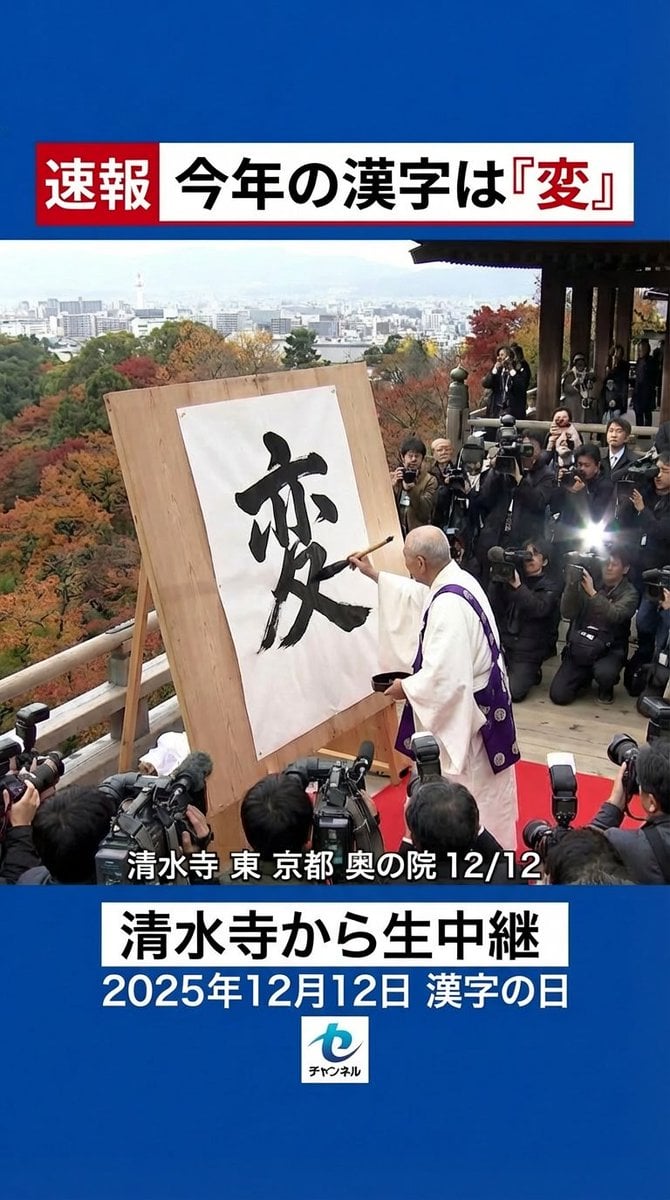
Nano Banana Pro 'Kanji of the Year' Announcement Prompt
Browse template categories
Live Sumo Broadcast Collage questions
How do I use the Live Sumo Broadcast Collage template?
Add your photo if the template asks for one, edit the prompt if you like — the template's model and format are already selected — and press Generate. Your version opens in PicX Studio.
Can I customize the Live Sumo Broadcast Collage template?
Yes. You can change the subject, setting, lighting, mood, format, and available model controls before creating your image.
Is the Live Sumo Broadcast Collage template free?
Opening and editing this template is free. Generating uses credits, shown on the Generate button when you are signed in.
Which AI model should I use?
Start with GPT Image 2, which is the model associated with this template. You can compare another compatible model for a different finish.
Looking for something else? Browse all templates.

Your photo, any look
Thousands of ready templates for every top image and video model, from one credit balance.