How do I use the Add Anime Girl to Reference Lounge template?
Choose the primary action to open PicX Studio with the available template settings. Review the model and format, personalize the creative direction, and generate when ready.
This prompt places a large anime girl character into a supplied real interior background while preserving the original room composition for character compositing tests or background-reference experiments. Change the subject, setting, or lighting one variable at a time.
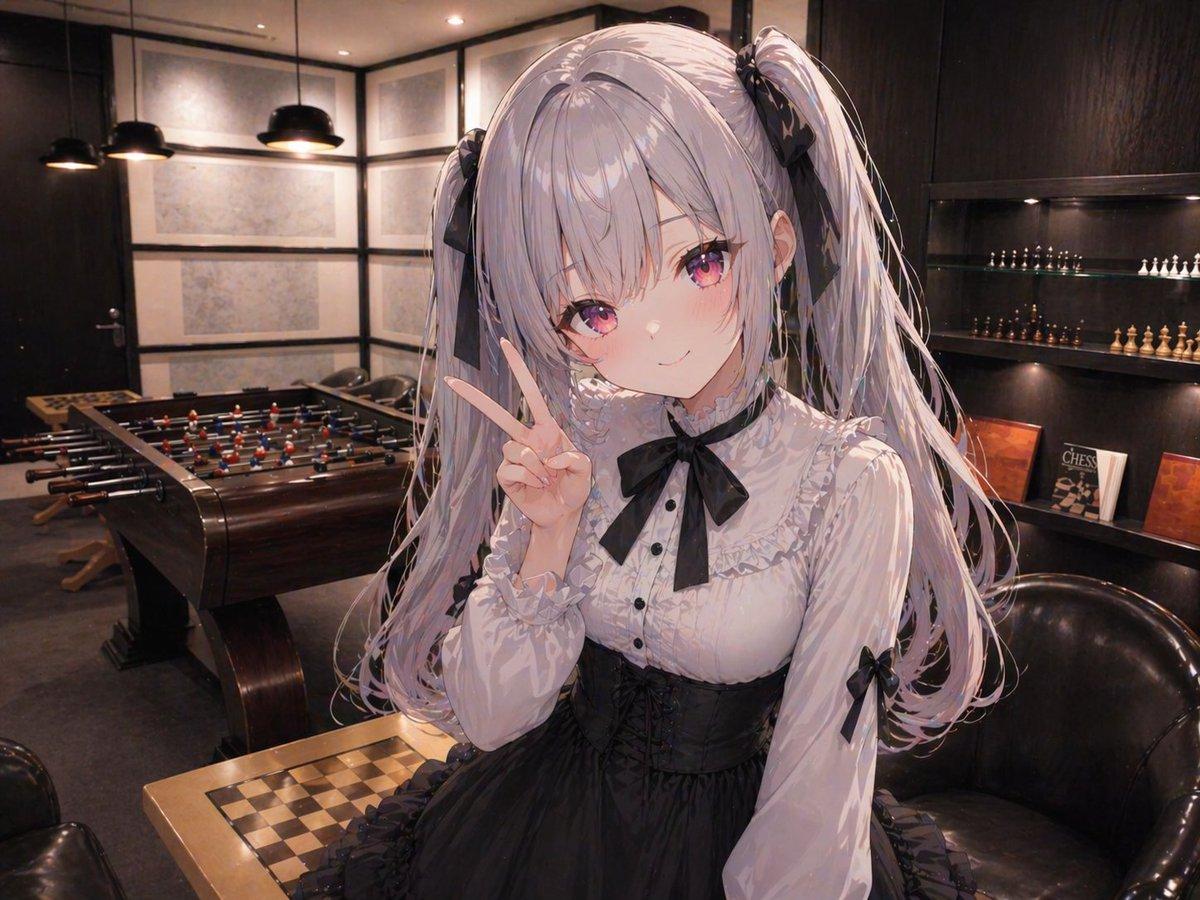
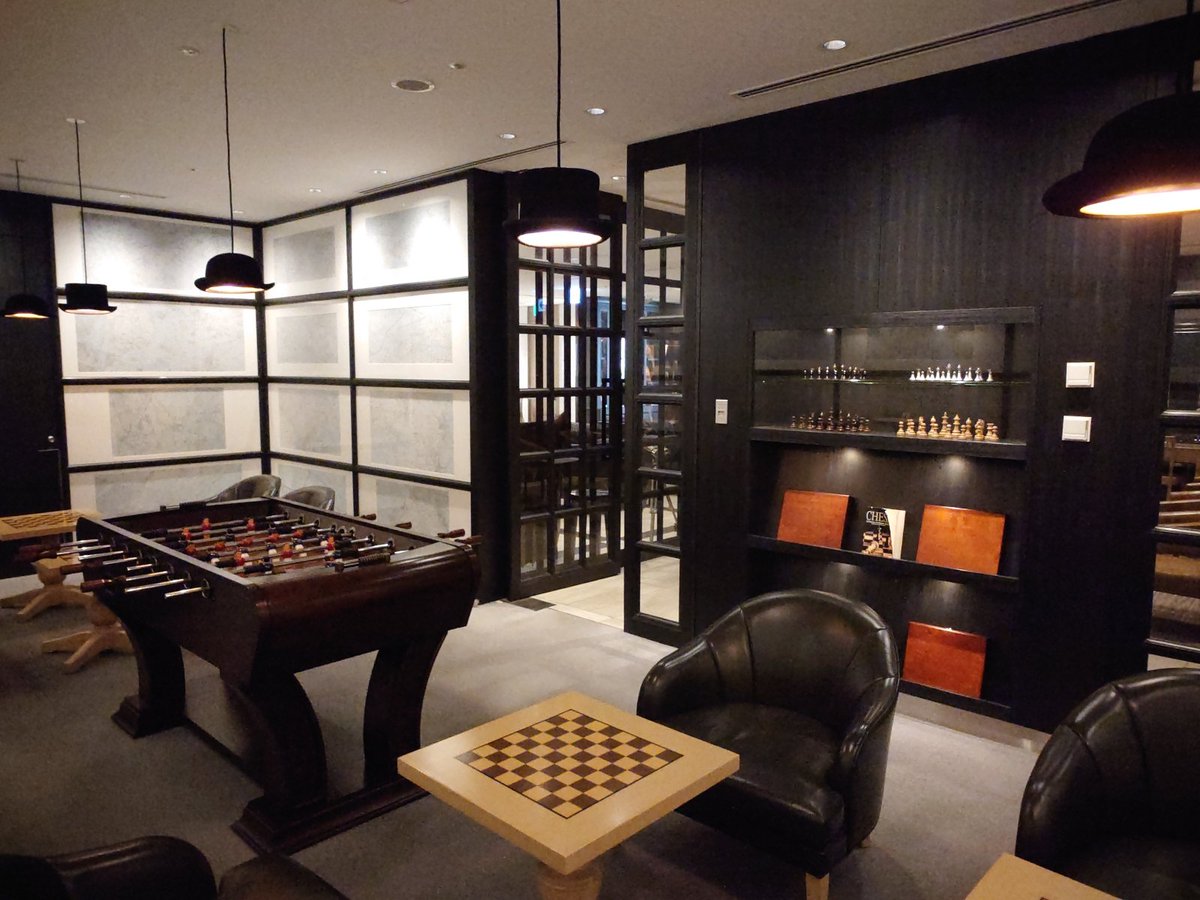
Using the provided reference image as the exact background base, keep the same upscale modern lounge/game-room interior, preserving the room layout, perspective, lighting mood, foosball table, chess table, shelves, pendant lamps, and seating. Add a large anime-style girl in the foreground, centered slightly right and filling most of the frame from thighs up, composited naturally into the scene with correct perspective and soft ambient lighting that matches the room. She should have {argument name="hair color" default="silver-lavender"} long twin-tails tied with black ribbons, wear a black-and-white gothic lolita dress with a frilled white blouse, black bow at the collar, black corset waist, and ribbon accents on the sleeves, and make a peace sign with one hand near her face. Render her in polished modern anime illustration style, with detailed hair strands and fabric folds, while leaving the background photorealistic. Cover the face with a plain square mosaic/censor block in the center of the head area. Keep the camera angle close to the original room view and make the added character feel naturally placed in front of the chess table and armchair.
Add Anime Girl to Reference Lounge needs input media to work. Open it in the studio and these load alongside the prompt — pick whichever ones your chosen model can take.
Choose the primary action to open PicX Studio with the available template settings. Review the model and format, personalize the creative direction, and generate when ready.
Yes. You can change the subject, setting, lighting, mood, format, and available model controls before creating your image.
This template is free to open and customize. Generation usage is shown in PicX Studio before you create.
Start with GPT Image 2, which is the model associated with this template. You can compare another compatible model for a different finish.
© 2026 PicX Studio. All rights reserved.

Follow a topic to a crawlable collection of related PicX Studio templates.
43,474 public templates available. Verified via the PicX Studio public templates API; refreshed hourly.




















![Minimalist Flat Vector Travel Poster — Premium minimalist flat-vector travel poster for {argument name="city name" default="[CITY_NAME]"}, 3:4 vertical format.](https://cms-assets.youmind.com/media/1787917359711_3ug846_HQX205cbMAA6F6S-300x400.jpg)

























![High-Fashion Red Carpet Portrait with Reference Image Lock Prompt — [reference_image_instructions]
face = "Use 100% face copy of the uploaded photo as reference](https://pbs.twimg.com/media/G9ABmXtaUAACgVF.jpg)









![Minimalist 3D Isometric Car Showroom Model — A clean, minimalist 3D isometric model showcasing a [{argument name="location" default="car showroom"}], where [{ar](https://pbs.twimg.com/media/G_CbppYW0AEbevq.jpg)