How do I use the Sleeping Anime Star Witch template?
Choose the primary action to open PicX Studio with the available template settings. Review the model and format, personalize the creative direction, and generate when ready.
Generates a dreamy anime illustration of a magical character sleeping in a starry, cosmic setting. Change the subject, setting, or lighting one variable at a time.
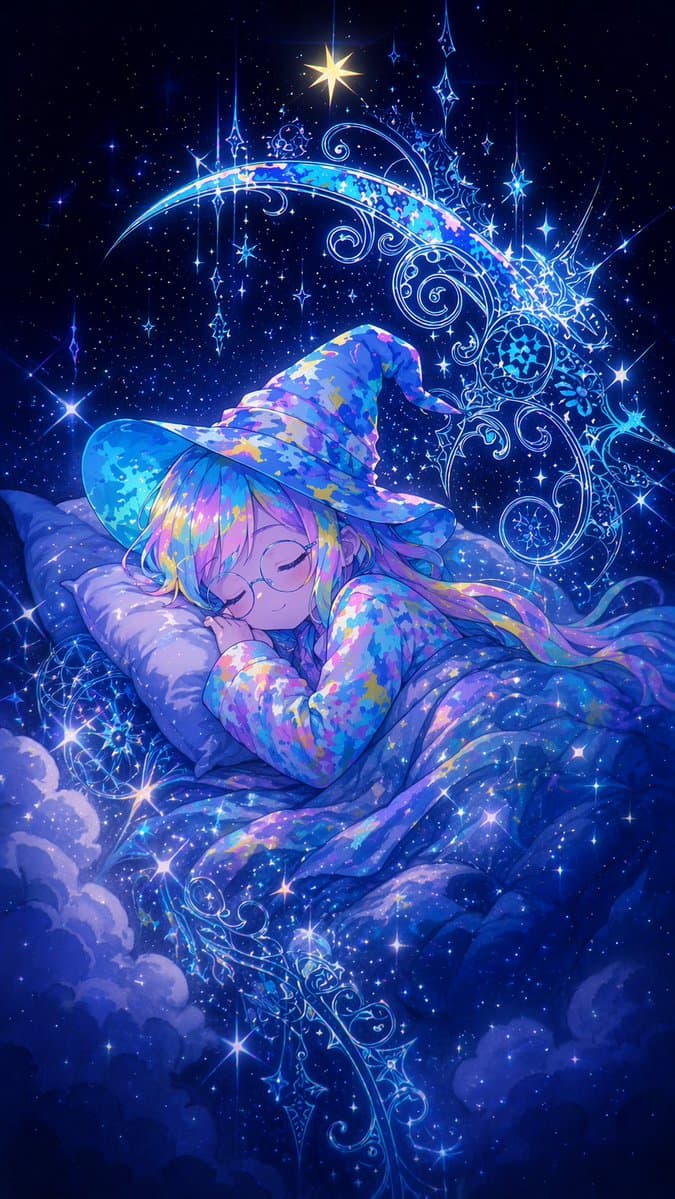
An ethereal anime illustration of a {argument name="character type" default="young anime witch"} sleeping peacefully on a soft pillow, tucked under a voluminous, starry blanket that seamlessly blends into a bed of clouds. She has round glasses and flowing {argument name="hair color" default="pastel rainbow"} hair. She is wearing a large, floppy witch hat and matching pajamas, both featuring a vibrant {argument name="clothing pattern" default="colorful galaxy camouflage"} pattern. The background is a deeply magical cosmic night sky filled with sparkling stars, illuminated by a bright star at the top center and framed by {argument name="background element" default="intricate glowing magical filigree forming a crescent moon"}. The scene is highly detailed and luminous, characterized by a soft, dreamy atmosphere and an {argument name="overall color palette" default="deep blues and luminous purples"} color palette.
Choose the primary action to open PicX Studio with the available template settings. Review the model and format, personalize the creative direction, and generate when ready.
Yes. You can change the subject, setting, lighting, mood, format, and available model controls before creating your image.
This template is free to open and customize. Generation usage is shown in PicX Studio before you create.
Start with GPT Image 2, which is the model associated with this template. You can compare another compatible model for a different finish.
© 2026 PicX Studio. All rights reserved.

Follow a topic to a crawlable collection of related PicX Studio templates.
43,474 public templates available. Verified via the PicX Studio public templates API; refreshed hourly.














![Minimalist Flat Vector Travel Poster — Premium minimalist flat-vector travel poster for {argument name="city name" default="[CITY_NAME]"}, 3:4 vertical format.](https://cms-assets.youmind.com/media/1787917359711_3ug846_HQX205cbMAA6F6S-300x400.jpg)


























![Cute Amigurumi Wizard Plush — {argument name="animal" default="[animal]"} {argument name="color" default="[color]"} very cute amig…](https://pbs.twimg.com/media/HE_oVh6WEAAxjwc.jpg)







![Handmade Christmas Wreath Generator with Custom Ornament — [AI指示:画像からオーナメントへの変換]
提供された**[入力画像]**を注意深く分析します。
色抽出: [入力画像]から主要なカラーパレットと雰囲気を抽出し、リースの全体的なテーマ(リボン、花、ボー](https://pbs.twimg.com/media/G8rjIjrbgAAVhle.jpg)