How do I use the Abstract Aqua Anime Poster template?
Choose the primary action to open PicX Studio with the available template settings. Review the model and format, personalize the creative direction, and generate when ready.
Generates a minimalist abstract anime-style poster with teal translucent character art, yellow splash accents, and a central pastel square overlay. Change the subject, setting, or lighting one variable at a time.
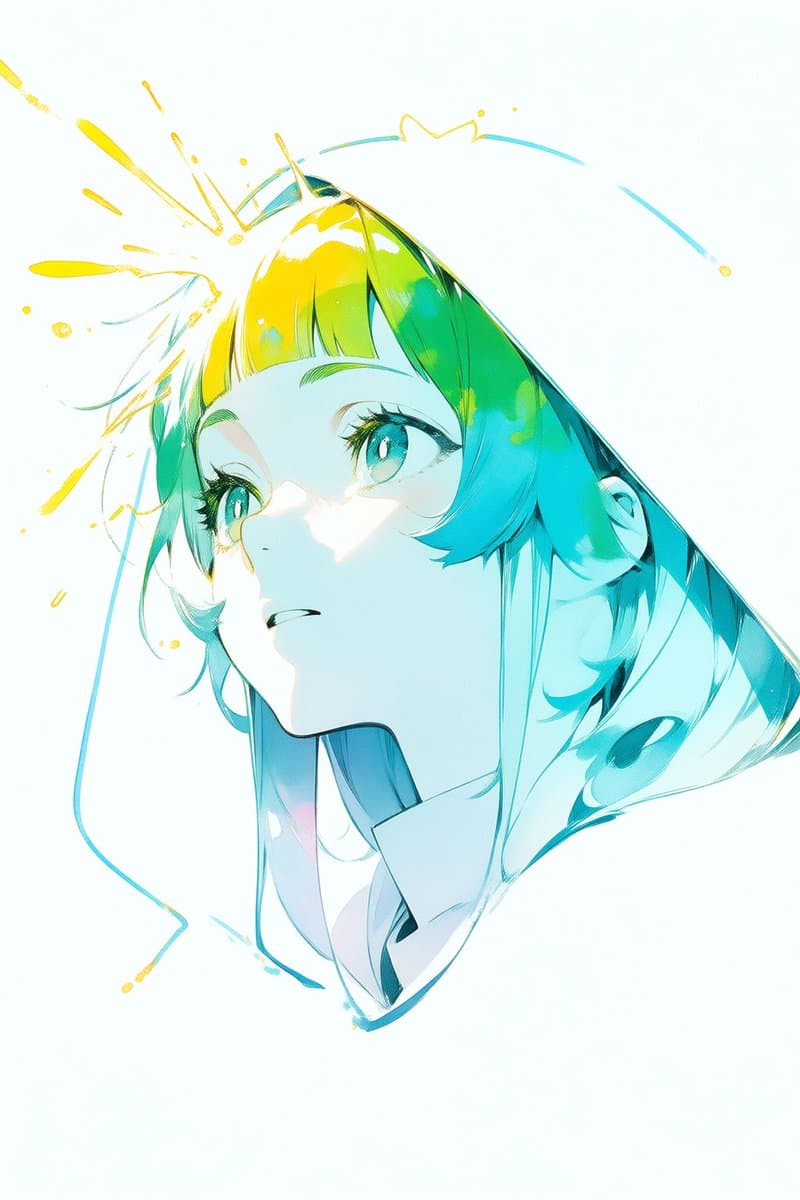
Create a vertical 2:3 abstract anime illustration on an almost white background with lots of negative space. Show a dynamic, partially cropped futuristic anime girl or character fragment in translucent aqua and teal linework, tilted diagonally from upper left to lower right, with flowing cyan hair-like strands on the left, a glossy triangular turquoise glass-like form extending to the right, and a small white angular collar or garment shape near the lower center. Add bright yellow paint splashes and loose calligraphic strokes bursting from the upper-left side of the head, with thin cyan swoosh lines arcing around the top and left edges. Place one large centered square overlay in front of the character, covering the face and torso; the square should have a soft pastel gradient from pale yellow-green at the upper left to mint and light cyan at the lower right, with clean sharp edges and no text. Use an airy high-key color palette of {argument name="main color" default="aqua teal"}, {argument name="accent color" default="bright yellow"}, white, and pale mint, with glossy highlights, sketchy anime line art, watercolor-like transparency, and energetic modern composition. Keep the image text-free, borderless, and poster-like.
Choose the primary action to open PicX Studio with the available template settings. Review the model and format, personalize the creative direction, and generate when ready.
Yes. You can change the subject, setting, lighting, mood, format, and available model controls before creating your image.
This template is free to open and customize. Generation usage is shown in PicX Studio before you create.
Start with GPT Image 2, which is the model associated with this template. You can compare another compatible model for a different finish.
© 2026 PicX Studio. All rights reserved.

Follow a topic to a crawlable collection of related PicX Studio templates.
43,474 public templates available. Verified via the PicX Studio public templates API; refreshed hourly.











![Japan Travel Brochure Poster — Create a vertical vintage travel-brochure infographic poster titled “[COUNTRY/DESTINATION]: [TAGLINE]”, using a warm parchment-pa](/_next/image?url=https%3A%2F%2Fcdn.picxstudio.com%2Fuploads%2Fp0_982bf820-bb34-4c43-8a6d-42d799d7282b.jpg&w=828&q=100)





![Minimalist Flat Vector Travel Poster — Premium minimalist flat-vector travel poster for {argument name="city name" default="[CITY_NAME]"}, 3:4 vertical format.](https://cms-assets.youmind.com/media/1787917359711_3ug846_HQX205cbMAA6F6S-300x400.jpg)




















![Hero-style product advertising poster — تصميم إعلان إبداعي واقعي وسيريالي لمنتج {argument name="اسم_المنتج" default="[اسم المنتج]"} من فئة {argument name="نوع_ا](https://pbs.twimg.com/media/G6OHs8hWkAArpuk.jpg)




![High-Contrast Close-Up with Strict Identity and Texture Focus — (3:4). A raw, high-contrast close-up [Snapshot] captured with an iPhone 17 Pro. NO ARTIFICIAL BO](https://pbs.twimg.com/media/G-J0uqRXEAA1B5e.jpg)