How do I use the Retro Pixel Cat Game Poster template?
Edit the prompt in the box under the preview — the template's model and format are already selected — and press Generate. Your version appears right on this page.
This prompt turns a reference photo of a cat into a pixel-art side-scrolling game poster, useful for playful presentation visuals or mock retro game covers.

This template uses your photo — add one with the + button.
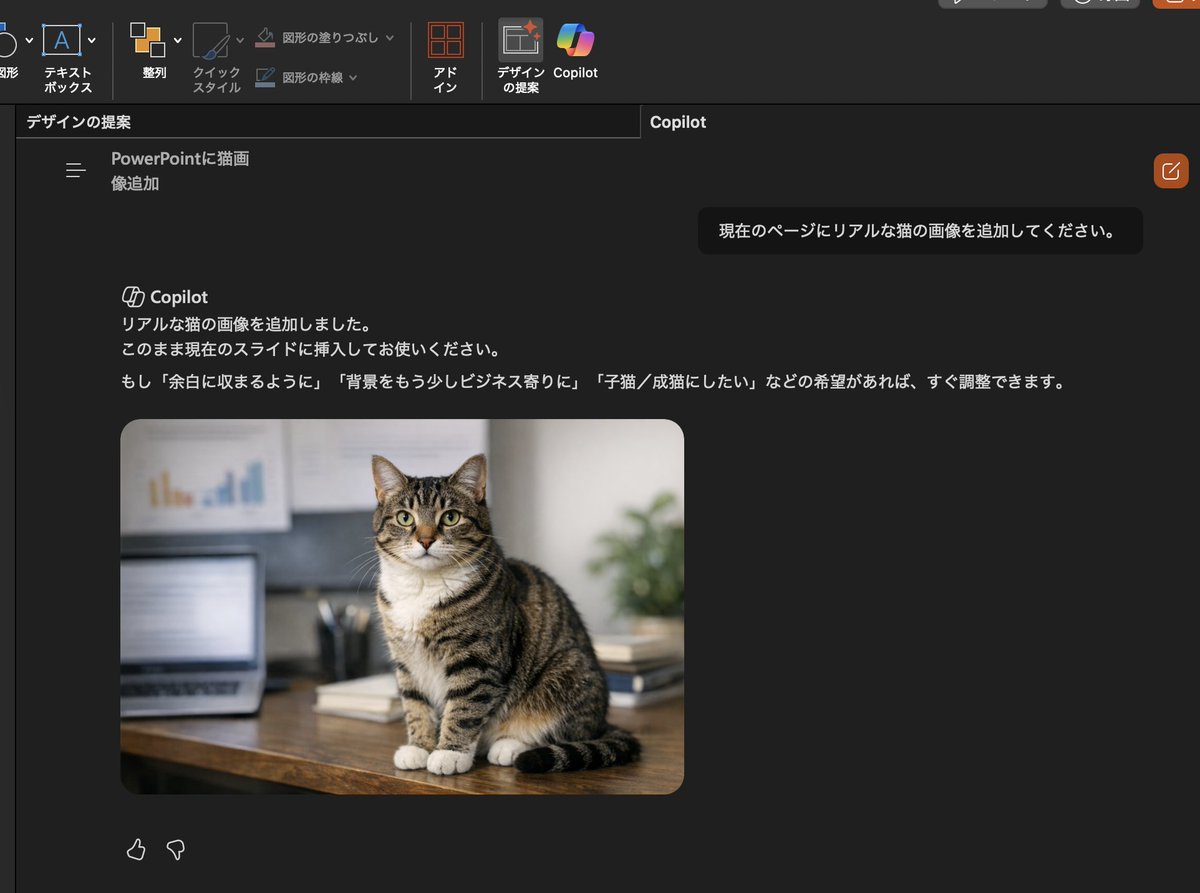
Using the provided reference image, transform the cat and the office-desk setting into a retro 16-bit side-scrolling video game mock poster. Keep the reference cat recognizable as the main character, but redraw everything in detailed pixel art. Build a vertical poster composition with 1 large title at the top reading "CAT QUEST", 1 subtitle ribbon reading "ADVENTURE", 1 HUD row beneath it showing 4 elements: a 1UP icon, a heart counter marked "x3", a horizontal status bar, and a stage/score display reading "Q-1 0750". Turn the reference office scene into a 2-level platform stage using the desk, laptop, charts, books, plant, and room decor as game-environment props. Show 2 playable-cat sprite poses total, one on the upper platform and one on the lower platform, both side-view walking/running. Add 2 gray mouse enemies, one on each platform. Add collectible coin effects around the upper platform and a small question-block style item on the lower platform. At the bottom, include 3 stacked menu buttons labeled "EXPLORE", "COLLECT", and "LEVEL UP!", plus 1 footer tagline reading "AN EPIC RETRO PLATFORMING ADVENTURE!". Use a worn printed-game-poster look with distressed edges, warm arcade colors, and a nostalgic console-game cover aesthetic.
Using the provided reference image, transform the cat and the office-desk setting into a retro 16-bit side-scrolling video game mock poster. Keep the reference cat recognizable as the main character, but redraw everything in detailed pixel art. Build a vertical poster composition with 1 large title at the top reading "CAT QUEST", 1 subtitle ribbon reading "ADVENTURE", 1 HUD row beneath it showing 4 elements: a 1UP icon, a heart counter marked "x3", a horizontal status bar, and a stage/score display reading "Q-1 0750". Turn the reference office scene into a 2-level platform stage using the desk, laptop, charts, books, plant, and room decor as game-environment props. Show 2 playable-cat sprite poses total, one on the upper platform and one on the lower platform, both side-view walking/running. Add 2 gray mouse enemies, one on each platform. Add collectible coin effects around the upper platform and a small question-block style item on the lower platform. At the bottom, include 3 stacked menu buttons labeled "EXPLORE", "COLLECT", and "LEVEL UP!", plus 1 footer tagline reading "AN EPIC RETRO PLATFORMING ADVENTURE!". Use a worn printed-game-poster look with distressed edges, warm arcade colors, and a nostalgic console-game cover aesthetic.
Retro Pixel Cat Game Poster needs input media to work. Open it in the studio and these load alongside the prompt — pick whichever ones your chosen model can take.
Edit the prompt in the box under the preview — the template's model and format are already selected — and press Generate. Your version appears right on this page.
Yes. You can change the subject, setting, lighting, mood, format, and available model controls before creating your image.
Opening and editing this template is free. Generating uses credits, shown on the Generate button when you are signed in.
Start with GPT Image 2, which is the model associated with this template. You can compare another compatible model for a different finish.
Follow a topic to a crawlable collection of related PicX Studio templates.