How do I use the Eagle Hybrid Aircraft Takeoff template?
Edit the prompt in the box under the preview — the template's model and format are already selected — and press Generate. Your version appears right on this page.
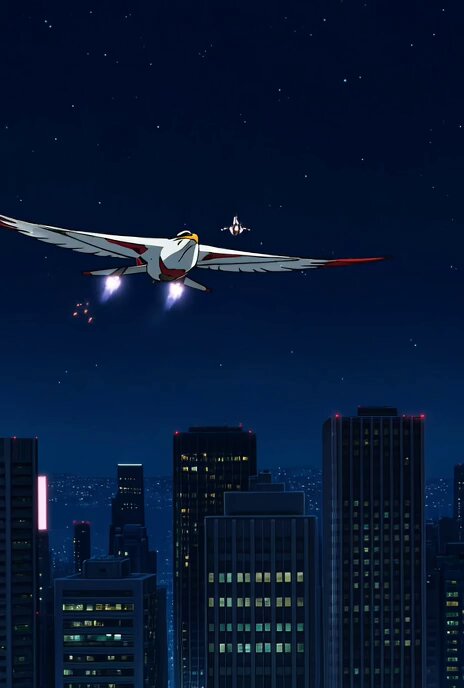
A detailed cinematic prompt for a futuristic hybrid aircraft shaped like an eagle taking off from an airport runway.
Cinematic 6-second vertical video, ultra-realistic 8K CGI. A breathtaking futuristic hybrid aircraft shaped like a giant majestic white eagle is taking off from a busy modern international airport runway on a bright sunny day with clear blue sky. The aircraft is an engineering marvel: sleek white and blue metallic body with sharp aerodynamic lines, massive eagle-like wings that dramatically unfold and spread during takeoff. Most striking is its enormous, tall, curved cobra-like neck covered in intricate white feathers, rising high above the fuselage, ending in a hyper-detailed realistic eagle head with sharp golden beak, piercing icy-blue eyes, and proud expression. The plane starts stationary on the tarmac in the center of the frame, engines glowing. Suddenly the rear jet engines ignite with intense orange-red flames and thick white smoke trails. It accelerates powerfully down the runway, landing gear wheels spinning fast, casting long dramatic shadows. The camera dynamically follows from a low cinematic angle, panning right and tilting up as the eagle-plane lifts off the ground, nose rising majestically. Wings fully extend like a real eagle in flight. The massive feathered neck and eagle head stay perfectly upright and regal as it climbs into the sky. Background shows realistic airport terminal buildings, control tower, other aircraft, and runway markings. Photorealistic lighting, golden hour sunlight, lens flares, motion blur on the wheels and smoke, epic scale, hyper-detailed textures, feathers blowing slightly in the wind, perfect reflections on the glossy white fuselage. Camera movement: smooth tracking shot that starts wide, then follows the takeoff with dramatic upward tilt, ending with the eagle-plane soaring powerfully into the blue sky. Cinematic color grading, ultra-detailed, masterpiece, best quality.
Cinematic 6-second vertical video, ultra-realistic 8K CGI. A breathtaking futuristic hybrid aircraft shaped like a giant majestic white eagle is taking off from a busy modern international airport runway on a bright sunny day with clear blue sky. The aircraft is an engineering marvel: sleek white and blue metallic body with sharp aerodynamic lines, massive eagle-like wings that dramatically unfold and spread during takeoff. Most striking is its enormous, tall, curved cobra-like neck covered in intricate white feathers, rising high above the fuselage, ending in a hyper-detailed realistic eagle head with sharp golden beak, piercing icy-blue eyes, and proud expression. The plane starts stationary on the tarmac in the center of the frame, engines glowing. Suddenly the rear jet engines ignite with intense orange-red flames and thick white smoke trails. It accelerates powerfully down the runway, landing gear wheels spinning fast, casting long dramatic shadows. The camera dynamically follows from a low cinematic angle, panning right and tilting up as the eagle-plane lifts off the ground, nose rising majestically. Wings fully extend like a real eagle in flight. The massive feathered neck and eagle head stay perfectly upright and regal as it climbs into the sky. Background shows realistic airport terminal buildings, control tower, other aircraft, and runway markings. Photorealistic lighting, golden hour sunlight, lens flares, motion blur on the wheels and smoke, epic scale, hyper-detailed textures, feathers blowing slightly in the wind, perfect reflections on the glossy white fuselage. Camera movement: smooth tracking shot that starts wide, then follows the takeoff with dramatic upward tilt, ending with the eagle-plane soaring powerfully into the blue sky. Cinematic color grading, ultra-detailed, masterpiece, best quality.
Edit the prompt in the box under the preview — the template's model and format are already selected — and press Generate. Your version appears right on this page.
Yes. You can change the subject, setting, lighting, mood, format, and available model controls before creating your video.
Opening and editing this template is free. Generating uses credits, shown on the Generate button when you are signed in.
Start with Grok Imagine, which is the model associated with this template. You can compare another compatible model for a different finish.
Follow a topic to a crawlable collection of related PicX Studio templates.