How do I use the Luxury Editorial B&W Portrait Transformation template?
Edit the prompt in the box under the preview — the template's model and format are already selected — and press Generate. Your version appears right on this page.
A sophisticated prompt designed to transform a reference photo into a high-end black-and-white studio editorial portrait with cinematic depth and professional lighting.

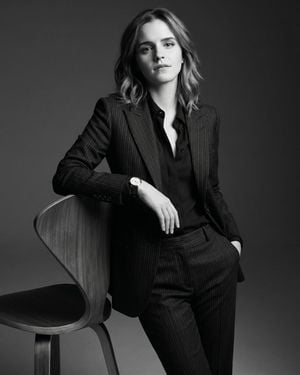
Use the uploaded photo only for facial identity and overall appearance. Create a premium black-and-white studio portrait of the same person seated slightly forward toward the camera in a confident yet relaxed pose. Elbows resting on the knees, hands loosely clasped together, creating natural depth and a strong editorial presence. The subject wears a {argument name="outfit" default="fitted black ribbed knit sweater"} with a clean luxury aesthetic. Direct eye contact with the camera, calm yet intense expression, strong jawline, defined facial features, natural skin texture, and a confident masculine presence. Hair is neatly styled with a clean fade on the sides and textured volume on top. Small diamond stud earrings in both ears. Photographed at eye level with an 85mm portrait lens for a premium fashion-editorial look. Soft studio lighting from the front and slightly from the side creates gentle shadows and realistic facial definition without harsh contrast. {argument name="backdrop" default="Seamless light-gray studio backdrop"} with a subtle gradient, completely clean and distraction-free. High-end fashion campaign aesthetic, luxury magazine portrait, timeless monochrome tones, ultra-realistic details, cinematic depth, premium retouching, sharp focus on the eyes, elegant composition, professional studio photography, 8K ultra-realism, {argument name="aspect ratio" default="4:5"} aspect ratio.
Use the uploaded photo only for facial identity and overall appearance. Create a premium black-and-white studio portrait of the same person seated slightly forward toward the camera in a confident yet relaxed pose. Elbows resting on the knees, hands loosely clasped together, creating natural depth and a strong editorial presence. The subject wears a {argument name="outfit" default="fitted black ribbed knit sweater"} with a clean luxury aesthetic. Direct eye contact with the camera, calm yet intense expression, strong jawline, defined facial features, natural skin texture, and a confident masculine presence. Hair is neatly styled with a clean fade on the sides and textured volume on top. Small diamond stud earrings in both ears. Photographed at eye level with an 85mm portrait lens for a premium fashion-editorial look. Soft studio lighting from the front and slightly from the side creates gentle shadows and realistic facial definition without harsh contrast. {argument name="backdrop" default="Seamless light-gray studio backdrop"} with a subtle gradient, completely clean and distraction-free. High-end fashion campaign aesthetic, luxury magazine portrait, timeless monochrome tones, ultra-realistic details, cinematic depth, premium retouching, sharp focus on the eyes, elegant composition, professional studio photography, 8K ultra-realism, {argument name="aspect ratio" default="4:5"} aspect ratio.
Edit the prompt in the box under the preview — the template's model and format are already selected — and press Generate. Your version appears right on this page.
Yes. You can change the subject, setting, lighting, mood, format, and available model controls before creating your image.
Opening and editing this template is free. Generating uses credits, shown on the Generate button when you are signed in.
Start with Nano Banana 2, which is the model associated with this template. You can compare another compatible model for a different finish.
Follow a topic to a crawlable collection of related PicX Studio templates.