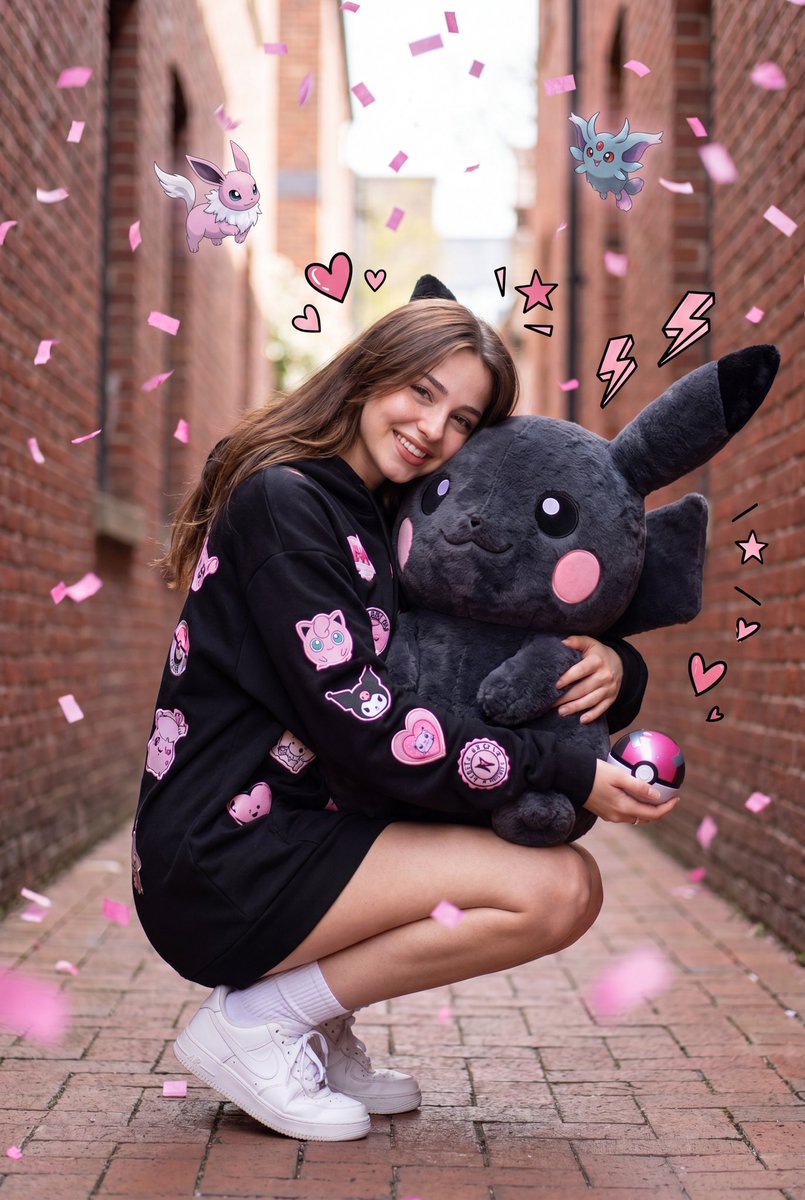


How do I use the Kawaii Pastel Pikachu Alleyway template?
Choose the primary action to open PicX Studio with the available template settings. Review the model and format, personalize the creative direction, and generate when ready.
A hyper-realistic and whimsical prompt for a young woman in a pastel hoodie with various cute patches, surrounded by floating Pikachu-inspired creatures. (free to use) — Free AI image template on PicX Studio.
A hyper-realistic full-body portrait of a {argument name="subject" default="cute young woman"} crouching in a narrow urban alleyway, hugging a {argument name="plush toy" default="giant fluffy pink Pikachu-inspired plush toy"}. She is wearing an oversized {argument name="clothing" default="pastel pink hoodie dress decorated with adorable kawaii patches"}, paired with white crew socks and clean white sneakers. She is smiling warmly at the camera while holding a shiny pink heart-shaped accessory in one hand. Long soft brown hair, natural makeup, youthful appearance. The alley is lined with red brick walls on both sides, creating cinematic depth and perspective. Multiple floating pink Pikachu-inspired creatures and other adorable pastel fantasy characters hover around her in mid-air. Colorful pink and white confetti rains throughout the scene, with playful comic-style doodles, speech bubbles, hearts, stars, sparkles, bows, exclamation marks, and question marks scattered around. Bright cheerful atmosphere, dreamy pastel pink color palette, magical fantasy feeling. Ultra-detailed fluffy fur texture on the plush toy, realistic skin texture, soft natural daylight, shallow depth of field, creamy bokeh background, dynamic composition, centered framing, high-end DSLR photography, 85mm lens, f/1.8, cinematic lighting, HDR, vibrant colors, sharp focus, masterpiece, ultra realistic, 8K, photorealistic, cute kawaii aesthetic, joyful celebration mood, luxury fashion photography, whimsical pink wonderland vibe. Negative Prompt: low quality, blurry, distorted face, extra fingers, extra limbs, bad anatomy, cropped, duplicate characters, watermark, text, logo, oversaturated, noisy image, deformed hands, mutated body, out of frame, low resolution, ugly face, cartoon style, poorly drawn details, motion blur, dull colors, messy composition, flat lighting.
Use Kawaii Pastel Pikachu Alleyway to plan an AI image around nano-banana-2 generation. Match the preview's composition first, then personalize the subject, setting, and mood for your own project.
Use the primary action to load the template settings in PicX Studio.
Adjust the subject and creative details for your destination.
Create the image, compare the result with the preview, and refine one variable at a time.
A continuous mix — similar concepts first, woven with same-model prompts and fresh picks from the catalog.
Choose the primary action to open PicX Studio with the available template settings. Review the model and format, personalize the creative direction, and generate when ready.
Yes. You can change the subject, setting, lighting, mood, format, and available model controls before creating your image.
This template is free to open and customize. Generation usage is shown in PicX Studio before you create.
Start with nano-banana-2, which is the model associated with this template. You can compare another compatible model for a different finish.
A continuous mix — similar concepts first, woven with same-model prompts and fresh picks from the catalog.
Follow a topic to a crawlable collection of related PicX Studio templates.
32,032 public templates available. Verified via the PicX Studio public templates API; refreshed hourly.


