

How do I use the Minimalist Linen Style Portrait template?
Choose the primary action to open PicX Studio with the available template settings. Review the model and format, personalize the creative direction, and generate when ready.
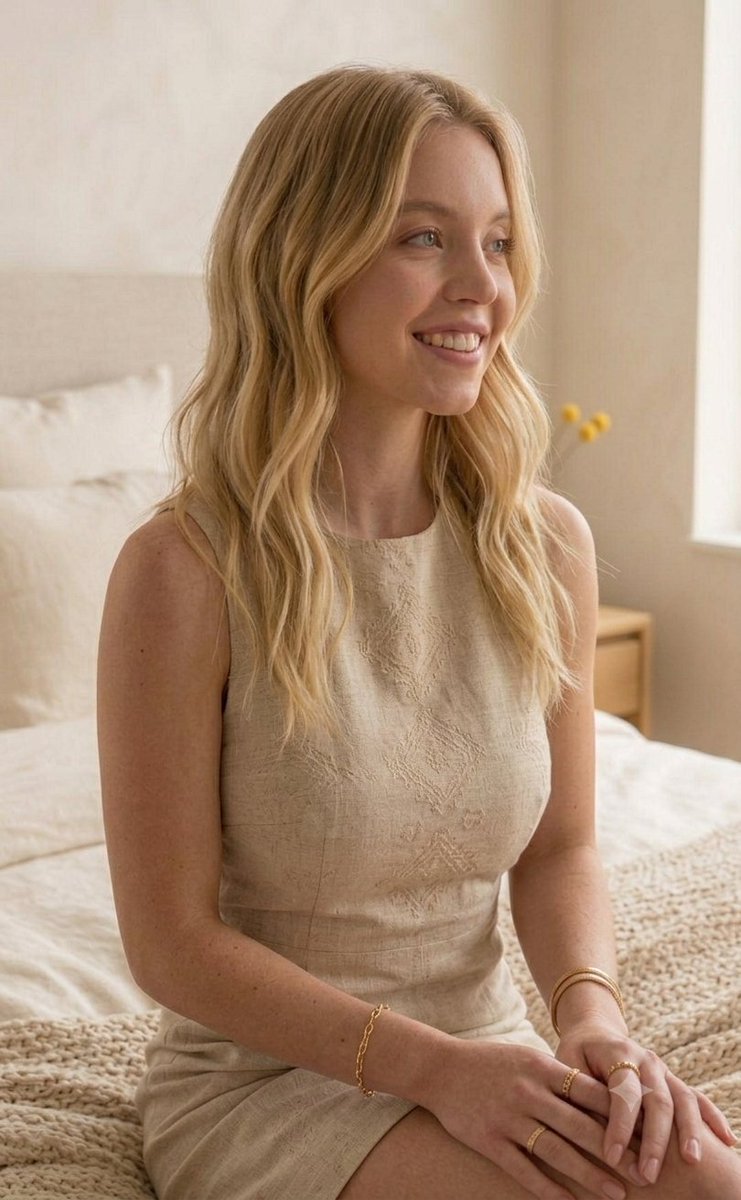
A series of photographs featuring a subject in a minimalist apartment setting with warm neutral tones. (free to use) — Free AI image template on PicX Studio.
A series of photographs featuring {argument name="subject" default="actress Sydney Sweeney"} in a {argument name="setting" default="bright, minimalist apartment setting with warm, neutral tones"}. She has wavy blonde hair styled down and is wearing a {argument name="outfit" default="sleeveless, structured beige linen shift dress featuring delicate geometric embroidery down the front bodice"}. She is adorned with dainty gold jewelry, including an oval-link chain bracelet, stackable textured and chain-link rings, and a thick gold bangle. In some images, she is smiling warmly while seated on a cozy, textured knit blanket near a bed. In others, she leans gracefully against a window sill next to a stack of books and a small vase with yellow billy balls, looking down thoughtfully at her gold iPhone or capturing a smiling mirror selfie. The entire gallery exudes a soft, serene, and elegant aesthetic.
Use Minimalist Linen Style Portrait to plan an AI image around nano-banana-2 generation. Match the preview's composition first, then personalize the subject, setting, and mood for your own project.
Use the primary action to load the template settings in PicX Studio.
Adjust the subject and creative details for your destination.
Create the image, compare the result with the preview, and refine one variable at a time.
A continuous mix — similar concepts first, woven with same-model prompts and fresh picks from the catalog.
Choose the primary action to open PicX Studio with the available template settings. Review the model and format, personalize the creative direction, and generate when ready.
Yes. You can change the subject, setting, lighting, mood, format, and available model controls before creating your image.
This template is free to open and customize. Generation usage is shown in PicX Studio before you create.
Start with nano-banana-2, which is the model associated with this template. You can compare another compatible model for a different finish.
A continuous mix — similar concepts first, woven with same-model prompts and fresh picks from the catalog.
Follow a topic to a crawlable collection of related PicX Studio templates.
32,032 public templates available. Verified via the PicX Studio public templates API; refreshed hourly.


