How do I use the Misty Medieval Village Establishing Shot template?
Choose the primary action to open PicX Studio with the available template settings. Review the model and format, personalize the creative direction, and generate when ready.
Generates a cinematic dark-fantasy medieval village square suitable for storyboard, concept art, or scene-setting visuals.
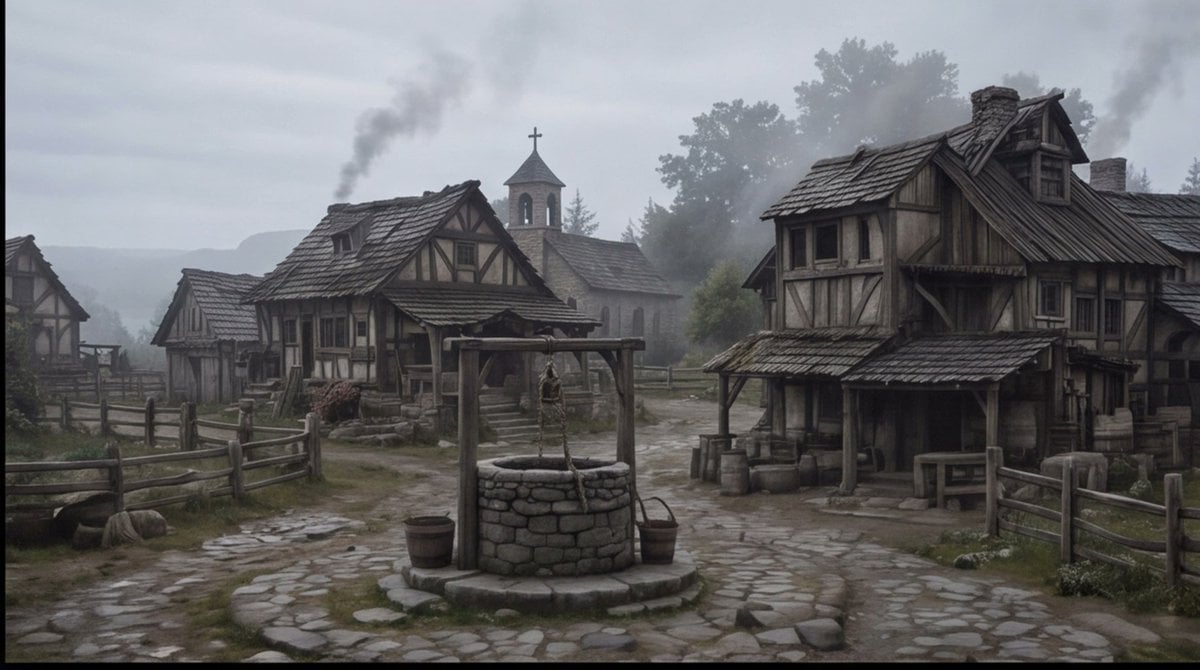
Create a cinematic wide establishing shot of a quiet {argument name="setting" default="medieval European village square"} on a cold misty morning, rendered in realistic dark fantasy style. The scene centers on a circular stone well with a wooden frame, hanging rope, bucket, and small barrels beside it, placed on an uneven cobblestone path that forks between rustic half-timbered houses. Show at least four visible timber-and-plaster buildings: a large weathered two-story house on the right with a sagging shingled roof, porch, barrels, crates, and a small table; two smaller cottages on the left and midground with fenced yards; and a stone church in the background with a bell tower and cross. Add wooden split-rail fences, muddy grass patches, scattered stones, worn steps, smoke rising from chimneys, and distant tree silhouettes fading into fog. Use a muted palette of gray, brown, moss green, and charcoal, with overcast sky, damp ground, soft diffuse light, low contrast, subtle haze, and a slightly desaturated film look. No people are visible, making the village feel abandoned or early before dawn. Compose as a wide 16:9 storyboard frame with the well in the lower center foreground, buildings framing both sides, the church tower near the central background, and atmospheric depth created by mist and smoke. Overall mood: {argument name="mood" default="somber, quiet, and ominous"}.
Choose the primary action to open PicX Studio with the available template settings. Review the model and format, personalize the creative direction, and generate when ready.
Yes. You can change the subject, setting, lighting, mood, format, and available model controls before creating your image.
This template is free to open and customize. Generation usage is shown in PicX Studio before you create.
Start with GPT Image 2, which is the model associated with this template. You can compare another compatible model for a different finish.
Follow a topic to a crawlable collection of related PicX Studio templates.