How do I use the Elegant Interior Staircase Portrait template?
Choose the primary action to open PicX Studio with the available template settings. Review the model and format, personalize the creative direction, and generate when ready.
A prompt for generating serene, high-end interior photography featuring a woman in a satin dress on a wooden staircase surrounded by lush plants.
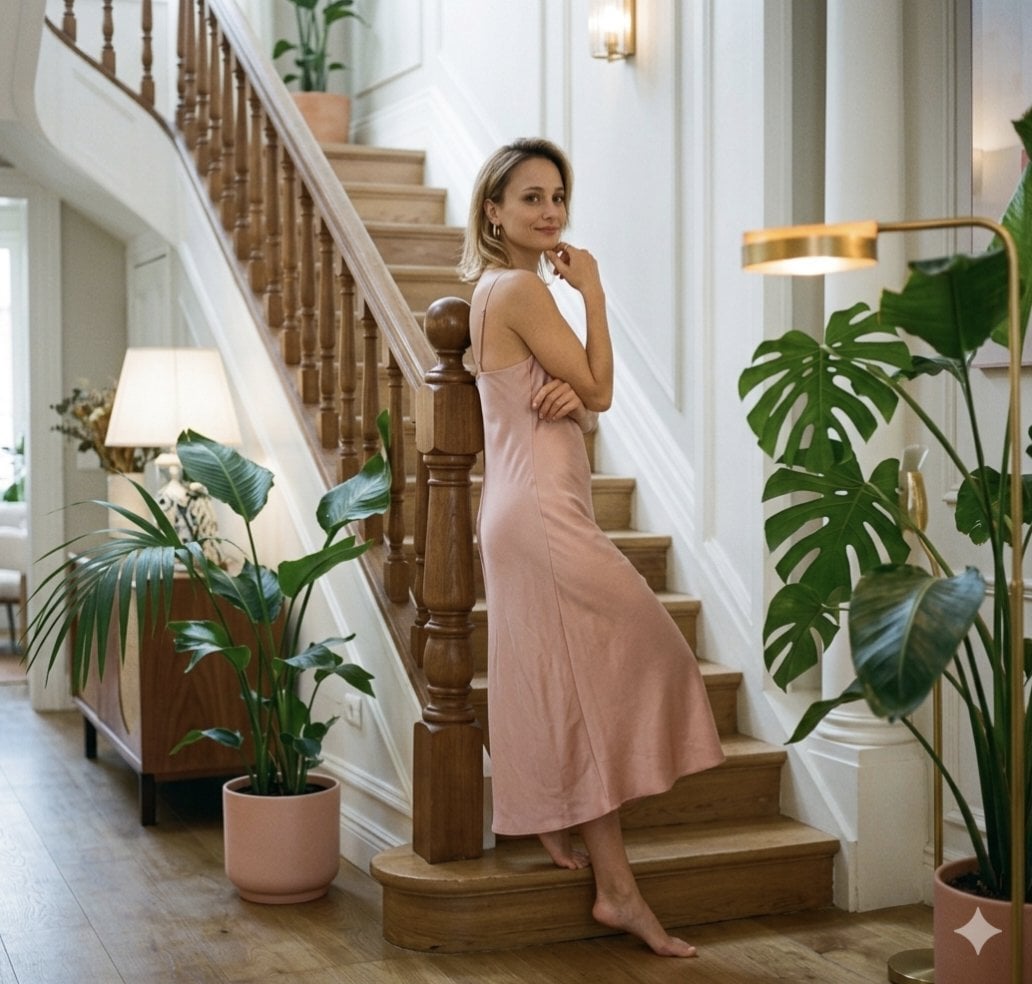
The scene features a woman with {argument name="hair style" default="short blonde hair"} wearing a simple, light pink satin slip dress. She is barefoot and posing on a beautiful wooden staircase inside a brightly lit, elegant home. In one pose, she stands gracefully, leaning slightly against the banister and looking at the camera with her hand to her chin. In the second pose, she is sitting comfortably on one of the bottom steps, her hands resting in her lap as she looks up. The staircase has ornate wooden spindles and is framed by decorative wall molding. Large potted plants, including a {argument name="plant species" default="Monstera"} and various palms in matching pink planters, are arranged around the base and landing, alongside mid-century style furniture and various lamps.
Choose the primary action to open PicX Studio with the available template settings. Review the model and format, personalize the creative direction, and generate when ready.
Yes. You can change the subject, setting, lighting, mood, format, and available model controls before creating your image.
This template is free to open and customize. Generation usage is shown in PicX Studio before you create.
Start with Nano Banana 2, which is the model associated with this template. You can compare another compatible model for a different finish.
Follow a topic to a crawlable collection of related PicX Studio templates.