
Neon Business Info-Product Thumbnail
Generates a high-impact, text-heavy YouTube thumbnail or banner for business and side-hustle content.
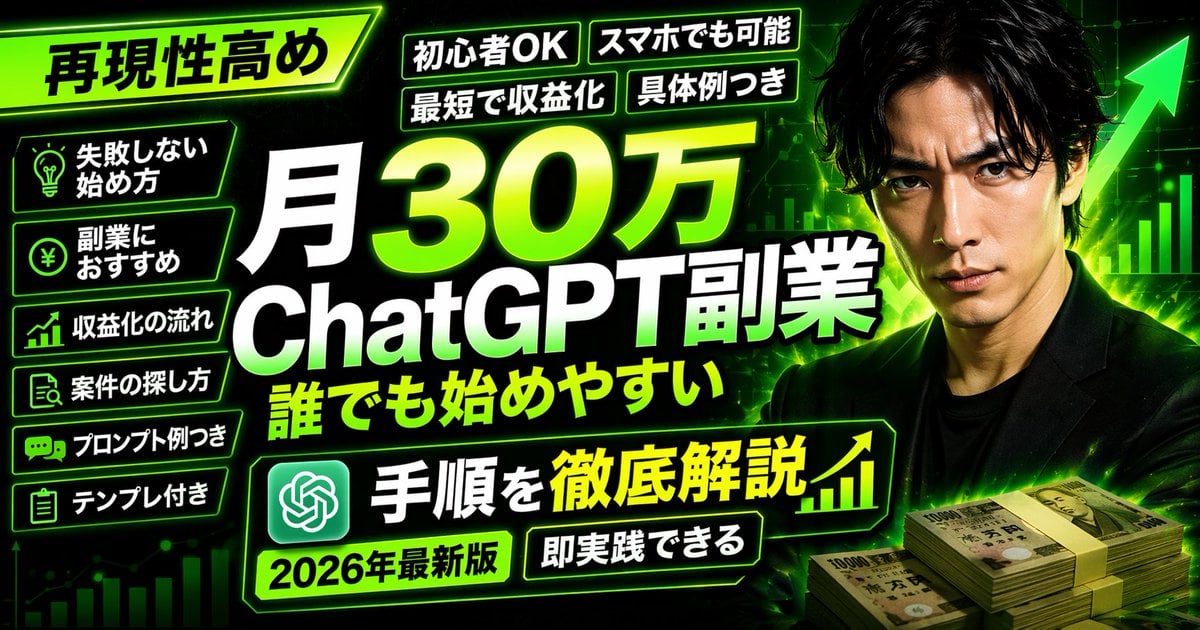
- Prompt included
- Model and format preset
- Free template
The prompt behind this image
Copy the exact prompt behind Neon Business Info-Product Thumbnail, or open it in the studio and make it yours.
- Type
- YouTube thumbnail
- Style
- High-impact, neon green and black color scheme, cyber business aesthetic
- Background
- Dark with glowing green grid, upward chart lines, large green arrow
- Subject › Description
- {argument name="subject description" default="Serious Japanese man in a black suit"}
- Subject › Position
- Right side
- Subject › Props
- Stacks of 10,000 Yen bills in bottom right
- Layout › Main Title › Text
- {argument name="main title" default="月30万 ChatGPT副業 誰でも始めやすい"}
- Layout › Main Title › Position
- Center, huge bold white and green gradient text
- Layout › Top Left Badge › Text
- {argument name="top left badge" default="再現性高め"}
- Layout › Top Left Badge › Style
- Angled neon green box
- Layout › Top Tags › Count
- 4
- Layout › Top Tags › Labels
- 初心者OK, スマホでも可能, 最短で収益化, 具体例つき
- Layout › Left Bullet Points › Count
- 6
- Layout › Left Bullet Points › Style
- Dark boxes with neon green borders and icons
- Layout › Left Bullet Points › Items
- Lightbulb icon: 失敗しない始め方, Yen coin icon: 副業におすすめ, Chart icon: 収益化の流れ, Search icon: 案件の探し方, Chat icon: プロンプト例つき, Clipboard icon: テンプレ付き
- Layout › Bottom Banner › Text
- {argument name="bottom banner text" default="手順を徹底解説"}
- Layout › Bottom Banner › Icons
- ChatGPT logo left, upward chart right
- Layout › Bottom Tags › Count
- 2
- Layout › Bottom Tags › Labels
- {argument name="year tag" default="2026年最新版"}, 即実践できる
Raw JSON
{
  "type": "YouTube thumbnail",
  "style": "High-impact, neon green and black color scheme, cyber business aesthetic",
  "background": "Dark with glowing green grid, upward chart lines, large green arrow",
  "subject": {
    "description": "{argument name=\"subject description\" default=\"Serious Japanese man in a black suit\"}",
    "position": "Right side",
    "props": "Stacks of 10,000 Yen bills in bottom right"
  },
  "layout": {
    "main_title": {
      "text": "{argument name=\"main title\" default=\"月30万 ChatGPT副業 誰でも始めやすい\"}",
      "position": "Center, huge bold white and green gradient text"
    },
    "top_left_badge": {
      "text": "{argument name=\"top left badge\" default=\"再現性高め\"}",
      "style": "Angled neon green box"
    },
    "top_tags": {
      "count": 4,
      "labels": ["初心者OK", "スマホでも可能", "最短で収益化", "具体例つき"]
    },
    "left_bullet_points": {
      "count": 6,
      "style": "Dark boxes with neon green borders and icons",
      "items": [
        "Lightbulb icon: 失敗しない始め方",
        "Yen coin icon: 副業におすすめ",
        "Chart icon: 収益化の流れ",
        "Search icon: 案件の探し方",
        "Chat icon: プロンプト例つき",
        "Clipboard icon: テンプレ付き"
      ]
    },
    "bottom_banner": {
      "text": "{argument name=\"bottom banner text\" default=\"手順を徹底解説\"}",
      "icons": "ChatGPT logo left, upward chart right"
    },
    "bottom_tags": {
      "count": 2,
      "labels": ["{argument name=\"year tag\" default=\"2026年最新版\"}", "即実践できる"]
    }
  }
}How to use Neon Business Info-Product Thumbnail in 3 steps
- 1Upload ImagePNG, JPG or paste
Add your photo
Upload the photo the template builds on. The prompt, model and format are already set.
- 2…a portrait of your subject in softgolden-hour light, 85mm…
Personalize
Edit the subject and creative details for your destination.
- 3Generate
Generate
Press Generate — your image is created in PicX Studio, so you can compare it with the original and refine one variable at a time.
More like this
Templates with the same subject, style or setup. Open one to see its prompt.
Spanish Neon AI Business Infographic
Gold & Black Info-Product Thumbnail
Flashy suspicious info-product style thumbnail

80s Neon Disco Night
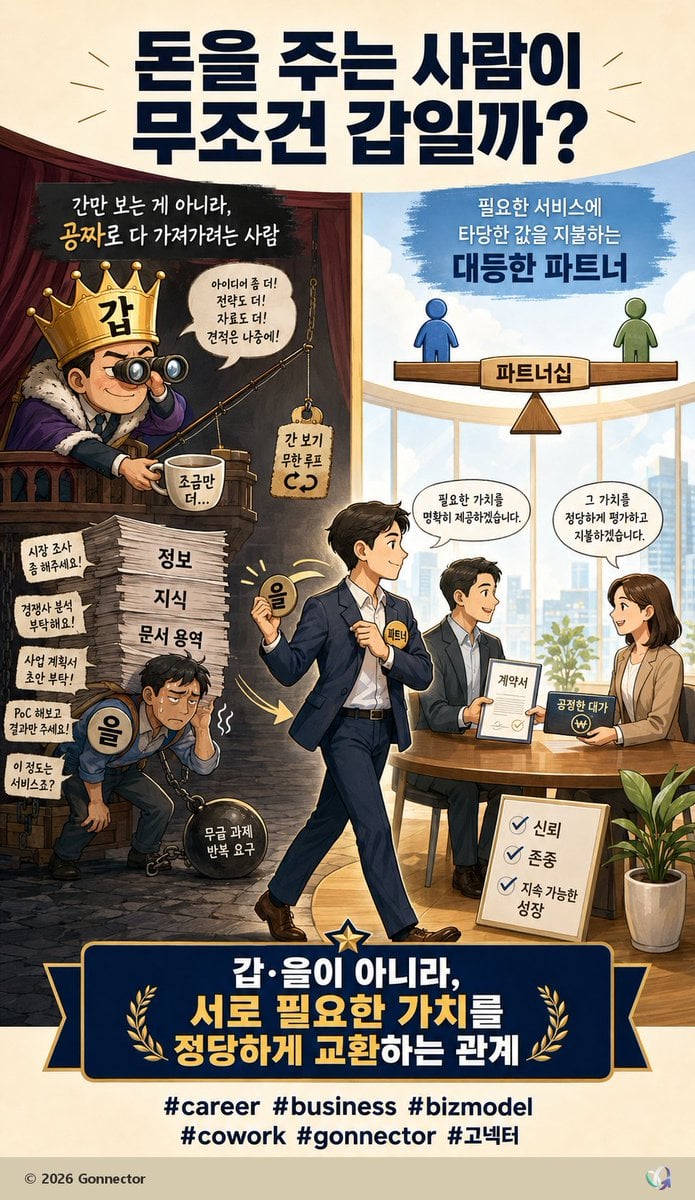
Fair Partnership Business Infographic

A k.pop idol on the stage with mic

Cartoon TV Show Poster Pack

Trendy Cafe Drink Promo Poster

Rainy Night Android Cyberpunk Portrait

Korean Idol Partial Shadow Editorial Portrait

Cyberpunk Neon Profile Fashion Portrait

Neon Night Crosswalk Candid Portrait
Make it yours
Neon Business Info-Product Thumbnail works as-is. These are the safest ways to change it without losing the look.
Swap the setting
Keep the rest of the prompt and replace the location block. The current setting is “Dark with glowing green grid, upward chart lines, large green arrow”.
Change one field
Copy a single group, rewrite it, and generate again so you can see what that field is doing.
Keep the frame, change the subject
Hold the composition and light of Neon Business Info-Product Thumbnail, then swap wardrobe, props or the person for a new take.
| If the result… | Why | Fix |
|---|---|---|
| The result drifts from the preview | Too many fields changed at once. | Reuse Neon Business Info-Product Thumbnail as-is first, then change one group — subject, light, or setting. |
| GPT Image 2 ignores part of the JSON | Some models flatten or skip nested keys. | Keep the same values and paste them as a short paragraph instead. |
More GPT Image 2 templates
Other prompts made for GPT Image 2.

Six VTuber Japanese Logo Sheet

Realistic Portrait of Woman and Deer

The Vista Modular Condo Poster

AI Model Routing Comparison Infographic

2.5D Anime Art Board

Isometric Productivity Desk Scene

New York Double Exposure Poster

Four-Panel AI Landscape Comparison

Japanese Tatami Lifestyle Magazine Cover

NESCAFÉ Coffee Map Poster
More image prompts
Fresh picks from across the catalog.
Gemini Nano Banana Pro Ultra Realistic S
Hyper-detailed photorealistic image generation prompt for a young woman in Christmas pajamas
Korean Girl Kitchen Cooking Aesthetic

Professional Male Editorial Fashion Portrait
Gen Z Flash Selfie Collage
Blurred Face Japanese Alley Portrait
Nano Banana Pro Hot Prompts Compilation (24 Hours)
Cinematic Rainy City Portrait Prompt
Constructivist AI Artist Editorial Poster
New Year's Soba Message Card Prompt
Browse template categories
Neon Business Info-Product Thumbnail questions
How do I use the Neon Business Info-Product Thumbnail template?
Add your photo if the template asks for one, edit the prompt if you like — the template's model and format are already selected — and press Generate. Your version opens in PicX Studio.
Can I customize the Neon Business Info-Product Thumbnail template?
Yes. You can change the subject, setting, lighting, mood, format, and available model controls before creating your image.
Is the Neon Business Info-Product Thumbnail template free?
Opening and editing this template is free. Generating uses credits, shown on the Generate button when you are signed in.
Which AI model should I use?
Start with GPT Image 2, which is the model associated with this template. You can compare another compatible model for a different finish.
Looking for something else? Browse all templates.

Your photo, any look
Thousands of ready templates for every top image and video model, from one credit balance.