How do I use the Elegant Redhead Portrait in Classical Interior template?
Edit the prompt in the box under the preview — the template's model and format are already selected — and press Generate. Your version appears right on this page.
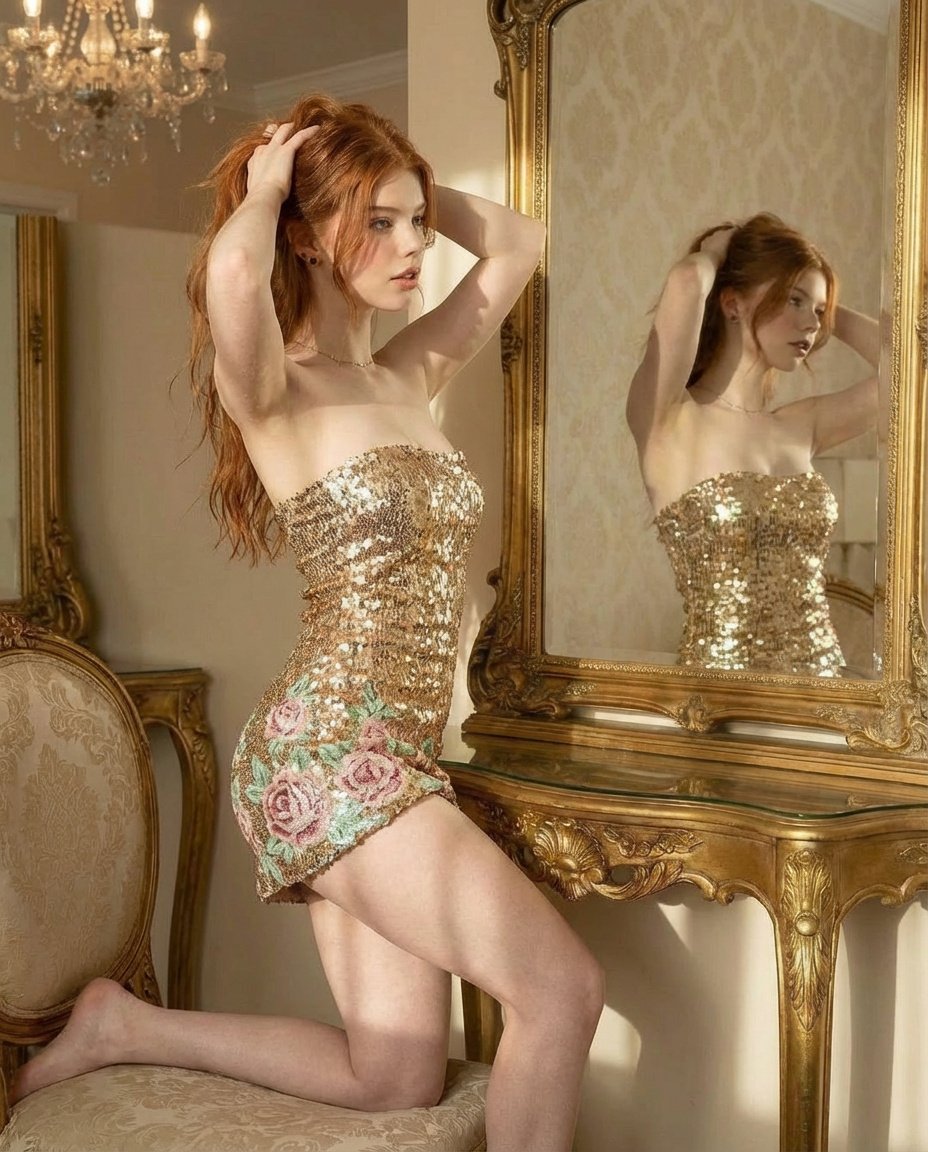
A photorealistic prompt for a detailed portrait of a woman with red hair in a luxurious indoor setting with classical architectural details.

A highly detailed portrait of a beautiful young woman with fair skin, {argument name="hair" default="long voluminous wavy fiery red hair"} cascading over her shoulders, and striking blue eyes, sitting elegantly on a smooth gray stone floor. She has a neutral, poised facial expression with soft natural makeup and is looking directly at the viewer. Her pose is relaxed yet graceful, with one arm raised and hand resting behind her head, the other hand placed on the floor for support, legs bent and positioned comfortably in front. She is wearing a {argument name="outfit" default="form-fitting white ribbed sleeveless top with a deep neckline and matching white full-length leggings"}. Adorned with delicate silver-colored anklets on both ankles featuring small charms, multiple thin silver bracelets on her right wrist, and light white manicure and pedicure. The background features an {argument name="background" default="ornate classical wall with intricate floral and leaf patterns in soft beige and gray tones on marble-like panels"}, creating a luxurious and artistic indoor setting with soft even lighting that highlights textures and details. Photorealistic, high resolution, cinematic composition.
A highly detailed portrait of a beautiful young woman with fair skin, {argument name="hair" default="long voluminous wavy fiery red hair"} cascading over her shoulders, and striking blue eyes, sitting elegantly on a smooth gray stone floor. She has a neutral, poised facial expression with soft natural makeup and is looking directly at the viewer. Her pose is relaxed yet graceful, with one arm raised and hand resting behind her head, the other hand placed on the floor for support, legs bent and positioned comfortably in front. She is wearing a {argument name="outfit" default="form-fitting white ribbed sleeveless top with a deep neckline and matching white full-length leggings"}. Adorned with delicate silver-colored anklets on both ankles featuring small charms, multiple thin silver bracelets on her right wrist, and light white manicure and pedicure. The background features an {argument name="background" default="ornate classical wall with intricate floral and leaf patterns in soft beige and gray tones on marble-like panels"}, creating a luxurious and artistic indoor setting with soft even lighting that highlights textures and details. Photorealistic, high resolution, cinematic composition.
Edit the prompt in the box under the preview — the template's model and format are already selected — and press Generate. Your version appears right on this page.
Yes. You can change the subject, setting, lighting, mood, format, and available model controls before creating your image.
Opening and editing this template is free. Generating uses credits, shown on the Generate button when you are signed in.
Start with Nano Banana 2, which is the model associated with this template. You can compare another compatible model for a different finish.
Follow a topic to a crawlable collection of related PicX Studio templates.