How do I use the Cinematic Skincare Campaign Portrait template?
Choose the primary action to open PicX Studio with the available template settings. Review the model and format, personalize the creative direction, and generate when ready.
An ultra-realistic wet portrait of a woman with high detail on skin texture and moisture, inspired by luxury skincare ads.
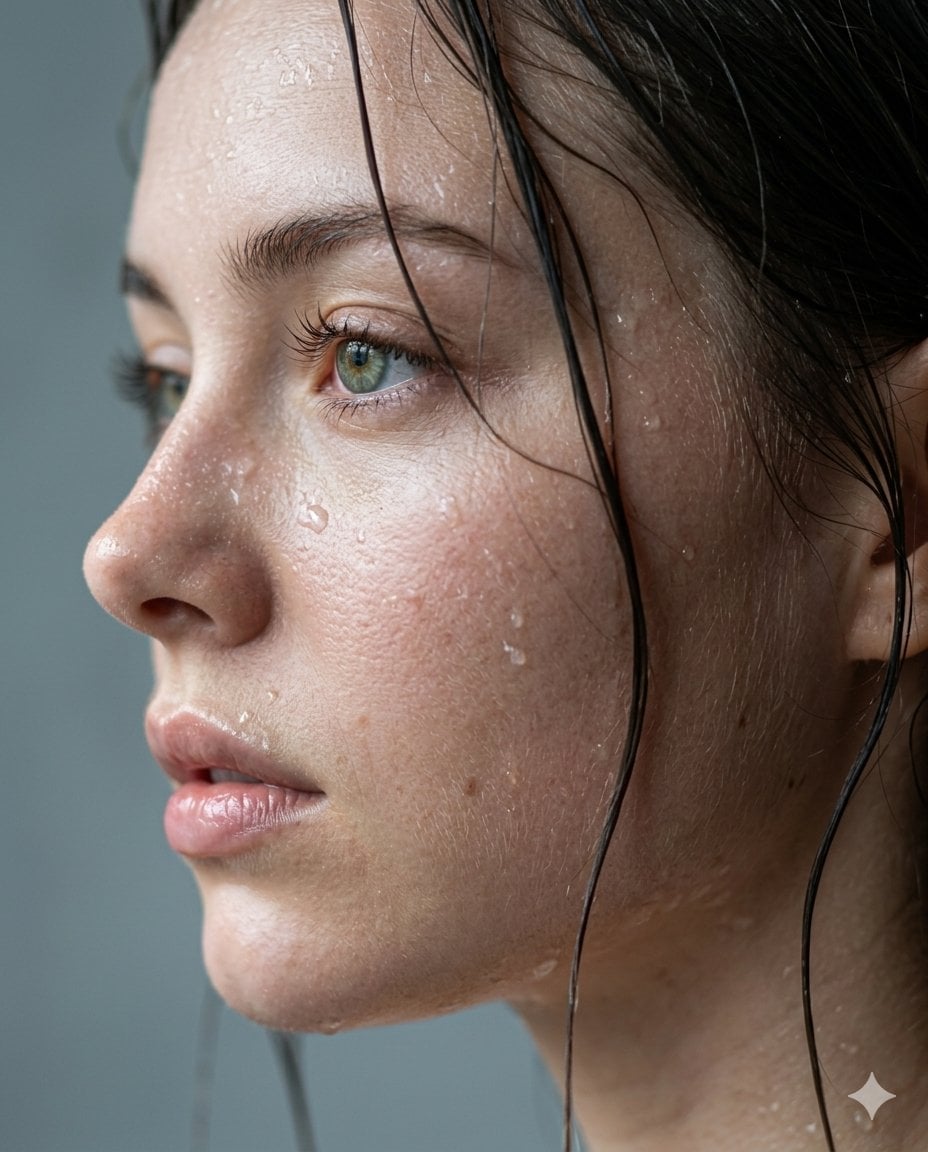
Ultra-realistic cinematic wet close-up portrait of a {argument name="subject" default="beautiful young woman"} in side profile, captured like a luxury skincare campaign mixed with an A24 film still. Natural wet dark hair strands sticking organically to glowing skin, ultra-detailed water droplets and micro moisture beads across forehead, cheeks, eyelashes, and lips. Hyper-realistic skin texture with visible pores, soft peach fuzz, subtle redness, natural imperfections, and realistic damp shine — no plastic AI skin. Sharp focus on mesmerizing {argument name="eye color" default="green-hazel"} eyes with deep cinematic reflections and emotional intensity. Slightly parted glossy lips with natural hydration texture. Cold {argument name="atmosphere" default="rainy"} atmosphere with diffused soft window lighting, muted grey-blue tones, elegant white/grey creamy bokeh background, shallow depth of field, 85mm cinematic lens, editorial beauty photography, luxury skincare advertisement aesthetic, raw authentic realism, emotionally captivating composition, subtle melancholy mood, modern viral Instagram editorial energy, insanely photorealistic, masterpiece quality, natural color grading, premium Vogue beauty campaign feel. Negative prompt: overprocessed skin, AI smoothness, extra shine, cartoon look, unrealistic eyes, plastic texture, bad anatomy, distorted facial features, oversaturated colors, fake droplets, low detail, uncanny expression. Aspect ratio 4:5
Choose the primary action to open PicX Studio with the available template settings. Review the model and format, personalize the creative direction, and generate when ready.
Yes. You can change the subject, setting, lighting, mood, format, and available model controls before creating your image.
This template is free to open and customize. Generation usage is shown in PicX Studio before you create.
Start with Nano Banana 2, which is the model associated with this template. You can compare another compatible model for a different finish.
Follow a topic to a crawlable collection of related PicX Studio templates.