How do I use the Watercolor Affirmation Illustration template?
Choose the primary action to open PicX Studio with the available template settings. Review the model and format, personalize the creative direction, and generate when ready.
A dreamy watercolor prompt featuring a young woman in a lavender field with handwritten notes of encouragement.
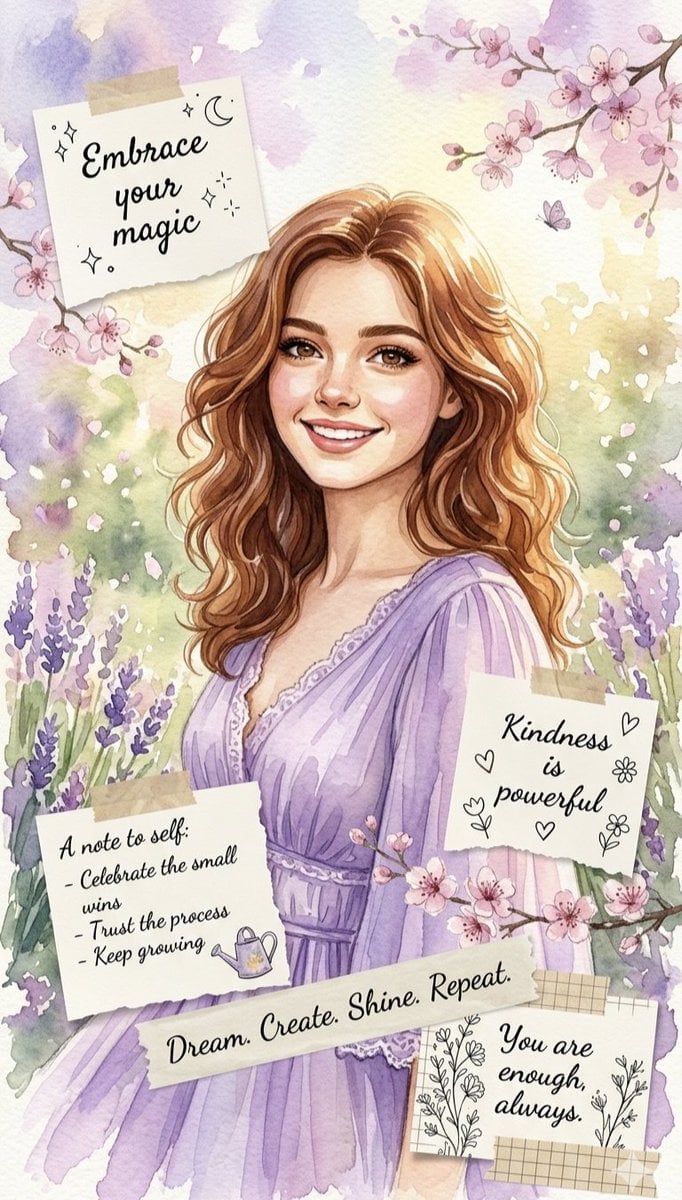
A beautiful watercolor illustration of a smiling, young woman with {argument name="hair style" default="long, wavy brown hair"}, wearing a {argument name="outfit" default="flowing purple dress"}. She is surrounded by a serene background of {argument name="scenery" default="soft purple lavender fields and delicate cherry blossom branches"}. Taped around her are several whimsical, handwritten note snippets with uplifting affirmations like "Embrace your magic," "Kindness is powerful," "You are enough, always," and a "A note to self" checklist about personal growth. The overall aesthetic is dreamy, magical, and deeply encouraging.
Choose the primary action to open PicX Studio with the available template settings. Review the model and format, personalize the creative direction, and generate when ready.
Yes. You can change the subject, setting, lighting, mood, format, and available model controls before creating your image.
This template is free to open and customize. Generation usage is shown in PicX Studio before you create.
Start with Nano Banana 2, which is the model associated with this template. You can compare another compatible model for a different finish.
Follow a topic to a crawlable collection of related PicX Studio templates.