How do I use the Multi-Layered Artist Journal Sketch template?
Choose the primary action to open PicX Studio with the available template settings. Review the model and format, personalize the creative direction, and generate when ready.
An artistic multi-perspective charcoal and graphite sketch of a woman on cream paper, mimicking a dynamic artist's journal aesthetic.
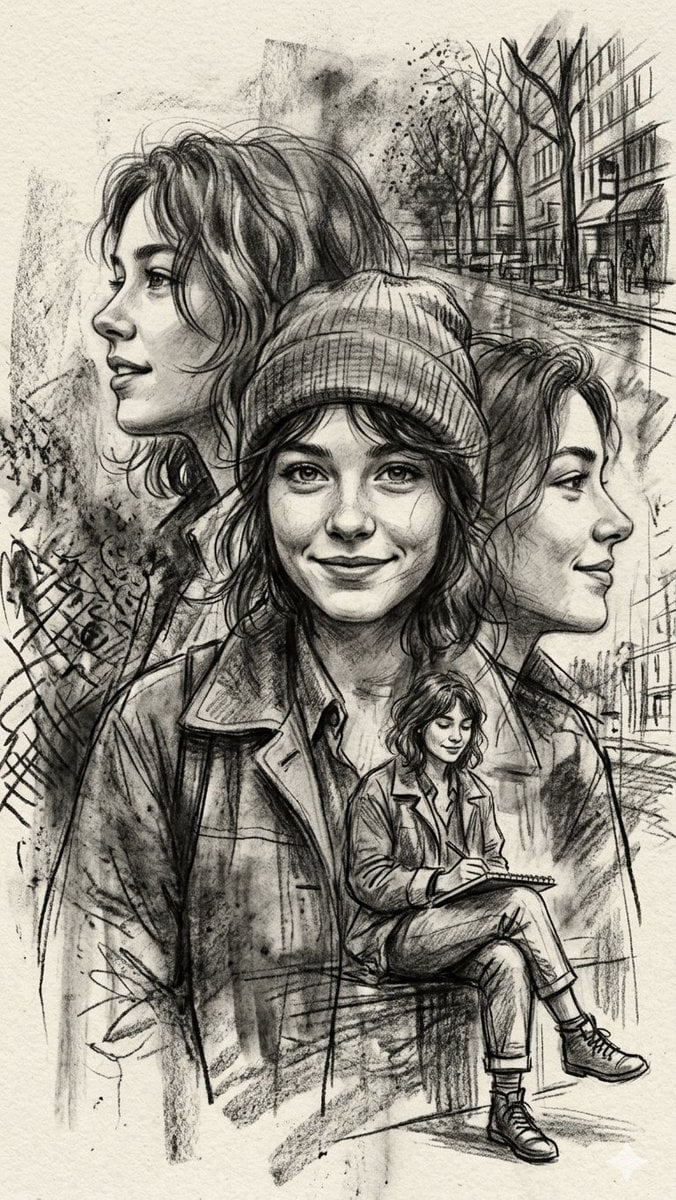
Create a multi-layered {argument name="medium" default="charcoal and graphite sketch"} on {argument name="paper" default="textured cream paper"}, featuring several artistic perspectives of a young woman. The central portrait shows her facing forward with a warm smile, wearing a {argument name="clothing" default="beanie and a utility jacket"}. Two larger, ethereal profile views frame the center, one looking left and one looking right with a serene expression. At the bottom, a full-body miniature version of the woman is depicted sitting and sketching in a notebook. The background blends into a loose, urban street scene with architectural lines and trees, utilizing expressive cross-hatching, smudged shadows, and raw pencil strokes.
Choose the primary action to open PicX Studio with the available template settings. Review the model and format, personalize the creative direction, and generate when ready.
Yes. You can change the subject, setting, lighting, mood, format, and available model controls before creating your image.
This template is free to open and customize. Generation usage is shown in PicX Studio before you create.
Start with Nano Banana 2, which is the model associated with this template. You can compare another compatible model for a different finish.
Follow a topic to a crawlable collection of related PicX Studio templates.