How do I use the Digicam Style Glass-Skin Portrait template?
Choose the primary action to open PicX Studio with the available template settings. Review the model and format, personalize the creative direction, and generate when ready.
A hyper-photorealistic shot with a Douyin glass-skin glow, captured in the style of an old CCD digicam with direct flash.
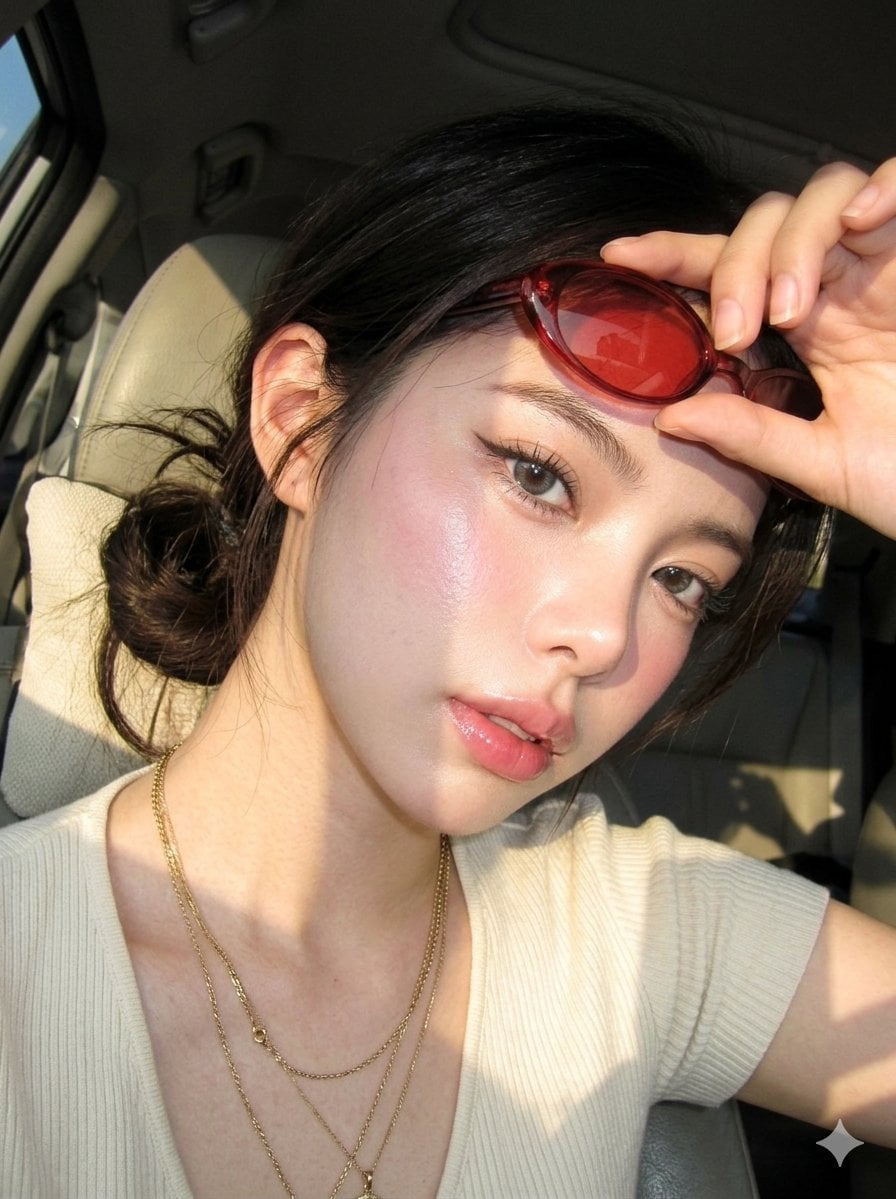
Create image: A hyper-photorealistic shot of the same subject in the attached image, ultra-real {argument name="skin texture" default="skin texture"}, rosy dewy complexion, Douyin {argument name="glow style" default="glass-skin glow"}, pink lip gloss, aegyosal, baby pink blush, grey contacts, wispy lashes, brushed brows, thin wing liner. Expression / Pose: confident relaxed gaze, lips slightly parted, subtle intensity, one hand lifting sunglasses, casual lean. Camera: old {argument name="camera type" default="CCD digicam"}, direct flash, grain, overexposed highlights, flattened shadows. Makeup: warm-toned eyeshadow, glossy lips, sculpted glow. Hair: hair tied in a loose bun with inward curled strands, slightly windswept. Outfit: cream ribbed top, layered gold necklaces, red-tinted oval sunglasses. Background: car interior with strong golden sunlight casting shadows. Composition: close-up, dramatic light contrast, angled framing, shadow lines across face. Negative prompt: artificial skin, stiff pose, over-edited look, blur, bad anatomy.
Choose the primary action to open PicX Studio with the available template settings. Review the model and format, personalize the creative direction, and generate when ready.
Yes. You can change the subject, setting, lighting, mood, format, and available model controls before creating your image.
This template is free to open and customize. Generation usage is shown in PicX Studio before you create.
Start with Nano Banana 2, which is the model associated with this template. You can compare another compatible model for a different finish.
Follow a topic to a crawlable collection of related PicX Studio templates.