How do I use the Vintage Moped Ride in Rio template?
Choose the primary action to open PicX Studio with the available template settings. Review the model and format, personalize the creative direction, and generate when ready.
A hyperrealistic behind-the-shoulder shot of a woman on a moped in Rio de Janeiro during blue hour, wearing a Brazil jersey.
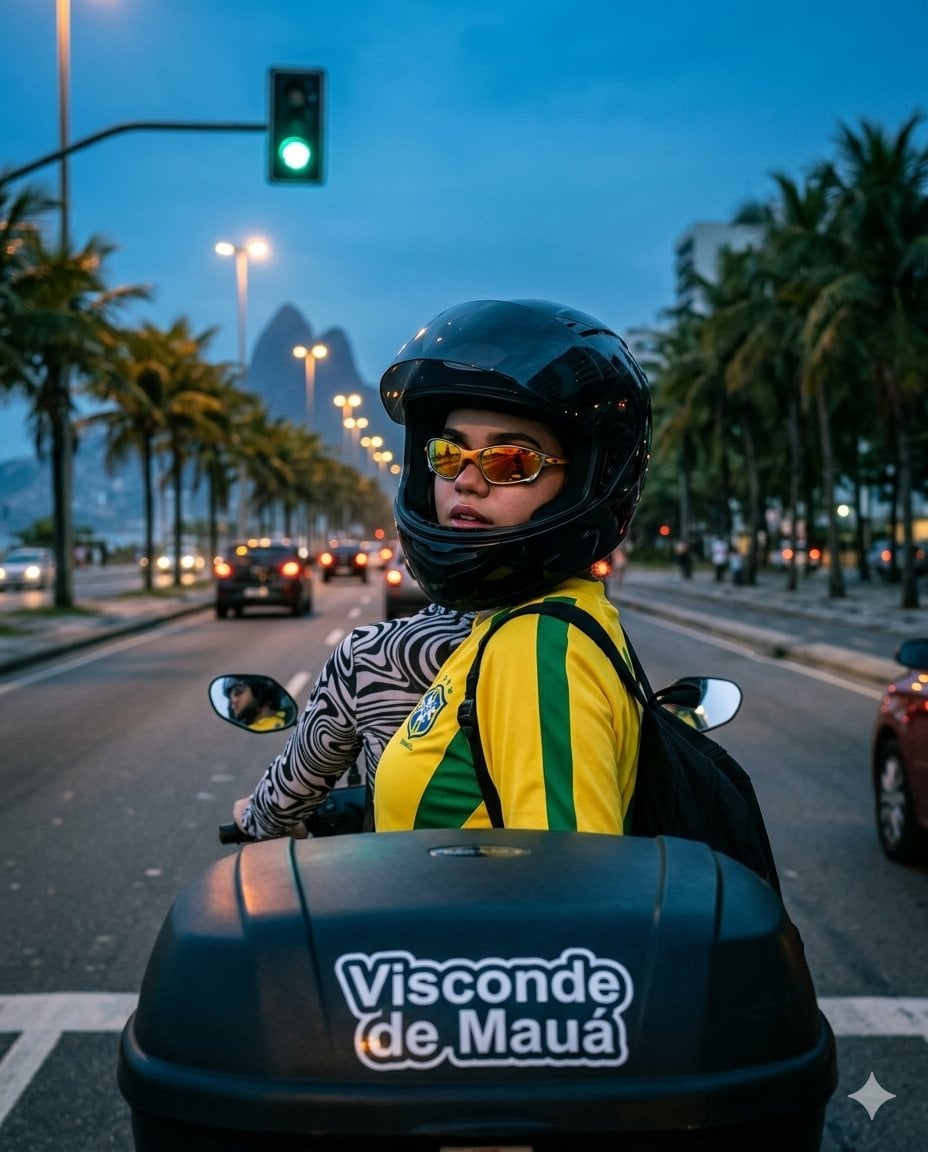
Hyperrealistic vertical photograph in 4:5 aspect ratio. Avenida Vieira Souto in Ipanema ({argument name="city" default="Rio de Janeiro"}) during blue hour. Behind-the-shoulder view from the pillion seat of a moped — a black hard motorcycle case with a white “Visconde de Mauá” sticker dominates the foreground. The girl has turned her head over her right shoulder, looking back. On the horizon, the two monumental Dois Irmãos mountains stand in atmospheric haze. A green traffic light hangs above the road on the left, with palm trees lining the avenue. Clothing: Black glossy full-face motorcycle helmet with the visor raised, vintage yellow {argument name="team jersey" default="Brasil CBF 2002"} football jersey with green side panels and crest (fitted on her figure), long black-and-white swirl-pattern baselayer underneath, black backpack straps crossing her back, sports sunglasses with amber-orange mirrored lenses. Lighting: Magical blue hour with mixed lighting. Dominant cold cobalt ambient light from above. Green practical light from the traffic signal softly illuminates her left cheek and helmet. Warm amber glow from car taillights and streetlights ahead. Dirty blue-green-amber cinematic color grade. Technical: Shot on {argument name="camera" default="Sony A7R V"} with 35mm f/1.4 lens, behind-the-shoulder perspective, foreground exaggerated by perspective distortion, slight motion blur on distant cars, razor-sharp 8K detail on near objects. No plasticity, no CGI, no AI artifacts.
Choose the primary action to open PicX Studio with the available template settings. Review the model and format, personalize the creative direction, and generate when ready.
Yes. You can change the subject, setting, lighting, mood, format, and available model controls before creating your image.
This template is free to open and customize. Generation usage is shown in PicX Studio before you create.
Start with Nano Banana 2, which is the model associated with this template. You can compare another compatible model for a different finish.
Follow a topic to a crawlable collection of related PicX Studio templates.