How do I use the Studio Portrait of Woman in Lace Dress template?
Choose the primary action to open PicX Studio with the available template settings. Review the model and format, personalize the creative direction, and generate when ready.
A studio portrait prompt for a woman with red hair in a white lace dress, emphasizing texture and professional lighting.
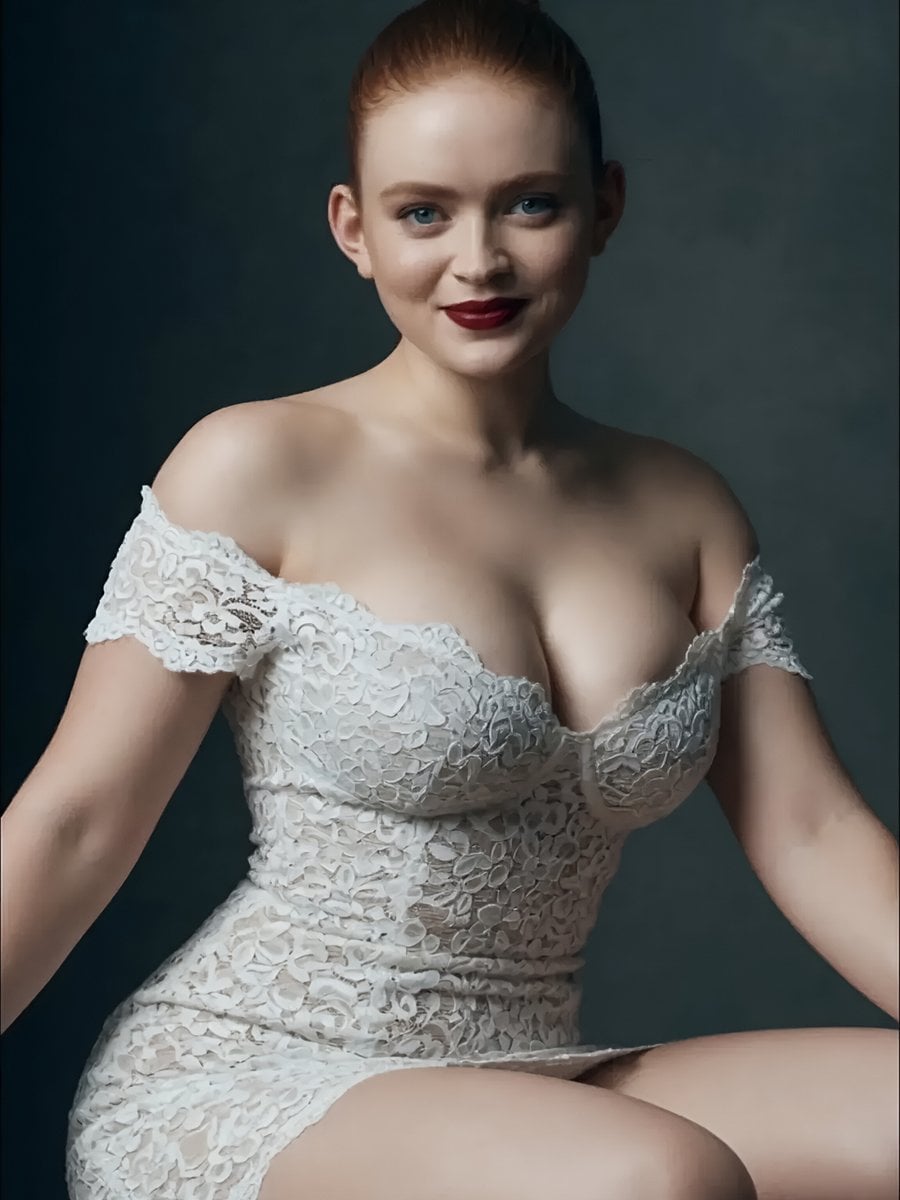
A highly detailed studio portrait of a beautiful {argument name="subject" default="young woman with fair skin, striking bright blue eyes, and vibrant red hair styled in a sleek high bun"}. She has a gentle, confident smile with {argument name="makeup" default="dark red lipstick"}, and is wearing an elegant {argument name="outfit" default="off-the-shoulder white lace dress featuring intricate floral patterns and delicate scalloped edges"} along the neckline and short sleeves. The form-fitting lace dress has a sweetheart neckline and sits just above the knees. She is seated gracefully with her arms resting on her sides, looking directly at the viewer with a warm expression. The lighting is soft and professional, highlighting her features and the texture of the lace against a smooth, {argument name="background" default="dark gradient studio background"} in a cinematic, high-resolution photography style.
Choose the primary action to open PicX Studio with the available template settings. Review the model and format, personalize the creative direction, and generate when ready.
Yes. You can change the subject, setting, lighting, mood, format, and available model controls before creating your image.
This template is free to open and customize. Generation usage is shown in PicX Studio before you create.
Start with Nano Banana 2, which is the model associated with this template. You can compare another compatible model for a different finish.
Follow a topic to a crawlable collection of related PicX Studio templates.