How do I use the Surreal Cosmetic Ballroom Advertisement template?
Choose the primary action to open PicX Studio with the available template settings. Review the model and format, personalize the creative direction, and generate when ready.
A luxurious surreal advertisement prompt for cosmetics, featuring a giant lipstick in a regal diamond-encrusted ballroom setting.
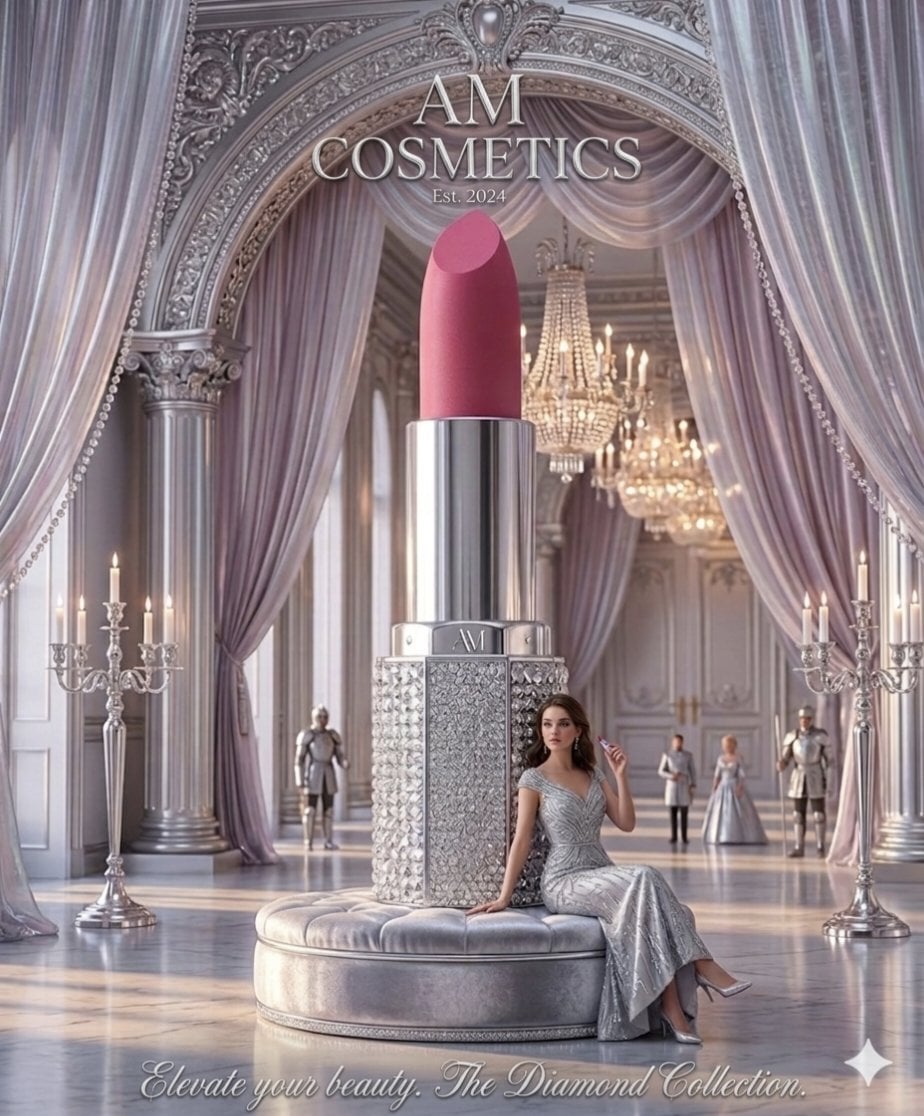
An elegant, high-end advertisement for "{argument name="brand name" default="AM Cosmetics"}" showcases a colossal, {argument name="lipstick color" default="rose-pink"} lipstick as the centerpiece of a palatial, silver-toned ballroom. The lipstick tube is encrusted with brilliant, shimmering diamonds on its base and sits atop a plush, circular velvet ottoman. A woman in a sparkling, floor-length silver evening gown leans gracefully against the oversized cosmetic, holding a standard-sized version of the same lipstick. The background exudes regal opulence, featuring towering marble arches, draped {argument name="curtain color" default="lilac"} silk curtains, and massive crystal chandeliers that bathe the room in a soft, ethereal light. In the distance, several figures in formal attire and suits of armor stand as silent guardians of the hall, adding to the theme of royal sophistication. The text at the top reads "AM COSMETICS Est. 2024," while the bottom features the elegant script: "Elevate your beauty. The Diamond Collection." The overall atmosphere is one of surreal luxury and timeless glamour.
Choose the primary action to open PicX Studio with the available template settings. Review the model and format, personalize the creative direction, and generate when ready.
Yes. You can change the subject, setting, lighting, mood, format, and available model controls before creating your image.
This template is free to open and customize. Generation usage is shown in PicX Studio before you create.
Start with Nano Banana 2, which is the model associated with this template. You can compare another compatible model for a different finish.
Follow a topic to a crawlable collection of related PicX Studio templates.