How do I use the Cozy Bedroom Nap With Cat template?
Choose the primary action to open PicX Studio with the available template settings. Review the model and format, personalize the creative direction, and generate when ready.
A realistic warm bedroom scene showing an adult sleeping beside an orange tabby cat, useful for cozy lifestyle or pet companionship imagery.
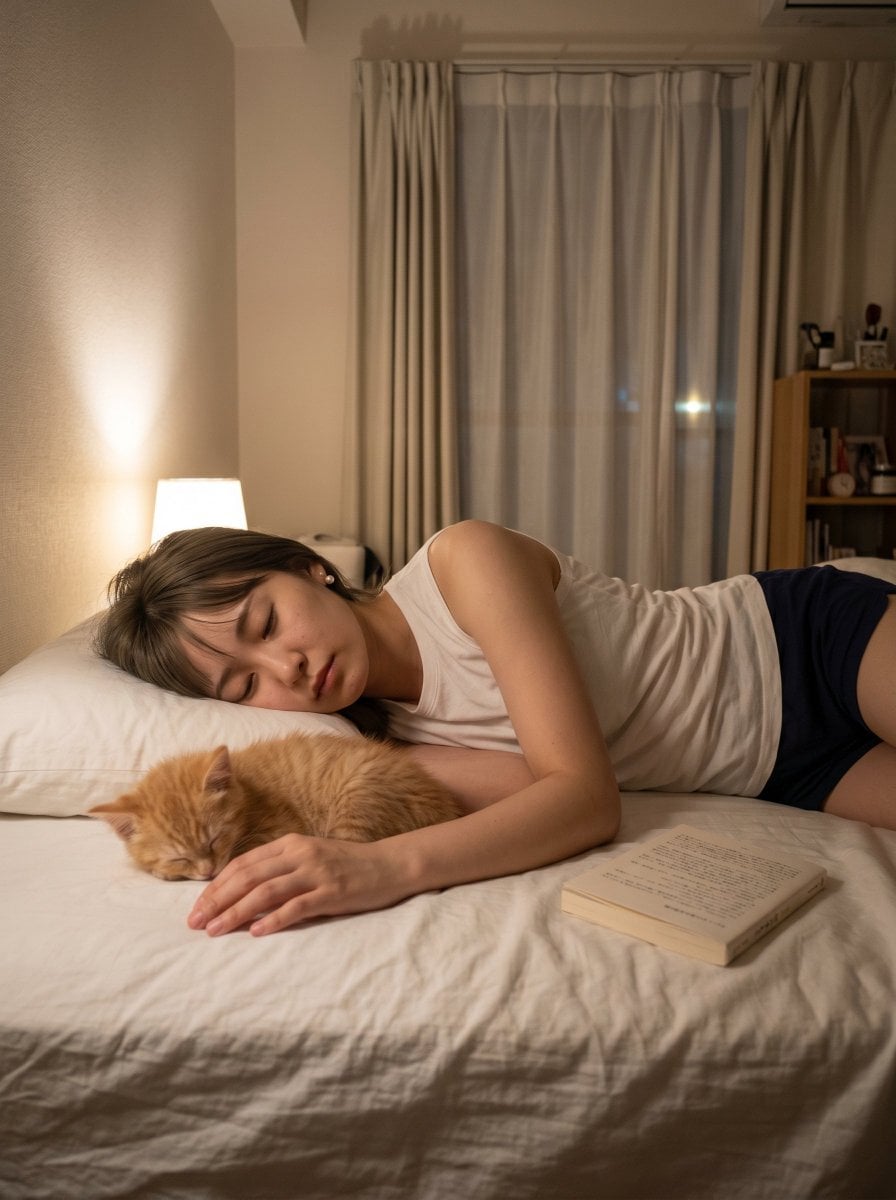
Create a warm, realistic nighttime lifestyle photo in a small apartment bedroom: an adult person with {argument name="hair color" default="medium brown"} hair lies asleep on their side on a white bed, face intentionally covered by a solid square privacy censor block, wearing a {argument name="top clothing" default="white sleeveless tank top"} and {argument name="bottom clothing" default="dark navy shorts"}. In the foreground beside their arm, an orange tabby cat named {argument name="cat name" default="Kinako"} sleeps curled on the bed, its head resting near the person’s relaxed hand. Add one paperback book lying face-up near the person’s hip on the wrinkled white bedding. The room should feel cozy and quiet after a long day, lit by one warm bedside lamp on the left. Background details: beige textured wall, white pillow, tall window with sheer curtains and heavier beige drapes, a small bookshelf on the right with books and small objects, and a wall-mounted air conditioner near the ceiling. Use portrait orientation, natural smartphone-photo framing, soft shadows, warm indoor color temperature, realistic fabric wrinkles, shallow but believable depth of field, no visible text overlays, no watermark.
Choose the primary action to open PicX Studio with the available template settings. Review the model and format, personalize the creative direction, and generate when ready.
Yes. You can change the subject, setting, lighting, mood, format, and available model controls before creating your image.
This template is free to open and customize. Generation usage is shown in PicX Studio before you create.
Start with GPT Image 2, which is the model associated with this template. You can compare another compatible model for a different finish.
Follow a topic to a crawlable collection of related PicX Studio templates.