How do I use the Crimson Tech-wear Aesthetic Portrait template?
Choose the primary action to open PicX Studio with the available template settings. Review the model and format, personalize the creative direction, and generate when ready.
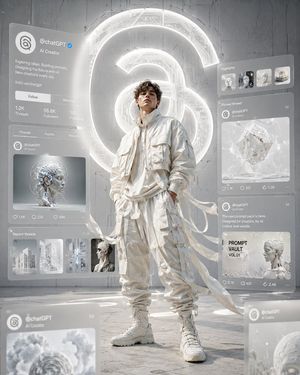
A high-energy, cinematic digital art piece featuring a stylish male model in red streetwear, surrounded by futuristic UI elements and a glowing X logo.

A cinematic, high-energy digital art piece in a {argument name="color palette" default="monochromatic crimson red color palette"}. Centered is a {argument name="subject" default="young male model"} with a sharp, intense expression, wearing a stylish, oversized red streetwear outfit including a cropped jacket and cargo pants with long, flowing fabric ribbons caught in motion. He is surrounded by multiple floating, translucent UI screens displaying the interface of an X (formerly Twitter) profile. The screens feature the handle "{argument name="handle" default="@OzairAI"}," a verified blue checkmark, profile bio text about AI influencing, and a feed of posts showing "PROMPT" art thumbnails. In the background, a large neon glowing X logo sits on a wall with dark, metallic circuit-board textures. The ground is a red industrial metal grate. The lighting is dramatic, with high contrast, glowing red neon accents, and a shallow depth of field with blurred UI elements in the foreground. High-resolution, 8k, futuristic tech-wear aesthetic.
Choose the primary action to open PicX Studio with the available template settings. Review the model and format, personalize the creative direction, and generate when ready.
Yes. You can change the subject, setting, lighting, mood, format, and available model controls before creating your image.
This template is free to open and customize. Generation usage is shown in PicX Studio before you create.
Start with Nano Banana 2, which is the model associated with this template. You can compare another compatible model for a different finish.
Follow a topic to a crawlable collection of related PicX Studio templates.