How do I use the Cinematic Side-Profile Beach Transformation template?
Edit the prompt in the box under the preview — the template's model and format are already selected — and press Generate. Your version appears right on this page.
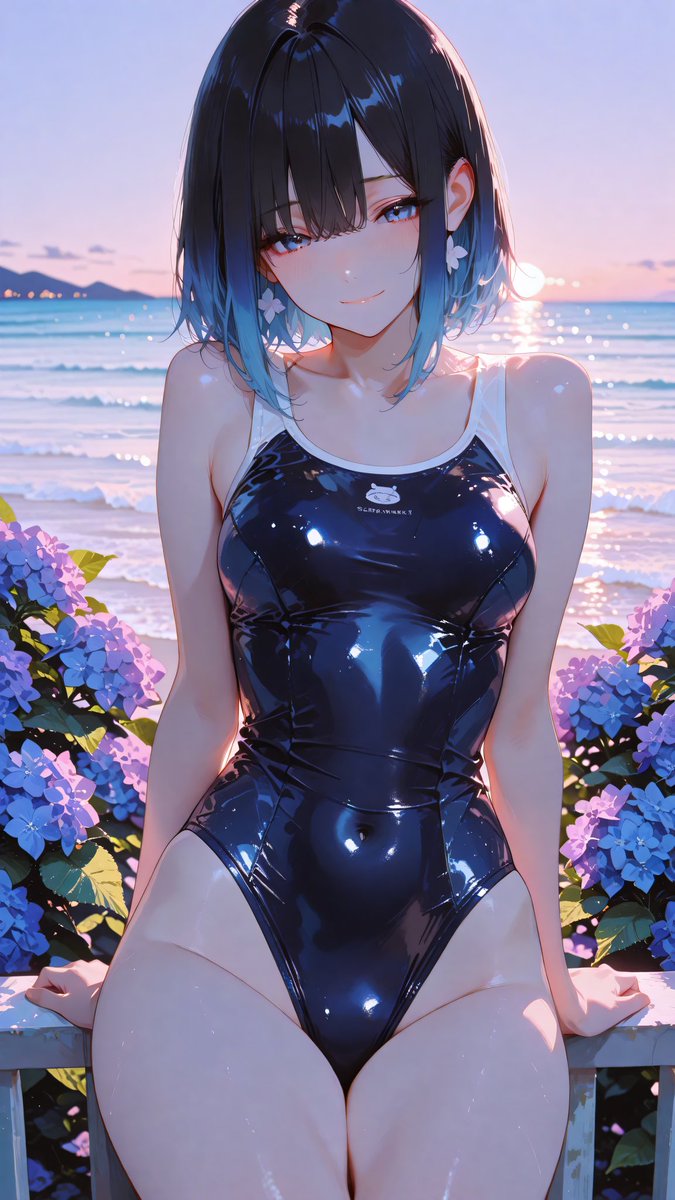
Transforms a reference beach anime character into a closer side-profile sunset scene with hydrangea foreground bokeh and preserved core styling.

This template uses your photo — add one with the + button.
Using the provided reference image as the character and setting base, regenerate it as a new cinematic anime illustration from a closer side-profile angle. Keep the same character identity, glossy black one-piece swimsuit, short dark hair with blue tips, flower earring, seaside sunset lighting, hydrangeas, and the opaque privacy square covering the face. Change the composition so the subject is turned in a left-side three-quarter profile, upper body closer to camera, looking downward/right with wet hair falling forward, creating a more intimate candid moment. Add strong shallow depth of field with exactly 2 prominent blurred hydrangea foreground masses: one large dark purple/blue cluster on the left edge and one soft purple cluster across the lower foreground. Keep the ocean and pink-blue dusk sky in the background, with glowing rim light and reflective highlights on skin and swimsuit. Use a vertical smartphone crop, painterly high-detail anime style, soft bokeh, dreamy summer atmosphere, no added text or watermark.
Using the provided reference image as the character and setting base, regenerate it as a new cinematic anime illustration from a closer side-profile angle. Keep the same character identity, glossy black one-piece swimsuit, short dark hair with blue tips, flower earring, seaside sunset lighting, hydrangeas, and the opaque privacy square covering the face. Change the composition so the subject is turned in a left-side three-quarter profile, upper body closer to camera, looking downward/right with wet hair falling forward, creating a more intimate candid moment. Add strong shallow depth of field with exactly 2 prominent blurred hydrangea foreground masses: one large dark purple/blue cluster on the left edge and one soft purple cluster across the lower foreground. Keep the ocean and pink-blue dusk sky in the background, with glowing rim light and reflective highlights on skin and swimsuit. Use a vertical smartphone crop, painterly high-detail anime style, soft bokeh, dreamy summer atmosphere, no added text or watermark.
Cinematic Side-Profile Beach Transformation needs input media to work. Open it in the studio and these load alongside the prompt — pick whichever ones your chosen model can take.
Edit the prompt in the box under the preview — the template's model and format are already selected — and press Generate. Your version appears right on this page.
Yes. You can change the subject, setting, lighting, mood, format, and available model controls before creating your image.
Opening and editing this template is free. Generating uses credits, shown on the Generate button when you are signed in.
Start with GPT Image 2, which is the model associated with this template. You can compare another compatible model for a different finish.
Follow a topic to a crawlable collection of related PicX Studio templates.