How do I use the 1970s Vintage Cafe Fashion Portrait template?
Edit the prompt in the box under the preview — the template's model and format are already selected — and press Generate. Your version appears right on this page.
Curated from MeiGen gallery (ID: 2008537400083939763) by Abhishek Singh.

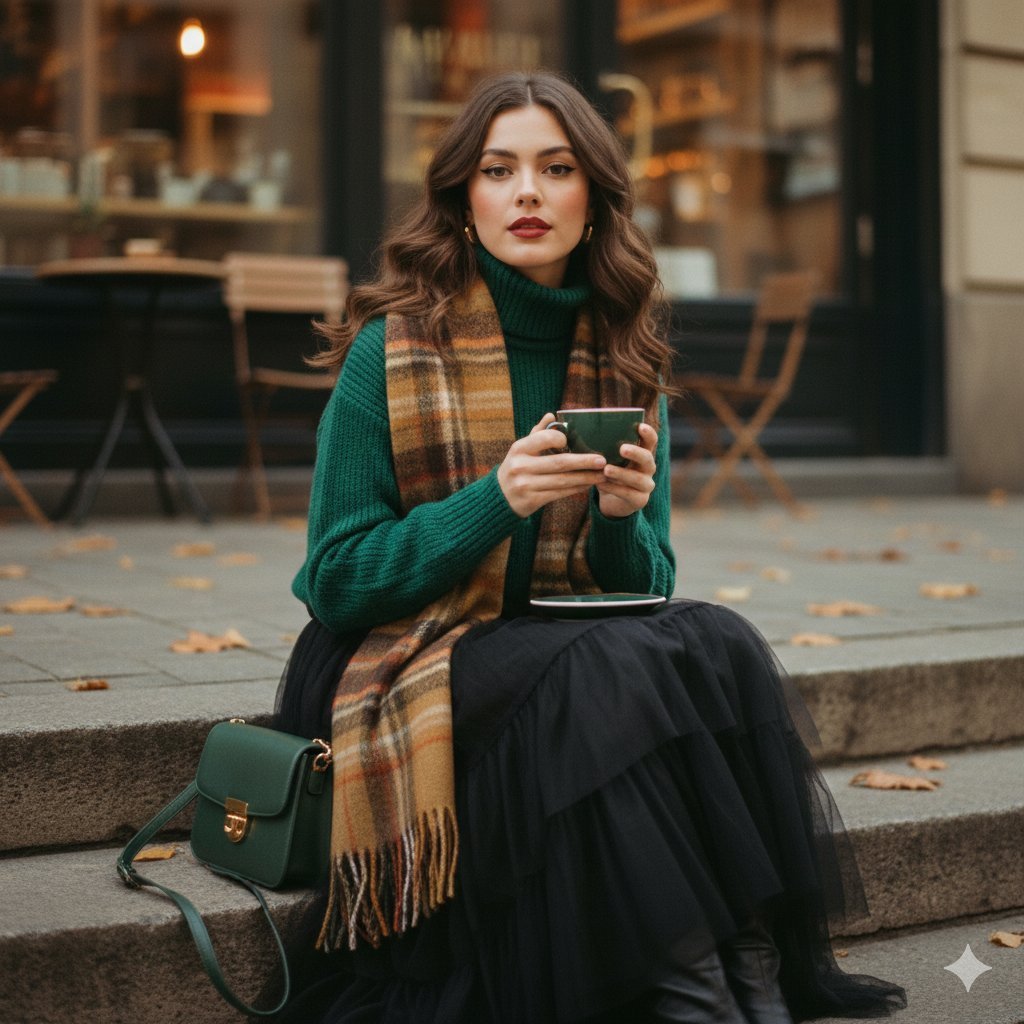
Aesthetic 1970s-inspired fashion portrait of a stylish young woman sitting on outdoor cafe steps, holding a premium ornate green coffee cup with gold rim detailing, gazing softly at the camera. Her hair is styled in soft loose strands framing her face with vintage makeup, matte red lips, and subtle eyeliner. She is wearing a cozy forest green premium knit sweater paired with a long flowing black tutu skirt. A warm vintage plaid scarf in earthy brown, burnt orange, and muted red tones is wrapped loosely around her neck. A premium dark green leather crossbody bag with a gold filigree clasp and chain strap is placed beside her. Autumn street café setting with scattered fallen leaves and warm amber café lights glowing behind glass windows. 1970s film tone, warm grainy texture, muted earthy color palette, cinematic atmosphere, shallow depth of field, soft natural lighting, analog film look, fashion editorial photography, ultra-realistic, high detail, 85mm lens, f/1.8, vintage aesthetic, dreamy mood.
Aesthetic 1970s-inspired fashion portrait of a stylish young woman sitting on outdoor cafe steps, holding a premium ornate green coffee cup with gold rim detailing, gazing softly at the camera. Her hair is styled in soft loose strands framing her face with vintage makeup, matte red lips, and subtle eyeliner. She is wearing a cozy forest green premium knit sweater paired with a long flowing black tutu skirt. A warm vintage plaid scarf in earthy brown, burnt orange, and muted red tones is wrapped loosely around her neck. A premium dark green leather crossbody bag with a gold filigree clasp and chain strap is placed beside her. Autumn street café setting with scattered fallen leaves and warm amber café lights glowing behind glass windows. 1970s film tone, warm grainy texture, muted earthy color palette, cinematic atmosphere, shallow depth of field, soft natural lighting, analog film look, fashion editorial photography, ultra-realistic, high detail, 85mm lens, f/1.8, vintage aesthetic, dreamy mood.
Edit the prompt in the box under the preview — the template's model and format are already selected — and press Generate. Your version appears right on this page.
Yes. You can change the subject, setting, lighting, mood, format, and available model controls before creating your image.
Opening and editing this template is free. Generating uses credits, shown on the Generate button when you are signed in.
Choose a compatible model in PicX Studio based on the style, speed, and output controls your project needs.
Prompt stories that include this template.
Follow a topic to a crawlable collection of related PicX Studio templates.