
Cinematic Pizza Storefront Commercial
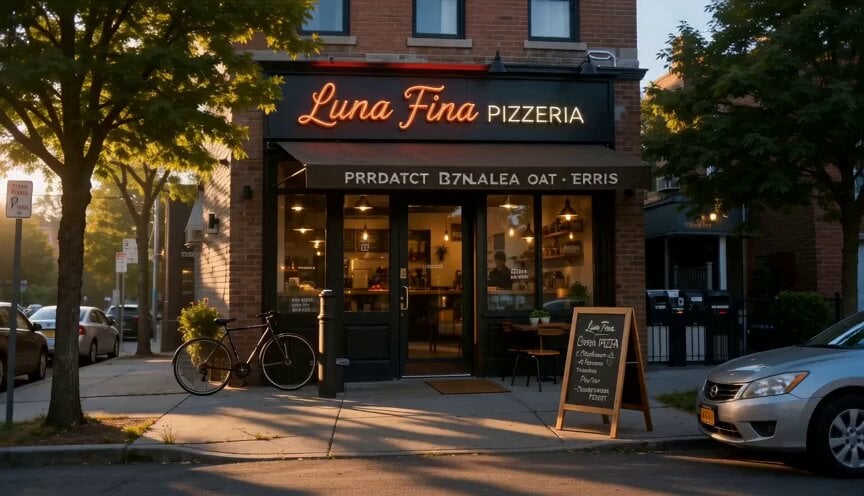
An ultra-realistic food commercial prompt that follows the journey of a pizza from storefront opening to baking in a stone oven.
- Prompt included
- Model and format preset
- Free template
The prompt behind this video
Copy the exact prompt behind Cinematic Pizza Storefront Commercial, or open it in the studio and make it yours.
A warm, energetic 15-second ultra-realistic food commercial opens wide on a sunlit neighborhood pizza storefront with glowing signage as a young entrepreneur-chef in a black tee and tan apron unlocks the door and steps into the morning light, a gentle dolly in catching the first excited smile; cut to a tight overhead macro glide across a wooden prep table loaded with fresh mozzarella, tomatoes, basil, mushrooms, pepperoni, onions, and colorful vegetables as clean hands wash and organize the ingredients; cut to a medium anamorphic arc around the dough station as the chef kneads and stretches the dough with growing confidence, flour lifting through warm amber light against stainless counters and the stone oven beyond; cut tighter with a low close-up dolly toward the oven mouth as the pizza slides into orange flame, cheese bubbling and crust turning golden in intense heat; finish with a rising wide reveal from the active counter and branded pizza box handoff to a busy thriving shop, customers gathering, staff moving fast, and the storefront glowing with success in warm amber, tomato red, and basil green commercial polish.
How to use Cinematic Pizza Storefront Commercial in 3 steps
- 1
Open
The prompt is already in the box next to the preview, with the template's model and format selected.
- 2…a portrait of your subject in softgolden-hour light, 85mm…
Personalize
Edit the subject and creative details for your destination.
- 3Generate
Generate
Press Generate — your video is created in PicX Studio, so you can compare it with the original and refine one variable at a time.
More like this
Templates with the same subject, style or setup. Open one to see its prompt.

Fruit Cookie Commercial

Silk Road Pomegranate Folk Animation

Mechanical Flower Bloom Brand Film
Crystal Ball Match-Cut Brand Film

Sneaker Product Commercial

Skincare Product Commercial 3

Cinematic Portrait Study 3
Product UGC Commercial
Cinematic Portrait Study
Skincare Product Commercial
Luxury Handbag Commercial — Hollywood VFX Ad
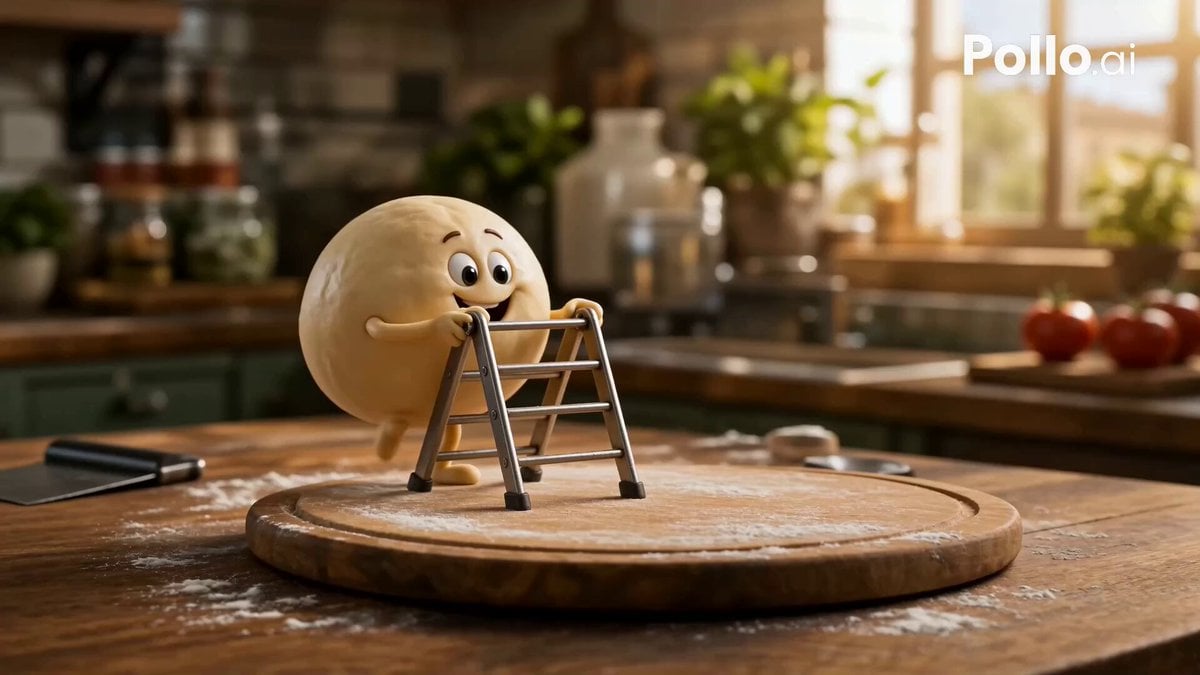
Anthropomorphic Italian Food Pizza Commercial
Make it yours
Cinematic Pizza Storefront Commercial works as-is. These are the safest ways to change it without losing the look.
Change one field
Copy a single group, rewrite it, and generate again so you can see what that field is doing.
Keep the frame, change the subject
Hold the composition and light of Cinematic Pizza Storefront Commercial, then swap wardrobe, props or the person for a new take.
| If the result… | Why | Fix |
|---|---|---|
| The result drifts from the preview | Too many fields changed at once. | Reuse Cinematic Pizza Storefront Commercial as-is first, then change one group — subject, light, or setting. |
| The model over-stylizes the scene | The prose prompt leaves finish and camera underspecified. | Add one camera or lighting sentence and stay on Seedance 2.0. |
More Seedance 2.0 templates
Other prompts made for Seedance 2.0.

Comical Martial Arts Punch Scene

Maglev Train Action Sequence

Martial Arts Fight Sequence

Wuxia Protection and Trust Script

Vintage Korean Arcade MiniDV Vlog

Mercedes 190 SL Luxury Ad

Rainy Night Supernatural Reverse Comedy Video Script

Amazon Civilization Discovery

Futuristic South Asian City Transformation

Cozy Luxury Cafe Commercial
More video prompts
Fresh picks from across the catalog.
Sci-Fi Blockbuster Invasion Cinematic Prompt

Volcanic Canyon Titan Awakening
Tokyo Urban Ink Splash Montage

Ball of light transforming into Jesus Christ
Surreal Scavenger Yacht Scene
Underground Temple Escape — Seedance 2.0
Tokyo Tsunami Disaster Scene
1965 Retro Living Room Scene
Dark Fantasy Female Image Video Prompt

Character Fall Sequence - Segment 1
Browse template categories
Cinematic Pizza Storefront Commercial questions
How do I use the Cinematic Pizza Storefront Commercial template?
Add your photo if the template asks for one, edit the prompt if you like — the template's model and format are already selected — and press Generate. Your version opens in PicX Studio.
Can I customize the Cinematic Pizza Storefront Commercial template?
Yes. You can change the subject, setting, lighting, mood, format, and available model controls before creating your video.
Is the Cinematic Pizza Storefront Commercial template free?
Opening and editing this template is free. Generating uses credits, shown on the Generate button when you are signed in.
Which AI model should I use?
Start with Seedance 2.0, which is the model associated with this template. You can compare another compatible model for a different finish.
Looking for something else? Browse all templates.

Your photo, any look
Thousands of ready templates for every top image and video model, from one credit balance.