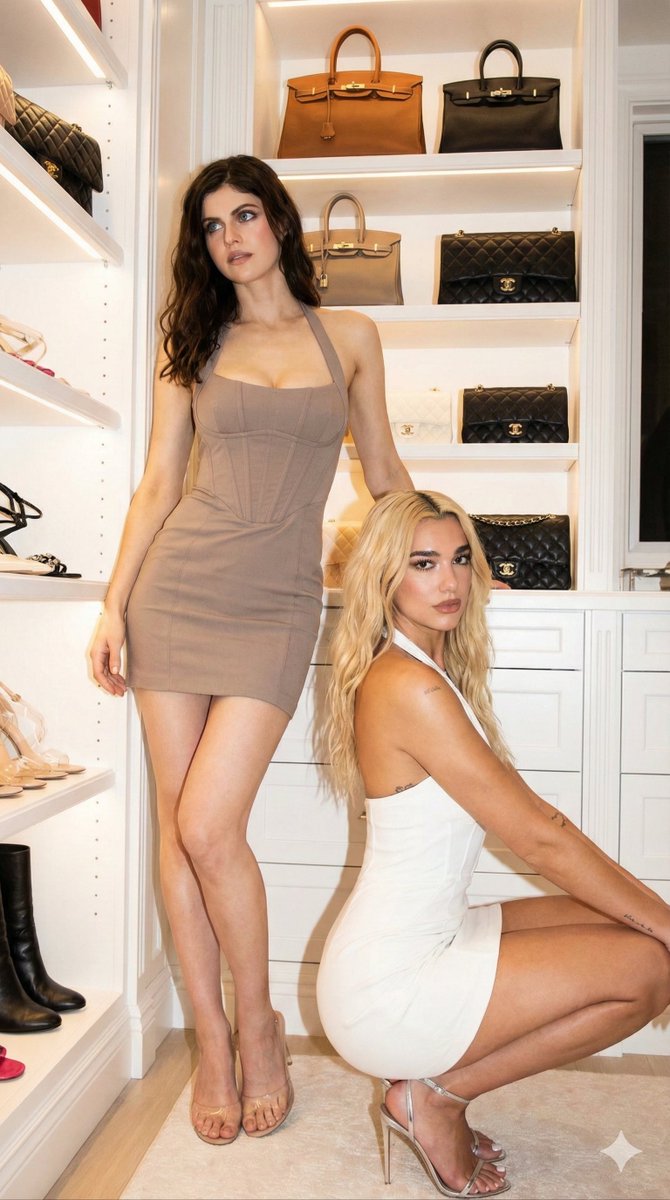
How do I use the Luxury Walk-in Closet Editorial (Two Subjects) template?
Choose the primary action to open PicX Studio with the available template settings. Review the model and format, personalize the creative direction, and generate when ready.
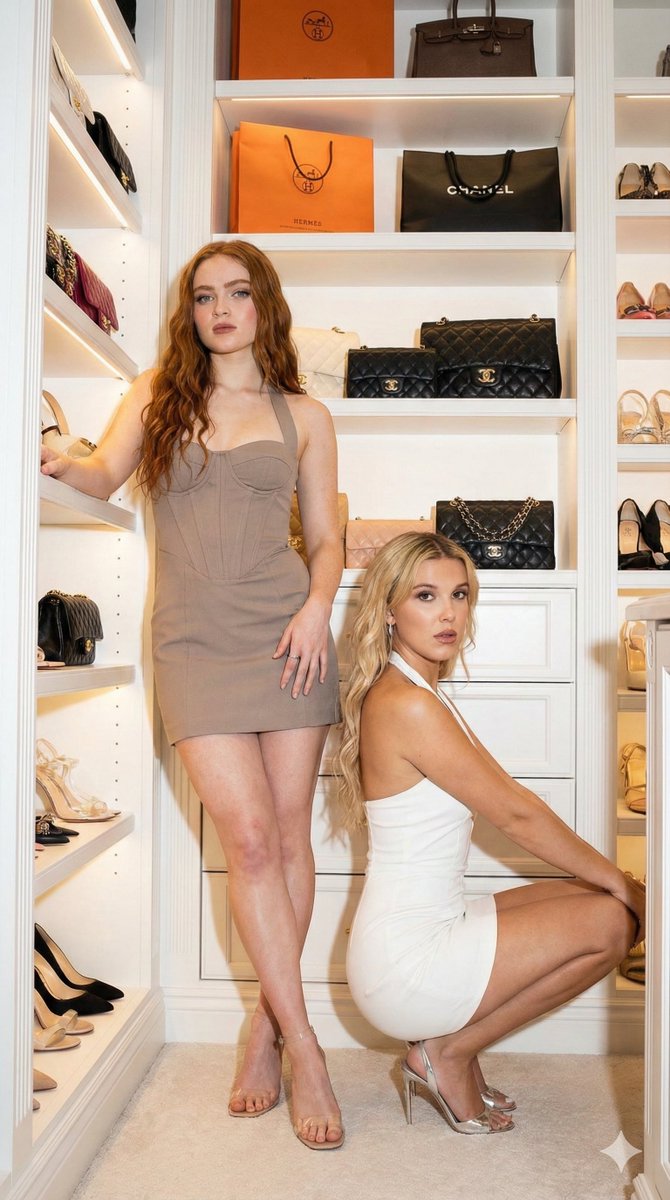
A highly structured JSON prompt for Gemini Nano Banana Pro to generate an ultra-photorealistic editorial image of two female subjects (Sadie Sink/Millie Bobby Brown and Alexandra Diadarro/Dua Lipa style) in matching corset-style mini dresses, posing in a luxury walk-in closet with direct flash photography and high contrast. (free to use) — Free AI image template on PicX Studio.
{ "prompt_details": { "subjects": [ { "id": "subject_standing", "appearance": { "gender": "Female", "skin_tone": "Fair", "hair": "Long, dark brown, loose waves, center part", "makeup": "Full glam, heavy contour, nude lip, defined brows" }, "pose": "Standing, leaning back against shelving, weight on left leg, right leg bent at knee (flamingo pose), left hand touching hair, right arm resting on shelf, looking away from camera", "outfit": { "garment": "Taupe/beige halter neck mini dress, deep plunging neckline, corset-style laced bodice, fitted skirt, draped fabric train in back", "shoes": "Clear/Silver strappy high heels", "accessories": "Large gold drop earrings, thin necklace, stacked diamond bracelets" } }, { "id": "subject_crouching", "appearance": { "gender": "Female", "skin_tone": "Light", "hair": "Long, blonde, voluminous waves, center part", "makeup": "Full glam, smokey eye, glossy lip" }, "pose": "Crouching/squatting low in profile, head turned to look directly at camera, hand resting near chin", "outfit": { "garment": "White halter neck mini dress, matching style to standing subject, corset-style laced detailing, fitted silhouette", "shoes": "Silver metallic high heel sandals", "accessories": "Diamond bracelet on wrist" } } ], "environment": { "location": "Luxury walk-in closet", "architecture": "White built-in shelving units, minimalistic design", "props": [ "Various luxury handbags displayed on shelves (Hermes Birkin/Kelly styles in pink, green, white, black)", "Designer clutch bags", "Gold high heel shoes visible on lower shelf" ], "flooring": "Beige textured carpet" }, "lighting": { "style": "Direct flash photography", "quality": "Hard lighting, high contrast, distinct shadows cast on white walls behind subjects", "atmosphere": "Night out, party prep, exclusive, influencer aesthetic" }, "camera_settings": { "viewpoint": "Eye-level", "shot_type": "Full body / Medium-wide shot", "style": "Editorial candid", "resolution": "8k", "realism": "Ultra-photorealistic, high fidelity textures (skin pores, fabric weave, leather grain)" } } }
Use Luxury Walk-in Closet Editorial (Two Subjects) to plan an AI image around nano-banana-2 generation. Match the preview's composition first, then personalize the subject, setting, and mood for your own project.
Use the primary action to load the template settings in PicX Studio.
Adjust the subject and creative details for your destination.
Create the image, compare the result with the preview, and refine one variable at a time.
A continuous mix — similar concepts first, woven with same-model prompts and fresh picks from the catalog.
Choose the primary action to open PicX Studio with the available template settings. Review the model and format, personalize the creative direction, and generate when ready.
Yes. You can change the subject, setting, lighting, mood, format, and available model controls before creating your image.
This template is free to open and customize. Generation usage is shown in PicX Studio before you create.
Start with nano-banana-2, which is the model associated with this template. You can compare another compatible model for a different finish.
Follow a topic to a crawlable collection of related PicX Studio templates.
39,155 public templates available. Verified via the PicX Studio public templates API; refreshed hourly.
A continuous mix — similar concepts first, woven with same-model prompts and fresh picks from the catalog.