How do I use the Cyber-Noir Wet City Sidewalk Portrait Prompt template?
Choose the primary action to open PicX Studio with the available template settings. Review the model and format, personalize the creative direction, and generate when ready.
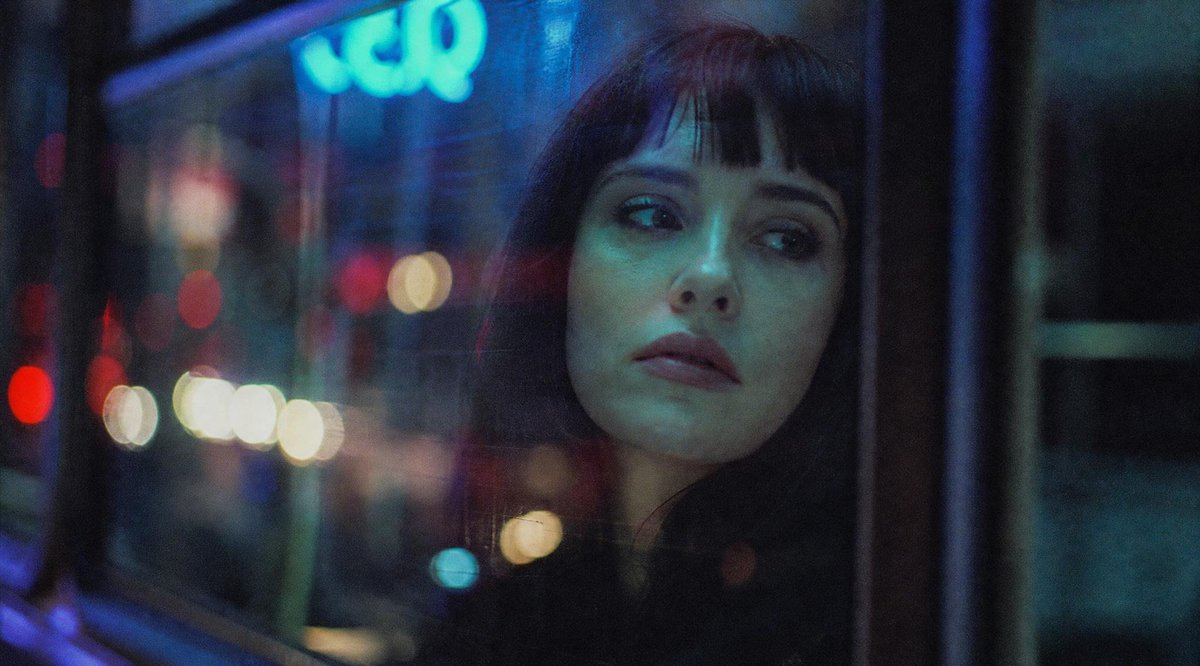
A detailed JSON prompt for generating an ultra-realistic, dark, and moody cyber-noir portrait of a young woman crouching on a wet city sidewalk at night. The prompt specifies dramatic lighting (rim light, reflective highlights), specific wardrobe (maroon patent leather jacket, fishnet tights, leopard-print heels), and a vintage film aesthetic with visible grain and cinematic color grading. (free to use) — Free AI image template on PicX Studio.
{ "reference_image": { "face_consistency": "use same face from reference image", "facial_features": "do not change facial features" }, "scene": { "setting": "wet city sidewalk at night", "atmosphere": "urban grit, dark moody cyber-noir", "background": [ "old stone building facade", "black metal pole", "yellow curb paint", "visible surveillance camera" ], "ground": "wet reflective pavement", "weather_effects": [ "volumetric fog", "thin cigarette smoke trail" ] }, "subject": { "gender": "female", "age": "young adult", "ethnicity": "western", "pose": "crouching low", "expression": "intense seductive gaze slightly downward" }, "wardrobe": { "outerwear": "glossy metallic {argument name="jacket color" default="maroon/red"} patent leather jacket with oversized shoulders", "legwear": "sheer fishnet tights with zigzag pattern", "footwear": "leopard-print heels" }, "accessories": { "jewelry": [ "multiple thin gold bangles stacked on both wrists", "large statement gold earrings" ], "prop": "cigarette dangling from lips" }, "makeup": { "eyes": "heavy dark smokey eye makeup with sharp winged liner", "lips": "deep red glossy lips" }, "lighting": { "style": "moody dramatic lighting", "effects": [ "rim light", "reflective highlights on jacket" ] }, "camera": { "lens": "35mm", "depth_of_field": "shallow", "film_style": "shot on 35mm film", "grain": "visible film grain" }, "rendering": { "realism": "ultra-realistic", "detail": "high detail skin texture", "resolution": "8k", "color_grading": "cinematic" } }
Use Cyber-Noir Wet City Sidewalk Portrait Prompt to plan an AI image around nano-banana-2 generation. Match the preview's composition first, then personalize the subject, setting, and mood for your own project.
Use the primary action to load the template settings in PicX Studio.
Adjust the subject and creative details for your destination.
Create the image, compare the result with the preview, and refine one variable at a time.
A continuous mix — similar concepts first, woven with same-model prompts and fresh picks from the catalog.
Choose the primary action to open PicX Studio with the available template settings. Review the model and format, personalize the creative direction, and generate when ready.
Yes. You can change the subject, setting, lighting, mood, format, and available model controls before creating your image.
This template is free to open and customize. Generation usage is shown in PicX Studio before you create.
Start with nano-banana-2, which is the model associated with this template. You can compare another compatible model for a different finish.
Follow a topic to a crawlable collection of related PicX Studio templates.
39,157 public templates available. Verified via the PicX Studio public templates API; refreshed hourly.
A continuous mix — similar concepts first, woven with same-model prompts and fresh picks from the catalog.