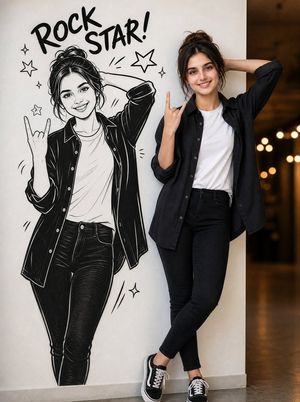
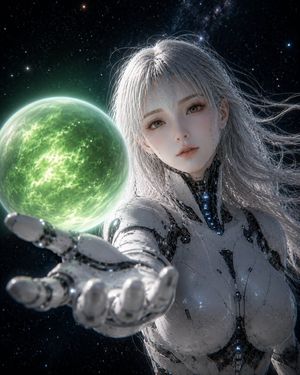
How do I use the Photoreal K-pop selfie on rooftop template?
Choose the primary action to open PicX Studio with the available template settings. Review the model and format, personalize the creative direction, and generate when ready.
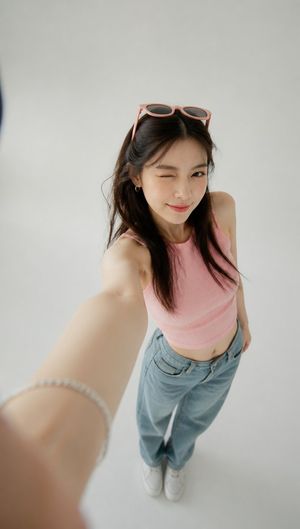
A very detailed JSON prompt for an 8K photoreal rooftop selfie of a K-pop idol named LUNA, including micro facial details, lighting, environment, and camera metadata. (free to use) — Free AI image template on PicX Studio.
{ "subject": { "identity": "K-pop girl-group lead vocalist, stage name: LUNA", "age": 21, "ethnicity": "Korean", "hair": { "style": "high ponytail, bubble-gum pink with 3 cm ash-rose root fade", "texture": "glass-shine, 2 mm fly-aways lit neon", "accessory": "heart-shaped rhinestone hair-tie, 5 mm stones catching flash" }, "makeup": { "skin": "luminous cushion-foundation, 0.1 mm pores visible on cheek", "eyes": "foiled rose-gold shadow to brow bone, 4 mm silver glitter under tear duct, false lashes 12 mm outer flare", "liner": "sharp 45° wing, 0.5 mm gap filled with white", "lips": "gradient cherry inside, blurred to petal outside, center gloss 1 mm thick", "blush": "cool pink swept high on cheekbone, reflecting phone flash" }, "pose": { "head": "tilted 15° right, chin down for V-line", "eyes": "looking up at phone lens, aegyo-sal highlight 2 mm", "mouth": "tiny heart-shaped pout, 3 mm gap between lips", "hand": { "device": "iPhone 15 Pro in glittery lilac case, lens ring 3 rhinestones missing", "grip": "three fingers behind, pinky extended, nails almond nude with micro-sequins", "angle": "camera held 30 cm above eye level, arm elongated" } }, "attire": { "top": "cropped pastel-lavender hoodie, raw hem, 1 cm sweat bead at collar", "neck": "layered silver chains, shortest choker 1 cm above collarbone", "earrings": "asymmetrical star and moon, 8 mm, swinging from head tilt" }, "lighting": { "key": "built-in phone flash, 6500 K, overexposed nose tip", "fill": "LED ring-light clipped to phone, 5600 K, circular catchlight in eyes", "background_bokeh": "city-night hexagonals 2 stops under" } }, "background": { "location": "Seoul rooftop café, 23rd floor, 21:17", "depth": "out-of-focus neon signs: purple "카페" & pink "OPEN", 3 cm blur", "sky": "clear indigo, 2% remaining sunset orange on horizon", "props": "frosted glass railing, fairy-light string 5 cm foreground, 1 bulb blown" }, "camera": { "mode": "portrait, 3× zoom, f/1.78, 1/120 s, ISO 250", "filter": "built-in "Bright" +10, skin smoothen off", "artifacts": "slight purple fringing on earring edge, keep" }, "output": "photoreal, 8 K, keep flash glare on cheek, retain vertical phone ratio 9:16, no watermark" }
Use Photoreal K-pop selfie on rooftop to plan an AI image around nano-banana-2 generation. Match the preview's composition first, then personalize the subject, setting, and mood for your own project.
Use the primary action to load the template settings in PicX Studio.
Adjust the subject and creative details for your destination.
Create the image, compare the result with the preview, and refine one variable at a time.
A continuous mix — similar concepts first, woven with same-model prompts and fresh picks from the catalog.
Choose the primary action to open PicX Studio with the available template settings. Review the model and format, personalize the creative direction, and generate when ready.
Yes. You can change the subject, setting, lighting, mood, format, and available model controls before creating your image.
This template is free to open and customize. Generation usage is shown in PicX Studio before you create.
Start with nano-banana-2, which is the model associated with this template. You can compare another compatible model for a different finish.
Follow a topic to a crawlable collection of related PicX Studio templates.
39,155 public templates available. Verified via the PicX Studio public templates API; refreshed hourly.
A continuous mix — similar concepts first, woven with same-model prompts and fresh picks from the catalog.