How do I use the Fashionable Grocery Store Egg Photo template?
Choose the primary action to open PicX Studio with the available template settings. Review the model and format, personalize the creative direction, and generate when ready.
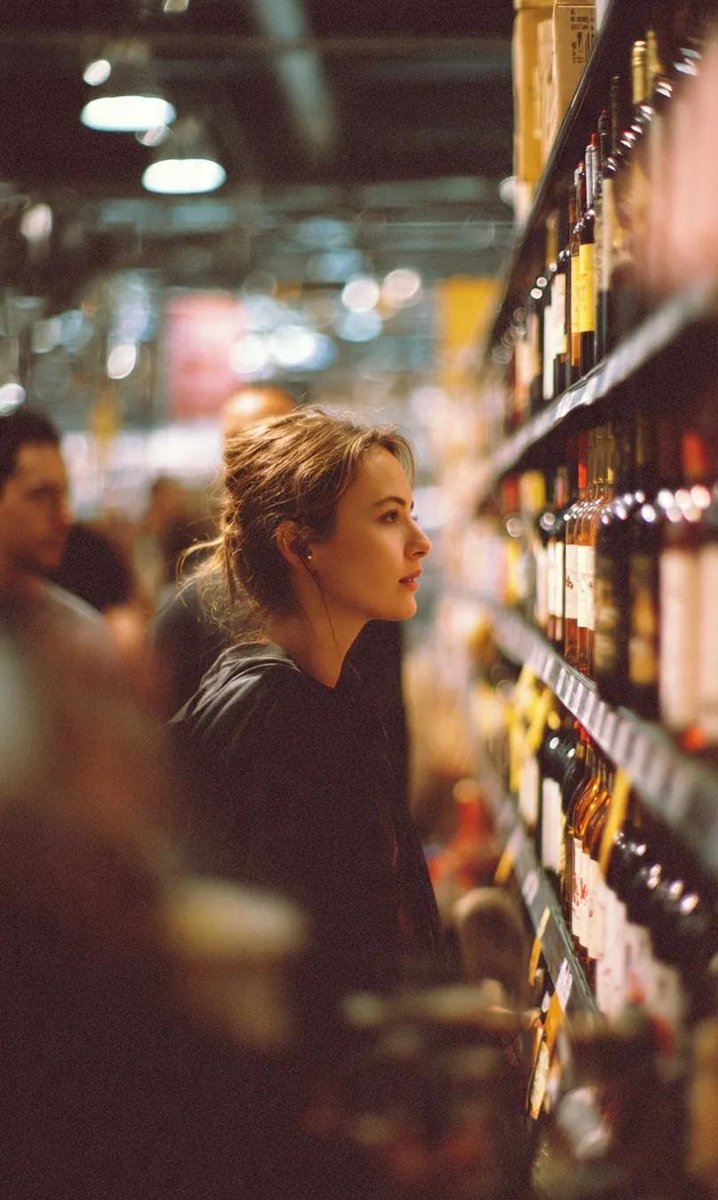
This prompt generates a realistic vertical lifestyle photo of a stylish woman in a grocery aisle holding an open carton of eggs, useful for social media, fashion-editorial, or candid commercial imagery. Change the subject, setting, or lighting one variable at a time.
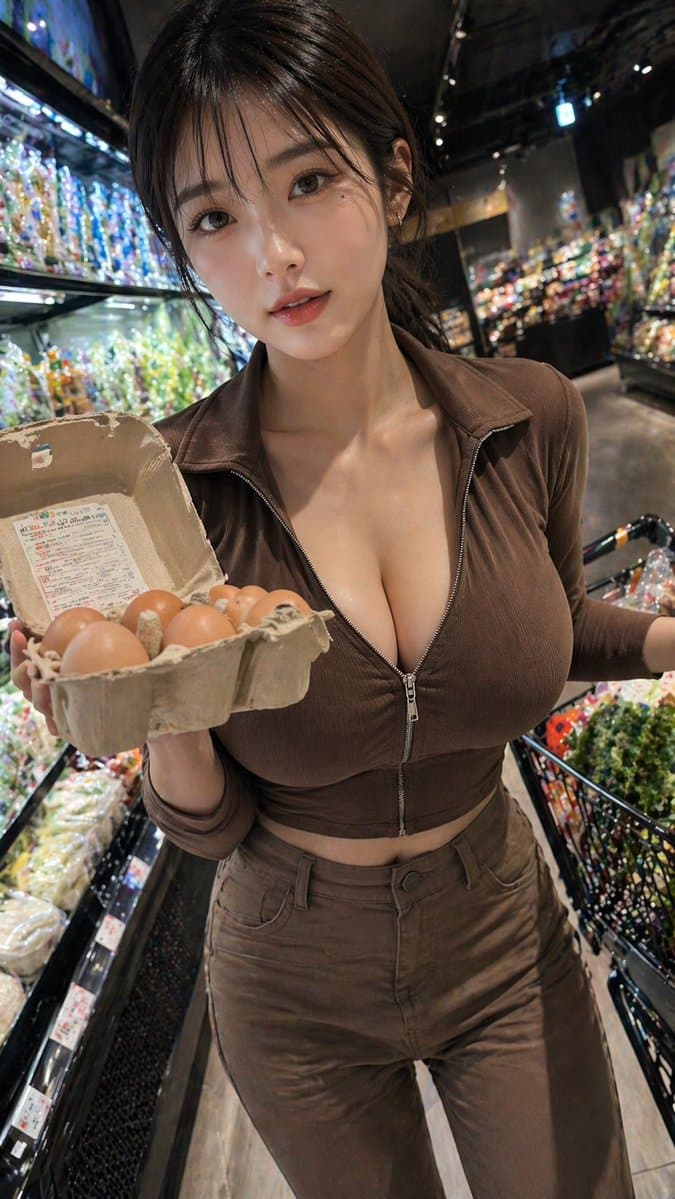
A realistic handheld smartphone photo of a {argument name="subject age" default="young adult woman"} shopping in a modern grocery store produce section at night, framed vertically from upper thighs to head in a close, slightly wide-angle perspective. She stands in the aisle beside brightly lit refrigerated shelves filled with packaged vegetables and colorful produce, with a black shopping basket cart visible on the right and glossy dark store interiors fading into soft bokeh in the background. She is holding an open cardboard egg carton toward the camera with exactly 6 visible brown eggs inside, creating a casual candid shopping moment. She has dark brown shoulder-length hair, a light warm skin tone, and is wearing a fitted monochrome brown outfit: a ribbed long-sleeve zip-front crop top with the zipper partially open at the chest, and matching high-waisted brown pants. The pose is confident and natural, torso angled slightly toward the camera, one arm presenting the egg carton and the other near the cart handle. Use dramatic supermarket lighting with bright highlights from the refrigerated cases, shallow depth of field, realistic skin texture, realistic fabric folds, subtle lens distortion from a phone camera, and high-detail commercial lifestyle photography. Keep the mood candid, fashionable, and urban, with the outfit color customizable as {argument name="outfit color" default="brown"}, the item in hand customizable as {argument name="held item" default="open carton of eggs"}, the store type customizable as {argument name="store setting" default="upscale grocery store produce aisle"}, and the camera style customizable as {argument name="camera style" default="handheld smartphone photo"}.
Choose the primary action to open PicX Studio with the available template settings. Review the model and format, personalize the creative direction, and generate when ready.
Yes. You can change the subject, setting, lighting, mood, format, and available model controls before creating your image.
This template is free to open and customize. Generation usage is shown in PicX Studio before you create.
Start with GPT Image 2, which is the model associated with this template. You can compare another compatible model for a different finish.
Follow a topic to a crawlable collection of related PicX Studio templates.
43,449 public templates available. Verified via the PicX Studio public templates API; refreshed hourly.











![Minimalist Flat Vector Travel Poster — Premium minimalist flat-vector travel poster for {argument name="city name" default="[CITY_NAME]"}, 3:4 vertical format.](https://cms-assets.youmind.com/media/1787917359711_3ug846_HQX205cbMAA6F6S-300x400.jpg)
























![Color Splash Food Advertisement — High-energy advertisement of {argument name="food item" default="[FOOD]"} with bold paint-like color splashes frozen mid-motio](https://pbs.twimg.com/media/G_bwSzcbYAA4J0w.jpg)