
Anime Baseball Rivalry Poster
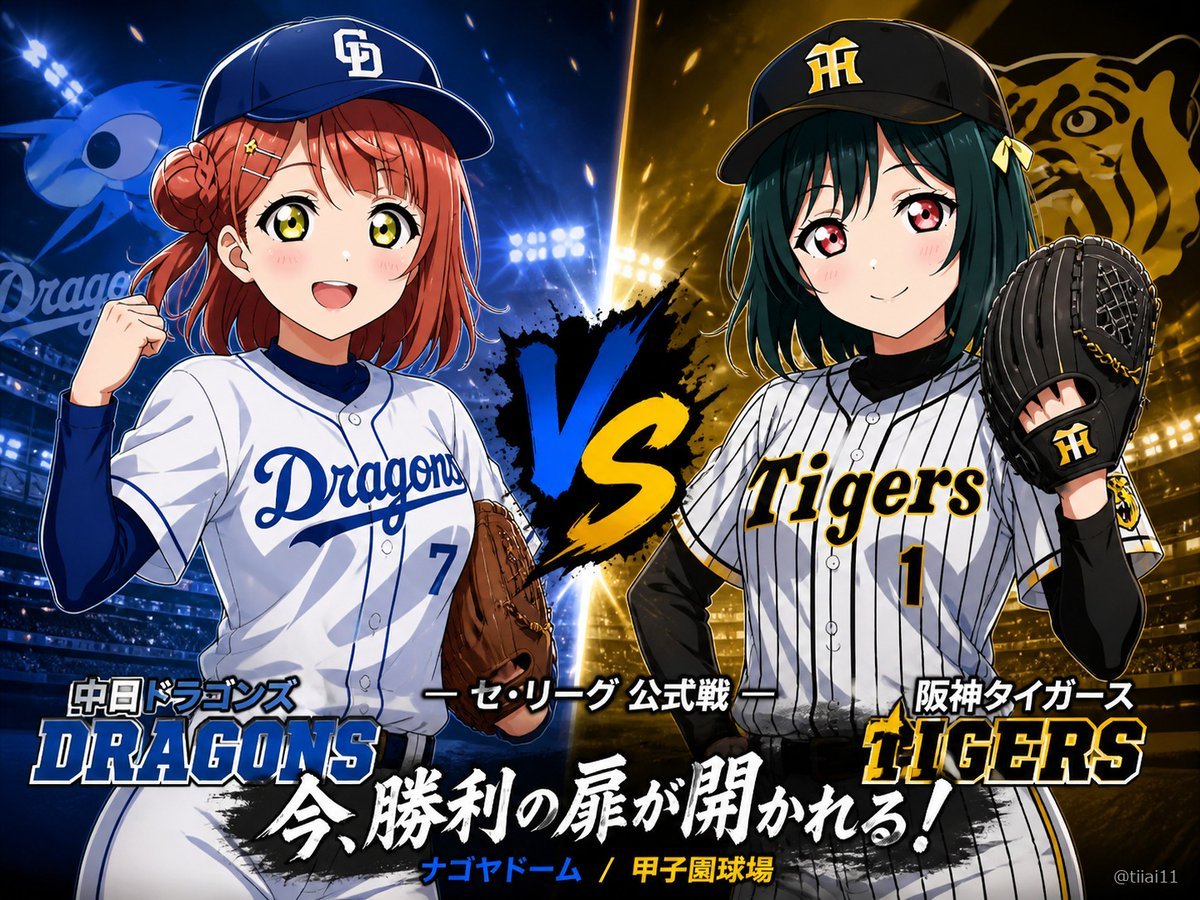
Generates a dramatic anime-style baseball matchup poster with two team-uniformed girls, split blue-and-gold stadium lighting, logos, and Japanese sports headline text.
- Prompt included
- Model and format preset
- Premium template
The prompt behind this image
Copy the exact prompt behind Anime Baseball Rivalry Poster, or open it in the studio and make it yours.
- Type
- dramatic anime baseball versus poster
- Composition
- A high-energy split-screen rivalry key visual featuring exactly 2 anime-style female baseball players facing off, left side blue for the Chunichi Dragons and right side black-and-gold for the Hanshin Tigers. Place a huge painted brushstroke 'VS' in the center, blue on the left stroke and yellow on the right stroke, with stadium floodlights, sparks, and a packed night baseball stadium behind them. Use glossy modern sports-anime rendering, crisp line art, dramatic rim lighting, strong depth, dynamic particles, and poster-like contrast.
- Subjects › Count
- 2
- Subjects › Left Player › Description
- red-haired anime girl in a Chunichi Dragons uniform, three-quarter pose facing inward, wearing a navy baseball cap with a white CD logo, white jersey with blue piping and the word 'Dragons' across the chest, jersey number 7, navy undershirt, holding a brown baseball glove near her waist, one fist raised near her shoulder, confident game-day stance
- Subjects › Left Player › Face
- cover the face with a plain soft rectangular censor block in warm skin-tone color, obscuring facial features completely
- Subjects › Left Player › Team
- {argument name="left team name" default="Chunichi Dragons"}
- Subjects › Right Player › Description
- dark green bob-haired anime girl in a Hanshin Tigers uniform, three-quarter pose facing inward, wearing a black cap with a yellow HT logo, white pinstripe jersey with black-and-yellow trim and the word 'Tigers' across the chest, jersey number 1, black undershirt, holding a black baseball glove raised beside her face, small yellow ribbon hair accessory, composed competitive stance
- Subjects › Right Player › Face
- cover the face with a plain soft rectangular censor block in muted gray-beige color, obscuring facial features completely
- Subjects › Right Player › Team
- {argument name="right team name" default="Hanshin Tigers"}
- Background › Left Half
- blue stadium atmosphere with floodlights, blue mascot-like dragon silhouette and faint Dragons script/logo in the distance
- Background › Right Half
- gold and black stadium atmosphere with floodlights, large stylized tiger face emblem in the distance
- Background › Center
- bright vertical light burst splitting the two teams, black ink splatter behind the VS
- Visible Text › Count
- 8
- Visible Text › Items
- 中日ドラゴンズ, DRAGONS, — セ・リーグ 公式戦 —, 阪神タイガース, TIGERS, 今、勝利の扉が開かれる!, ナゴヤドーム / 甲子園球場, @tiiai11
- Visible Text › Main Headline
- {argument name="main headline text" default="今、勝利の扉が開かれる!"}
- Visible Text › Match Label
- {argument name="match label text" default="— セ・リーグ 公式戦 —"}
- Visible Text › Venue Text
- {argument name="venue text" default="ナゴヤドーム / 甲子園球場"}
- Typography
- Bold sports-logo typography: DRAGONS in large blue block serif letters at bottom left, TIGERS in large yellow letters with black outline at bottom right, Japanese headline in oversized white brush calligraphy across a black paint stroke near the bottom, smaller blue/yellow venue text below. Add subtle white outlines and shadows to all lettering for readability.
- Style
- 16:9 horizontal poster, anime sports illustration, cinematic stadium lighting, saturated blue versus gold palette, sharp details, promotional match-card design, no photorealism.
Raw JSON
{"type":"dramatic anime baseball versus poster","composition":"A high-energy split-screen rivalry key visual featuring exactly 2 anime-style female baseball players facing off, left side blue for the Chunichi Dragons and right side black-and-gold for the Hanshin Tigers. Place a huge painted brushstroke 'VS' in the center, blue on the left stroke and yellow on the right stroke, with stadium floodlights, sparks, and a packed night baseball stadium behind them. Use glossy modern sports-anime rendering, crisp line art, dramatic rim lighting, strong depth, dynamic particles, and poster-like contrast.","subjects":{"count":2,"left_player":{"description":"red-haired anime girl in a Chunichi Dragons uniform, three-quarter pose facing inward, wearing a navy baseball cap with a white CD logo, white jersey with blue piping and the word 'Dragons' across the chest, jersey number 7, navy undershirt, holding a brown baseball glove near her waist, one fist raised near her shoulder, confident game-day stance","face":"cover the face with a plain soft rectangular censor block in warm skin-tone color, obscuring facial features completely","team":"{argument name=\"left team name\" default=\"Chunichi Dragons\"}"},"right_player":{"description":"dark green bob-haired anime girl in a Hanshin Tigers uniform, three-quarter pose facing inward, wearing a black cap with a yellow HT logo, white pinstripe jersey with black-and-yellow trim and the word 'Tigers' across the chest, jersey number 1, black undershirt, holding a black baseball glove raised beside her face, small yellow ribbon hair accessory, composed competitive stance","face":"cover the face with a plain soft rectangular censor block in muted gray-beige color, obscuring facial features completely","team":"{argument name=\"right team name\" default=\"Hanshin Tigers\"}"}},"background":{"left_half":"blue stadium atmosphere with floodlights, blue mascot-like dragon silhouette and faint Dragons script/logo in the distance","right_half":"gold and black stadium atmosphere with floodlights, large stylized tiger face emblem in the distance","center":"bright vertical light burst splitting the two teams, black ink splatter behind the VS"},"visible_text":{"count":8,"items":["中日ドラゴンズ","DRAGONS","— セ・リーグ 公式戦 —","阪神タイガース","TIGERS","今、勝利の扉が開かれる!","ナゴヤドーム / 甲子園球場","@tiiai11"],"main_headline":"{argument name=\"main headline text\" default=\"今、勝利の扉が開かれる!\"}","match_label":"{argument name=\"match label text\" default=\"— セ・リーグ 公式戦 —\"}","venue_text":"{argument name=\"venue text\" default=\"ナゴヤドーム / 甲子園球場\"}"},"typography":"Bold sports-logo typography: DRAGONS in large blue block serif letters at bottom left, TIGERS in large yellow letters with black outline at bottom right, Japanese headline in oversized white brush calligraphy across a black paint stroke near the bottom, smaller blue/yellow venue text below. Add subtle white outlines and shadows to all lettering for readability.","style":"16:9 horizontal poster, anime sports illustration, cinematic stadium lighting, saturated blue versus gold palette, sharp details, promotional match-card design, no photorealism."}How to use Anime Baseball Rivalry Poster in 3 steps
- 1Upload ImagePNG, JPG or paste
Add your photo
Upload the photo the template builds on. The prompt, model and format are already set.
- 2…a portrait of your subject in softgolden-hour light, 85mm…
Personalize
Edit the subject and creative details for your destination.
- 3Generate
Generate
Press Generate — your image is created in PicX Studio, so you can compare it with the original and refine one variable at a time.
More like this
Templates with the same subject, style or setup. Open one to see its prompt.

Captain Tsubasa Anime World Cup Poster
Brazil Versus Japan Knockout Split Rivalry Poster

Gpt2 Youtube Thumbnail Anime Music Bootcamp Promo Poster

Japan Travel Brochure Poster

Nice Day Anime Poster

Cel 2D Finale Fireworks

Cel 2D Garden Maze

Cel 2D Rooftop Concert

Cel 2D Bicycle Coast

Cel 2D Castle Gate

Cel 2D Kitchen Chaos

Cel 2D Carnival Ride
Make it yours
Anime Baseball Rivalry Poster works as-is. These are the safest ways to change it without losing the look.
Swap the setting
Keep the rest of the prompt and replace the location block. The current setting is “blue stadium atmosphere with floodlights, blue mascot-like dragon silhouette and”.
Change one field
Copy a single group, rewrite it, and generate again so you can see what that field is doing.
Keep the frame, change the subject
Hold the composition and light of Anime Baseball Rivalry Poster, then swap wardrobe, props or the person for a new take.
| If the result… | Why | Fix |
|---|---|---|
| The result drifts from the preview | Too many fields changed at once. | Reuse Anime Baseball Rivalry Poster as-is first, then change one group — subject, light, or setting. |
| GPT Image 2 ignores part of the JSON | Some models flatten or skip nested keys. | Keep the same values and paste them as a short paragraph instead. |
More GPT Image 2 templates
Other prompts made for GPT Image 2.

Six VTuber Japanese Logo Sheet

Realistic Portrait of Woman and Deer

The Vista Modular Condo Poster

AI Model Routing Comparison Infographic

2.5D Anime Art Board

Isometric Productivity Desk Scene

New York Double Exposure Poster

Four-Panel AI Landscape Comparison

Japanese Tatami Lifestyle Magazine Cover

NESCAFÉ Coffee Map Poster
More image prompts
Fresh picks from across the catalog.
Cinematic Portrait with High-Contrast Window Light
Candid Luxury Car Interior Night Prompt
Retro Constructivist Fight Poster
Miki Style Line Art Portrait
Expressive Photobooth Grid
Raden Lacquerware Style Transformation
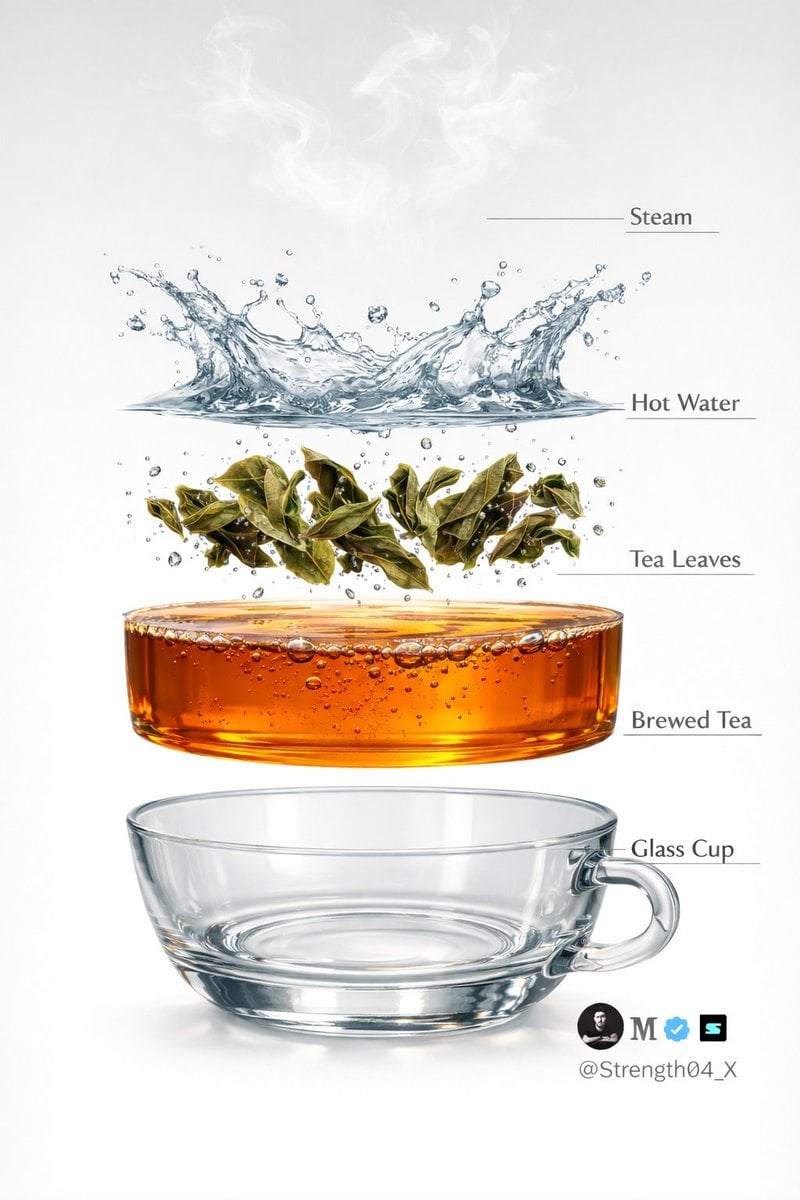
Hyper-realistic Tea Photography Prompts (Still Life and Exploded View)
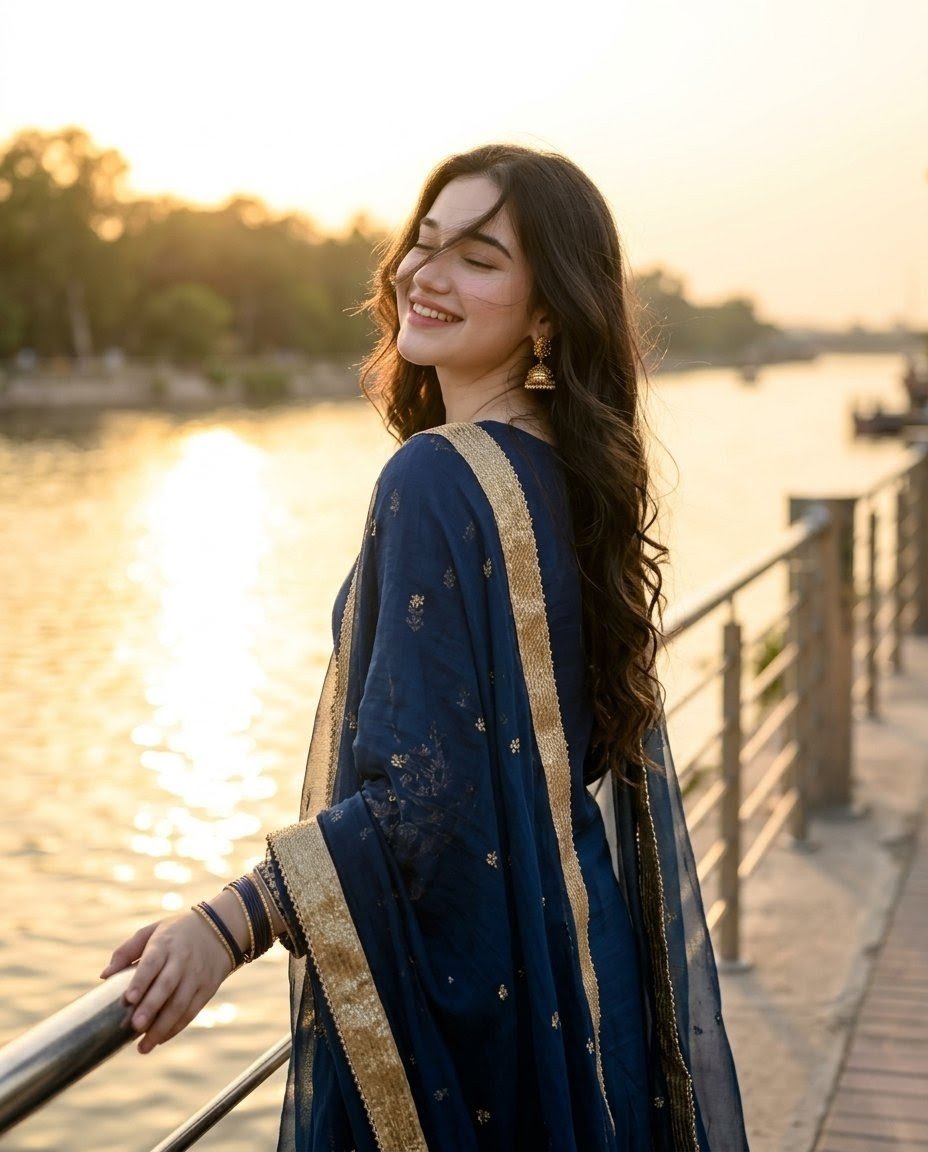
Golden Hour Riverside Portrait

Cinematic Short Film Prompt for Image and Video Generation

Anime Tactical RPG Battle UI
Browse template categories
Anime Baseball Rivalry Poster questions
How do I use the Anime Baseball Rivalry Poster template?
Add your photo if the template asks for one, edit the prompt if you like — the template's model and format are already selected — and press Generate. Your version opens in PicX Studio.
Can I customize the Anime Baseball Rivalry Poster template?
Yes. You can change the subject, setting, lighting, mood, format, and available model controls before creating your image.
Is the Anime Baseball Rivalry Poster template free?
Opening and editing this template is free. Generating uses credits, shown on the Generate button when you are signed in.
Which AI model should I use?
Start with GPT Image 2, which is the model associated with this template. You can compare another compatible model for a different finish.
Looking for something else? Browse all templates.

Your photo, any look
Thousands of ready templates for every top image and video model, from one credit balance.