
Luxury Lipstick Ad Transformation
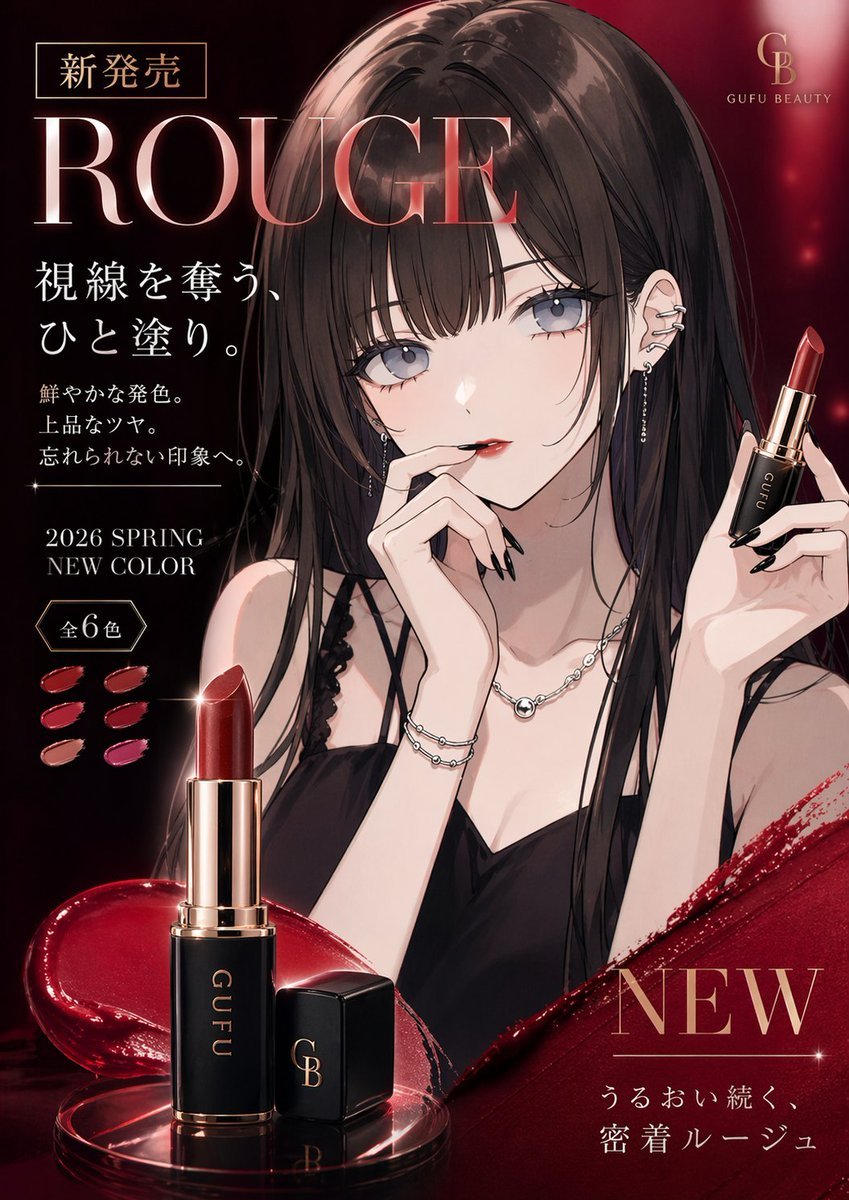
This prompt turns a character portrait reference into a premium Japanese lipstick campaign poster, useful for beauty-ad mockups and cosmetic branding visuals.
- Prompt included
- Model and format preset
- Free template
The prompt behind this image
Copy the exact prompt behind Luxury Lipstick Ad Transformation, or open it in the studio and make it yours.
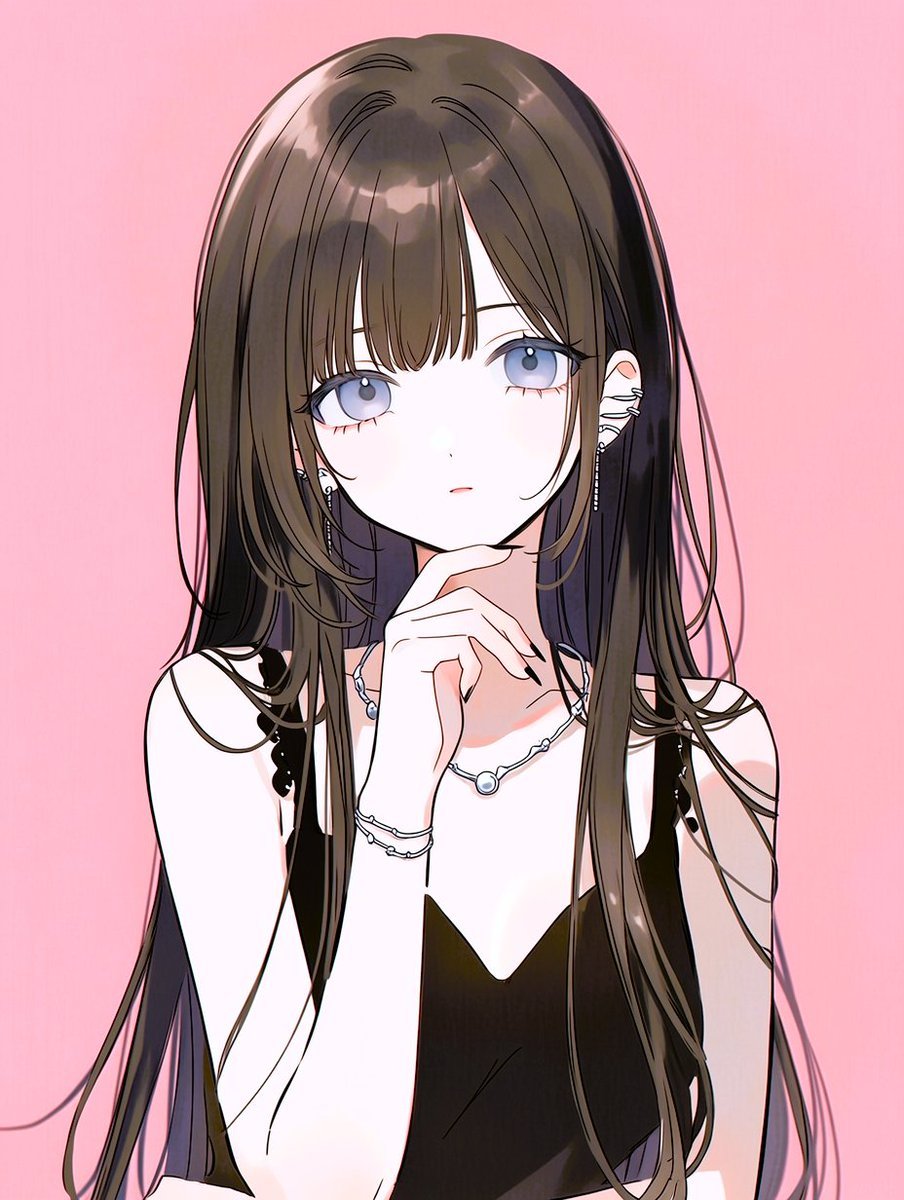
Using the provided reference image, transform the portrait into a luxury lipstick advertisement while keeping the same girl, hairstyle, outfit, accessories, and elegant anime illustration style. Change the framing to a polished beauty-campaign composition with a dark crimson-to-black glamorous background, glossy lighting, and premium cosmetic brand aesthetics. Add a lipstick product in her raised hand on the right side, and add a large foreground product shot at the bottom left showing 1 opened lipstick tube and 1 separate cap on a reflective surface with a splash of deep red gloss. Add Japanese ad typography and layout elements: top left a small boxed label reading "新発売", a very large headline "ROUGE", a vertical text block reading "視線を奪う、ひと塗り。", followed by 3 smaller lines "鮮やかな発色。", "上品なツヤ。", "忘れられない印象へ。", then "2026 SPRING NEW COLOR" and a badge reading "全6色" with 6 lipstick swatches beside it. Add a top-right luxury logo with the letters "GB" and the brand name "GUFU BEAUTY". Add a bottom-right campaign block with a large "NEW" and the line "うるおい続く、密着ルージュ". Use rich ruby reds, gold accents, glossy highlights, soft sparkles, and a high-end magazine cosmetic poster finish.
Reference images included
Luxury Lipstick Ad Transformation needs input media to work. They load alongside the prompt when you open it in the studio.
How to use Luxury Lipstick Ad Transformation in 3 steps
- 1Upload ImagePNG, JPG or paste
Add your photo
Upload the photo the template builds on. The prompt, model and format are already set.
- 2…a portrait of your subject in softgolden-hour light, 85mm…
Personalize
Edit the subject and creative details for your destination.
- 3Generate
Generate
Press Generate — your image is created in PicX Studio, so you can compare it with the original and refine one variable at a time.
More like this
Templates with the same subject, style or setup. Open one to see its prompt.











Make it yours
Luxury Lipstick Ad Transformation works as-is. These are the safest ways to change it without losing the look.
Change one field
Copy a single group, rewrite it, and generate again so you can see what that field is doing.
Keep the frame, change the subject
Hold the composition and light of Luxury Lipstick Ad Transformation, then swap wardrobe, props or the person for a new take.
| If the result… | Why | Fix |
|---|---|---|
| The result drifts from the preview | Too many fields changed at once. | Reuse Luxury Lipstick Ad Transformation as-is first, then change one group — subject, light, or setting. |
| The model over-stylizes the scene | The prose prompt leaves finish and camera underspecified. | Add one camera or lighting sentence and stay on GPT Image 2. |
More GPT Image 2 templates
Other prompts made for GPT Image 2.

Six VTuber Japanese Logo Sheet

Realistic Portrait of Woman and Deer

The Vista Modular Condo Poster

AI Model Routing Comparison Infographic

2.5D Anime Art Board

Isometric Productivity Desk Scene

New York Double Exposure Poster

Four-Panel AI Landscape Comparison

Japanese Tatami Lifestyle Magazine Cover

NESCAFÉ Coffee Map Poster
More image prompts
Fresh picks from across the catalog.

Professional Dark-Background LinkedIn Portrait
Dexter Morgan Cinematic Portrait with Banana Prop Prompt
Gen Z Mirror Selfie Collage
Gothic Ethereal Portrait in Snowy Forest
First-Person AR Shopping Interface Overlay
Exploded View Sneaker Infographic
Photorealistic Concert Embrace Scene
Renaissance Anatomical Study of a Flamingo
Misa Amane Anime Portrait
Anime Couple Vector Illustration
Browse template categories
Luxury Lipstick Ad Transformation questions
How do I use the Luxury Lipstick Ad Transformation template?
Add your photo if the template asks for one, edit the prompt if you like — the template's model and format are already selected — and press Generate. Your version opens in PicX Studio.
Can I customize the Luxury Lipstick Ad Transformation template?
Yes. You can change the subject, setting, lighting, mood, format, and available model controls before creating your image.
Is the Luxury Lipstick Ad Transformation template free?
Opening and editing this template is free. Generating uses credits, shown on the Generate button when you are signed in.
Which AI model should I use?
Start with GPT Image 2, which is the model associated with this template. You can compare another compatible model for a different finish.
Looking for something else? Browse all templates.

Your photo, any look
Thousands of ready templates for every top image and video model, from one credit balance.