How do I use the Poetic Bus Window Character Still template?
Choose the primary action to open PicX Studio with the available template settings. Review the model and format, personalize the creative direction, and generate when ready.
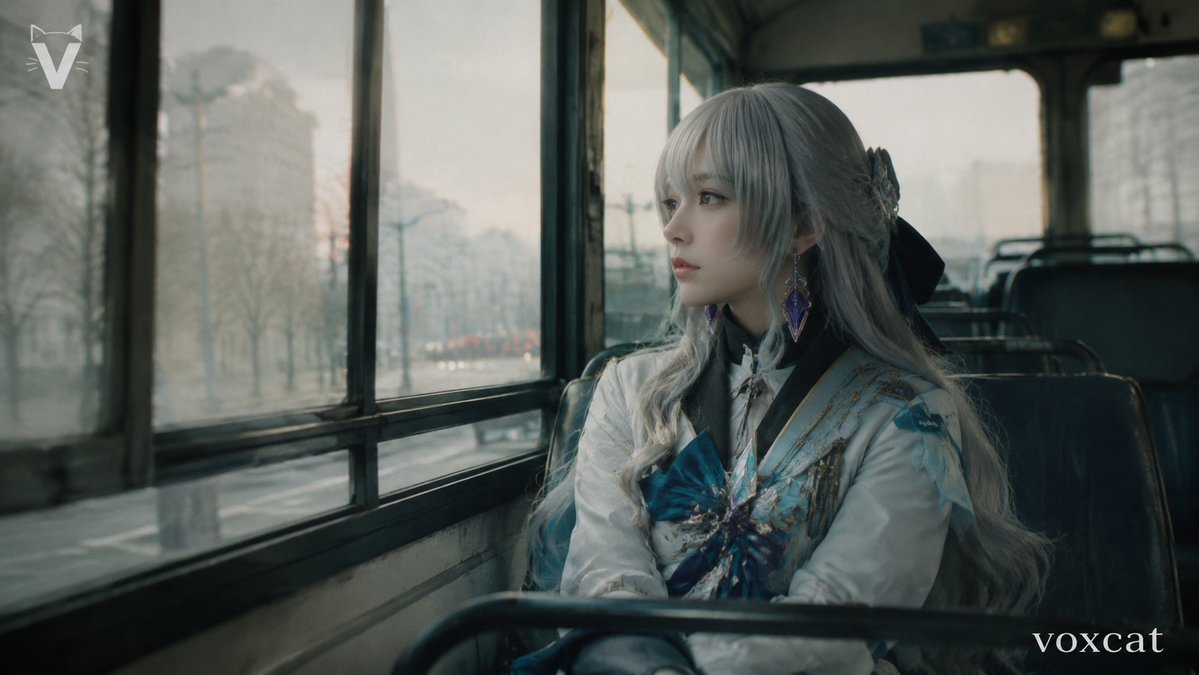
Generates a melancholic fantasy character poster in a hand-painted 1980s French animation style inside a rainy city bus. Change the subject, setting, or lighting one variable at a time.
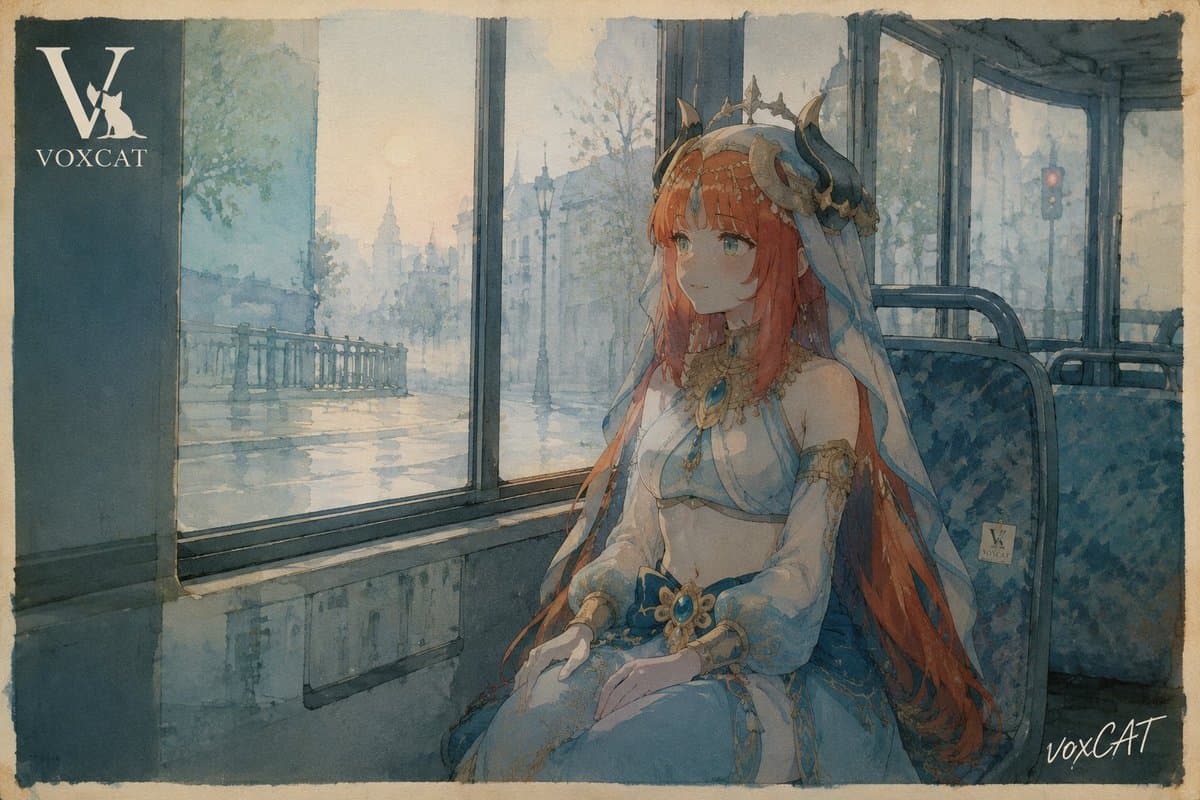
Create a poetic character illustration as if it were a collectible still from a French 1980s animated film. Show {argument name="character name" default="Voxcat"}, an elegant fantasy princess-like woman seated alone inside an old city bus, framed in a double-layer bus-window perspective. She has very long {argument name="hair color" default="copper red"} hair flowing over her shoulders and down the seat, a delicate horned crown or ornate headpiece with small dark curved horns, translucent blue veil fabric, gold filigree jewelry, turquoise gemstone ornaments, and a pale blue-and-white ceremonial dress with sheer sleeves and soft draped fabric. Her face should be deliberately obscured by a plain rectangular censor-like block, while the body and costume remain detailed. The bus interior is muted teal-blue with patterned fabric seats, metal window frames, worn panels, and a damp reflective window ledge. Outside the large windows, paint a rainy European boulevard with a bridge railing, bare trees, lampposts, distant classical buildings, wet pavement reflections, atmospheric mist, and a small red traffic light in the far right background. Use hand-painted cel animation language, transparent watercolor edges, visible paper grain, soft ink outlines, subdued blue-gray and beige palette, gentle melancholic lighting, and layered reflections on the glass so the city, character, and bus interior overlap poetically rather than photorealistically. Include exactly 3 visible text/logo elements: a large white monogram logo with the text "VOXCAT" in the upper-left dark bus panel, a tiny square "V VOXCAT" sticker on the seat back to the right of the character, and a handwritten white "voxCAT" signature in the bottom-right corner. Landscape 16:9 composition with rough painted border edges, no extra characters, no modern digital gloss, no photographic realism.
Choose the primary action to open PicX Studio with the available template settings. Review the model and format, personalize the creative direction, and generate when ready.
Yes. You can change the subject, setting, lighting, mood, format, and available model controls before creating your image.
This template is free to open and customize. Generation usage is shown in PicX Studio before you create.
Start with GPT Image 2, which is the model associated with this template. You can compare another compatible model for a different finish.
© 2026 PicX Studio. All rights reserved.

Follow a topic to a crawlable collection of related PicX Studio templates.
43,474 public templates available. Verified via the PicX Studio public templates API; refreshed hourly.
![LIGHTING each element still lit by its original source, windows casting — [ROOM TYPE] pulled apart in 3D, every surface and object floating at its exact positi](https://images.meigen.ai/tweets/2035390729527378146/0.jpg)







![Minimalist Flat Vector Travel Poster — Premium minimalist flat-vector travel poster for {argument name="city name" default="[CITY_NAME]"}, 3:4 vertical format.](https://cms-assets.youmind.com/media/1787917359711_3ug846_HQX205cbMAA6F6S-300x400.jpg)


























![Ultra-Wide Candid Mirror Documentation Portrait Prompt — (Vertical 9:16 smartphone aspect ratio). A raw, high-contrast [Candid Mirror Documentation] captured wi](https://pbs.twimg.com/media/G-ti4QmbQAAc5E7.jpg)