How do I use the Stylized 3D Cartoon Art Board template?
Choose the primary action to open PicX Studio with the available template settings. Review the model and format, personalize the creative direction, and generate when ready.
A set of four detailed prompts for creating polished, toy-like 3D cartoon characters in various fashion and lifestyle settings. Change the subject, setting, or lighting one variable at a time.
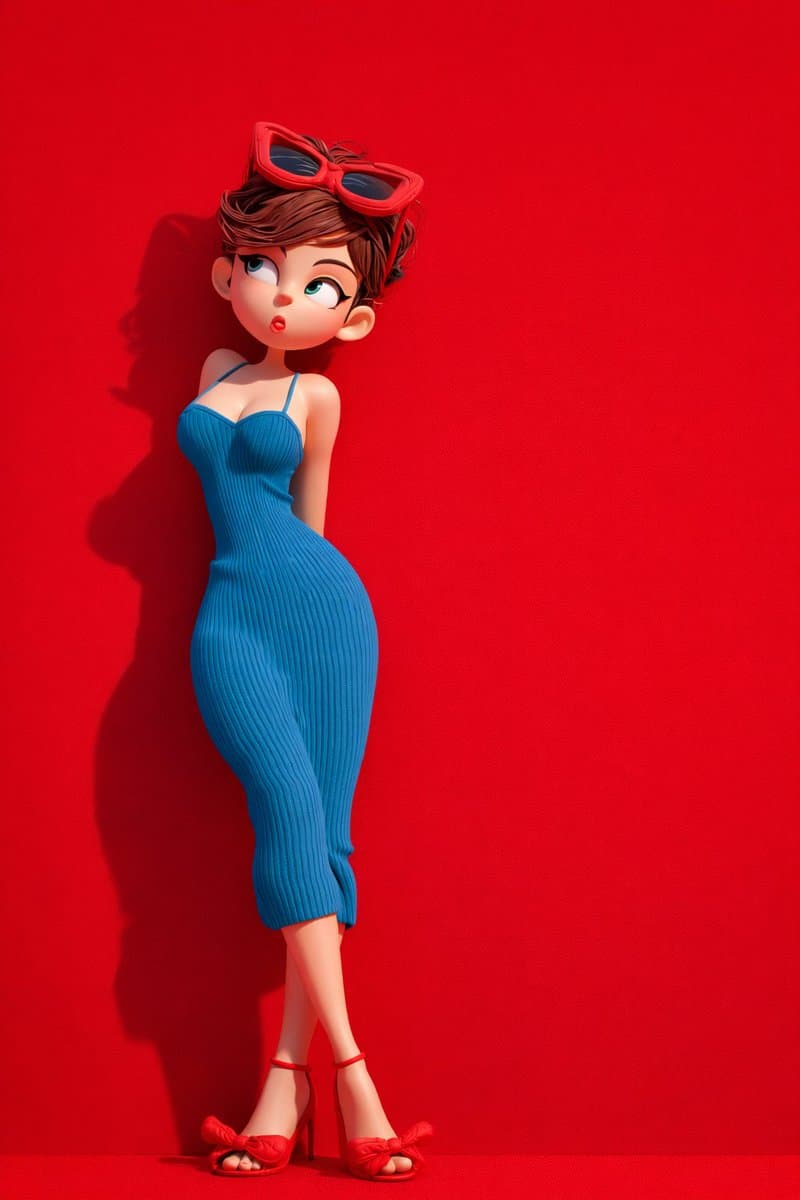
Create a vertical 2:3 ultra high definition series of four stylized 3D {argument name="style" default="cartoon"} editorial renders. Use a polished toy-like character finish, smooth matte skin, expressive oversized eyes, crisp silhouettes, soft studio lighting with realistic cast shadows, subtle backdrop grain, and strong single-color art direction. Keep each image clean, premium, and sharply separated from the background, with no text, no watermark, and no logo. Image 1: a stylized cartoon woman in a fitted ribbed blue dress with thin straps, red sunglasses resting on short tousled brown hair, red bow high-heel sandals, standing in a playful curved pose with crossed legs against a solid vivid red matte studio wall. Side lighting creates a defined shadow on the red background. Image 2: a cheerful stylized cartoon woman in an all-green travel look, black hair in two braided pigtails, green cap, sleeveless green crop top, loose green jogger pants with a drawstring, white sneakers, one finger touching her lips, holding the handle of a glossy green hard-shell suitcase. Solid green studio background, full body, eye-level camera. Image 3: a cozy centered scene of two stylized cartoon characters sitting on a red sofa in a deep red room. The woman on the left is wrapped in a textured red blanket, barefoot, calm expression, eyes looking upward. The man on the right is wrapped in an orange textured blanket, wearing socks, neutral gentle upward gaze. Use a balanced symmetrical composition, knitted fabric texture, warm nostalgic lighting, and a fabric-like red wall. Image 4: a red-haired stylized cartoon girl standing in front of a wall mirror in a warm beige room. Show her from behind with extremely long glossy red hair flowing down her back, while the mirror reflection shows her small worried face, blue eyes, red outfit, and soft anxious expression. Gentle sunlight from the side, clean floor, simple mirror frame, emotional storybook mood. Global quality: 8K, ultra-high definition, high-detail 3D render, realistic soft shadows, extreme clarity, crisp edges, no noise, no compression, premium editorial composition, color-block backgrounds, cinematic but minimal.
Choose the primary action to open PicX Studio with the available template settings. Review the model and format, personalize the creative direction, and generate when ready.
Yes. You can change the subject, setting, lighting, mood, format, and available model controls before creating your image.
This template is free to open and customize. Generation usage is shown in PicX Studio before you create.
Start with GPT Image 2, which is the model associated with this template. You can compare another compatible model for a different finish.
© 2026 PicX Studio. All rights reserved.

Follow a topic to a crawlable collection of related PicX Studio templates.
43,474 public templates available. Verified via the PicX Studio public templates API; refreshed hourly.





![Minimalist Flat Vector Travel Poster — Premium minimalist flat-vector travel poster for {argument name="city name" default="[CITY_NAME]"}, 3:4 vertical format.](https://cms-assets.youmind.com/media/1787917359711_3ug846_HQX205cbMAA6F6S-300x400.jpg)





















![K-Pop Choreography Instruction Sheet — K-Pop Dance 16-Step Instruction Sheet (4×4 Grid)
[VISUAL STYLE]
High-end K-pop choreography guide in monochrome grayscal](https://cms-assets.youmind.com/media/1777539302475_28y0fd_HHFfuhfbkAAWGXK.jpg)