
Cloisonné Craft Process PPT Slide
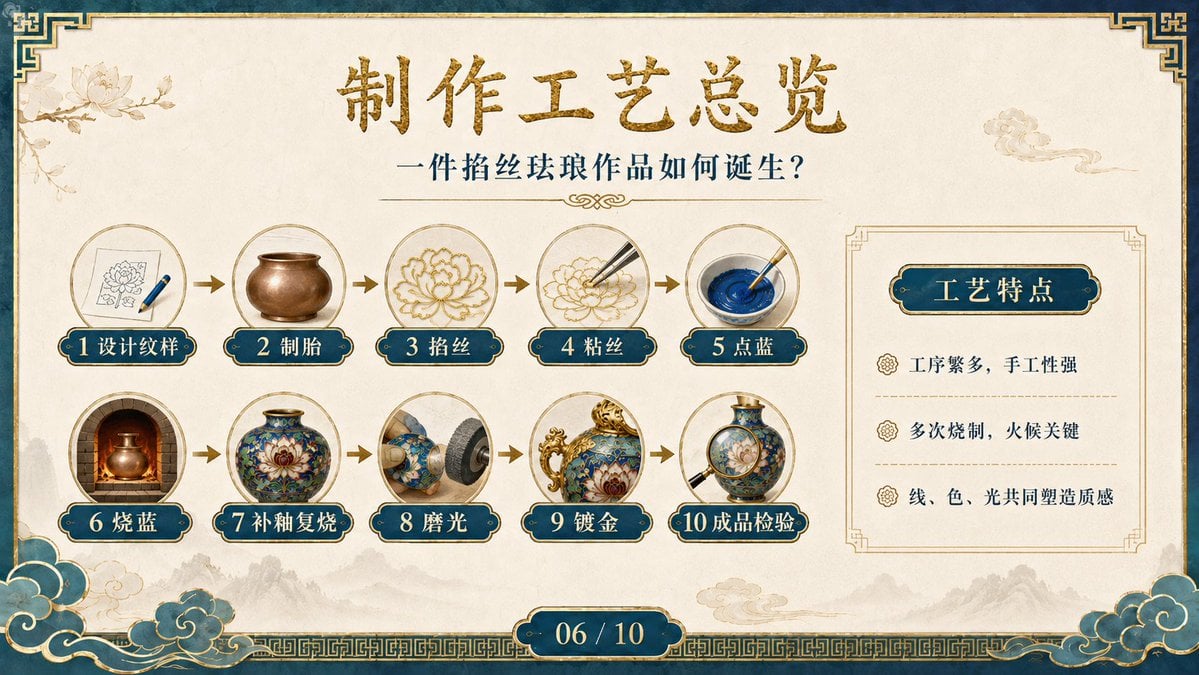
Generates an ornate Chinese-style presentation slide explaining the ten-step cloisonné enamel making process with a feature summary panel.
- Prompt included
- Model and format preset
- Free template
The prompt behind this image
Copy the exact prompt behind Cloisonné Craft Process PPT Slide, or open it in the studio and make it yours.
- Type
- single-slide presentation page in ornate Chinese classical style
- Canvas › Aspect Ratio
- 16:9 widescreen
- Canvas › Background
- warm ivory parchment with subtle paper grain, faint ink-wash mountains along the bottom, pale lotus line art in the upper left, small auspicious cloud illustration in the upper right
- Canvas › Border
- deep teal outer frame with aged gold trim, geometric Chinese corner ornaments, gold key-pattern band along the bottom, decorative teal-and-gold cloud clusters in both lower corners
- Title Area › Main Title
- {argument name="main title" default="制作工艺总览"}
- Title Area › Main Title Style
- large centered brush-calligraphy Chinese characters, textured metallic gold
- Title Area › Subtitle
- {argument name="subtitle text" default="一件掐丝珐琅作品如何诞生?"}
- Title Area › Subtitle Style
- smaller dark teal serif Chinese text centered under the title, with thin gold divider lines and a small ornamental flourish
- Main Process Flow › Position
- left and center, occupying about two thirds of the slide
- Main Process Flow › Count
- 10
- Main Process Flow › Layout
- two rows of five circular image medallions connected by small gold right-pointing arrows
- Main Process Flow › Medallions
- thin gold circular frames, each containing a realistic miniature illustration of a cloisonné enamel making step
- Main Process Flow › Labels › 0 › Number
- 1
- Main Process Flow › Labels › 0 › Text
- 设计纹样
- Main Process Flow › Labels › 0 › Image
- sketch paper with lotus pattern and a blue pen
- Main Process Flow › Labels › 1 › Number
- 2
- Main Process Flow › Labels › 1 › Text
- 制胎
- Main Process Flow › Labels › 1 › Image
- plain bronze or copper vessel body
- Main Process Flow › Labels › 2 › Number
- 3
- Main Process Flow › Labels › 2 › Text
- 掐丝
- Main Process Flow › Labels › 2 › Image
- gold wire forming a flower outline
- Main Process Flow › Labels › 3 › Number
- 4
- Main Process Flow › Labels › 3 › Text
- 粘丝
- Main Process Flow › Labels › 3 › Image
- tweezers placing fine metal wire onto a floral outline
Raw JSON
{"type":"single-slide presentation page in ornate Chinese classical style","canvas":{"aspect_ratio":"16:9 widescreen","background":"warm ivory parchment with subtle paper grain, faint ink-wash mountains along the bottom, pale lotus line art in the upper left, small auspicious cloud illustration in the upper right","border":"deep teal outer frame with aged gold trim, geometric Chinese corner ornaments, gold key-pattern band along the bottom, decorative teal-and-gold cloud clusters in both lower corners"},"title_area":{"main_title":"{argument name=\"main title\" default=\"制作工艺总览\"}","main_title_style":"large centered brush-calligraphy Chinese characters, textured metallic gold","subtitle":"{argument name=\"subtitle text\" default=\"一件掐丝珐琅作品如何诞生?\"}","subtitle_style":"smaller dark teal serif Chinese text centered under the title, with thin gold divider lines and a small ornamental flourish"},"main_process_flow":{"position":"left and center, occupying about two thirds of the slide","count":10,"layout":"two rows of five circular image medallions connected by small gold right-pointing arrows","medallions":"thin gold circular frames, each containing a realistic miniature illustration of a cloisonné enamel making step","labels":[{"number":"1","text":"设计纹样","image":"sketch paper with lotus pattern and a blue pen"},{"number":"2","text":"制胎","image":"plain bronze or copper vessel body"},{"number":"3","text":"掐丝","image":"gold wire forming a flower outline"},{"number":"4","text":"粘丝","image":"tweezers placing fine metal wire onto a floral outline"},{"number":"5","text":"点蓝","image":"brush mixing vivid cobalt blue enamel paste in a round dish"},{"number":"6","text":"烧蓝","image":"glowing kiln with a vessel being fired"},{"number":"7","text":"补釉复烧","image":"finished blue floral cloisonné vase"},{"number":"8","text":"磨光","image":"rotary polishing wheel grinding a blue enamel vessel"},{"number":"9","text":"镀金","image":"ornate blue-and-gold cloisonné vessel with gilded handle and rim"},{"number":"10","text":"成品检验","image":"magnifying glass inspecting a finished blue cloisonné vase"}],"label_style":"each step label is a dark teal rounded plaque with gold outline, cream number, and white Chinese text"},"right_feature_panel":{"position":"right side","panel_style":"thin gold rectangular frame with clipped ornamental corners on parchment background","heading":"{argument name=\"feature panel heading\" default=\"工艺特点\"}","heading_style":"dark teal rounded plaque with gold outline and cream Chinese characters","bullet_count":3,"bullets":["工序繁多,手工性强","多次烧制,火候关键","线、色、光共同塑造质感"],"bullet_style":"small gold floral icons, dark teal Chinese text, light dashed gold separator lines between bullet rows"},"footer":{"slide_number":"{argument name=\"slide number\" default=\"06 / 10\"}","style":"centered dark teal rounded capsule with gold trim and white numerals"},"visual_style":"premium cultural heritage PPT slide, elegant museum-exhibition aesthetic, realistic craft thumbnails mixed with traditional Chinese decorative graphics, balanced spacing, high-resolution, no people, crisp typography, muted gold and teal palette","rendering_notes":"keep all Chinese text legible and correctly placed; use exactly 10 numbered process steps and exactly 3 feature bullets; maintain a polished PowerPoint courseware look"}How to use Cloisonné Craft Process PPT Slide in 3 steps
- 1Upload ImagePNG, JPG or paste
Add your photo
Upload the photo the template builds on. The prompt, model and format are already set.
- 2…a portrait of your subject in softgolden-hour light, 85mm…
Personalize
Edit the subject and creative details for your destination.
- 3Generate
Generate
Press Generate — your image is created in PicX Studio, so you can compare it with the original and refine one variable at a time.
More like this
Templates with the same subject, style or setup. Open one to see its prompt.










Make it yours
Cloisonné Craft Process PPT Slide works as-is. These are the safest ways to change it without losing the look.
Swap the setting
Keep the rest of the prompt and replace the location block. The current setting is “warm ivory parchment with subtle paper grain, faint ink-wash mountains along the”.
Change one field
Copy a single group, rewrite it, and generate again so you can see what that field is doing.
Keep the frame, change the subject
Hold the composition and light of Cloisonné Craft Process PPT Slide, then swap wardrobe, props or the person for a new take.
| If the result… | Why | Fix |
|---|---|---|
| The result drifts from the preview | Too many fields changed at once. | Reuse Cloisonné Craft Process PPT Slide as-is first, then change one group — subject, light, or setting. |
| GPT Image 2 ignores part of the JSON | Some models flatten or skip nested keys. | Keep the same values and paste them as a short paragraph instead. |
More GPT Image 2 templates
Other prompts made for GPT Image 2.

Six VTuber Japanese Logo Sheet

Realistic Portrait of Woman and Deer

The Vista Modular Condo Poster

AI Model Routing Comparison Infographic

2.5D Anime Art Board

Isometric Productivity Desk Scene

New York Double Exposure Poster

Four-Panel AI Landscape Comparison

Japanese Tatami Lifestyle Magazine Cover

NESCAFÉ Coffee Map Poster
More image prompts
Fresh picks from across the catalog.
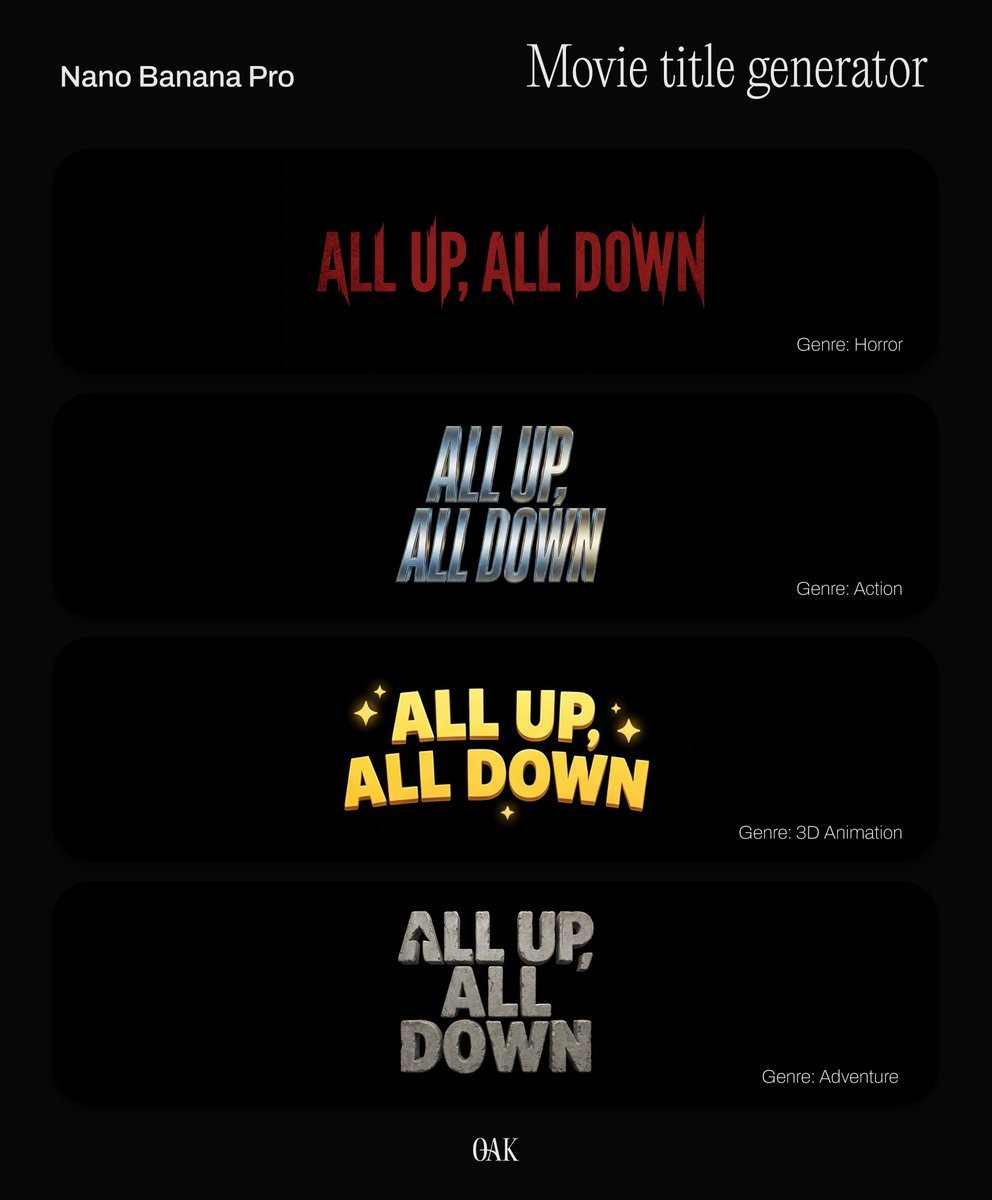
Movie Title Generator Prompt

Chibi Angel in Fantasy Forest
Ancient Fantasy Red Gold Portrait
High-Fashion Typography Poster Template
Lifestyle Portrait at Outdoor Café

Detailed Japanese Graphic Recording Summary
Luxury Retail Editorial Scene with Symbolic Apple

Hyper-realistic Product Photography with Dynamic Splash Effects

Luxury Street Style Portrait in a Porsche Interior

Welcome Home Scenario Prompt
Browse template categories
Cloisonné Craft Process PPT Slide questions
How do I use the Cloisonné Craft Process PPT Slide template?
Add your photo if the template asks for one, edit the prompt if you like — the template's model and format are already selected — and press Generate. Your version opens in PicX Studio.
Can I customize the Cloisonné Craft Process PPT Slide template?
Yes. You can change the subject, setting, lighting, mood, format, and available model controls before creating your image.
Is the Cloisonné Craft Process PPT Slide template free?
Opening and editing this template is free. Generating uses credits, shown on the Generate button when you are signed in.
Which AI model should I use?
Start with GPT Image 2, which is the model associated with this template. You can compare another compatible model for a different finish.
Looking for something else? Browse all templates.

Your photo, any look
Thousands of ready templates for every top image and video model, from one credit balance.